 8
8Gin Rummy
GamesA Gin Rummy game built with Gemini. Great for a quick break. Some rules may vary from the original. Thanks for understanding. This app was built by Gemini.
 294
294Circula
GamesMaster the Gravity. Conquer the Void. Step into the pulsing, high-contrast world of Circula, the ultimate test of timing and reflexes for your Pebble smartwatch. In this hypnotic orbital arcade experience, you are a lone energy pulse navigating an infinite field of celestial nodes. Leap from orbit to orbit, harness centrifugal force, and climb higher than ever before. The Premise You don't just move—you orbit. Every node has its own gravitational pull and direction. Your mission is to time your jump perfectly to break orbit and catch the next node. Miss the mark, and you'll drift into the void. Stay too long, and the advancing camera will consume you. Why You’ll Love Circula: Hyper-Responsive Controls: Designed for the "one-button" philosophy. A single press of the Select button is all you need to master the jump. Dynamic Visuals: Experience a "Hot" color palette featuring deep Oxford Blues and vibrant Sunset Oranges, optimized for crystal-clear visibility on both color and monochrome e-paper displays. Pure Performance: Native C implementation ensures silky-smooth 30FPS gameplay across all platforms, from the classic Pebble to the latest Pebble Time 2. Tailored Difficulty: Whether you want a relaxing rhythmic climb or a high-speed survival challenge, choose between Easy, Medium, and Hard modes to suit your playstyle. Glance-First Design: Minimalist HUD keeps your focus on the action, with subtle score pulsing and haptic alerts to keep you in the flow. Features: Procedural, infinite level generation – never the same climb twice. Full support for Round (Chalk), Rectangular (Basalt/Aplite), and high-res (Emery) displays. Persistent High Score tracking. Battery-efficient core engine. Can you maintain the orbit? Or will you break under the pressure?
 73
73QuickTimer
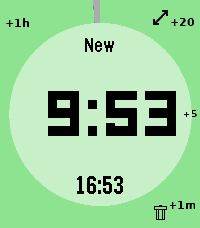
Tools & Utilities# pebble-timer-quick QuickTimer is a timer app for the Pebble Smartwatch, intended to be the fastest way to start a timer or stopwatch. Made for people that think needing 5 seconds to set a countdown timer or stopwatch is far too long. With QuickTimer, rest assured that you are not fiddling away precious moments of your life. QuickTimer starts counting as soon as you open the app. First press the button, then think how long the timer needs to be. If you want a timer for 1 minute and it takes you 6 seconds to start the timer, then your timer will be off by 10%, and that can be life or death. If you like your soft boiled eggs cooked for exactly 6 minutes and 20 seconds, QuickTimer will help you get the gooey texture you desire. QuickTimer works by pressing buttons to increment the countdown timer by set amounts (1, 5, 20, 60). Once you get used to this, you can set a timer without even looking at your watch. Here's how it works: - Open the app - You enter new timer mode where each button press adds a given amount of minutes to the total countdown time - After 3 seconds of inactivity your timer is set - If you don't press anything, QuickTimer goes into stopwatch mode instead - Once you are in counting mode, you can edit your timer, restart your timer, or you can enable repeat timers - Timers that are in alarm can be repeated, snoozed for 5 minutes, or silenced to become post timer stopwatches. Based on [YclepticStudios/pebble-timer-plus](https://github.com/YclepticStudios/pebble-timer-plus).   ## Buttons ### New timer mode - Back: Add 1 hour - Up: Add 20 mins - Select: Add 5 mins - Down: Add 1 min - Hold Up: Toggle reverse direction (increments become decrements) - Hold Select: Switch to EditSec mode (seconds granularity) - Hold Down: Quit app and delete timer After 3 seconds of inactivity, the timer is set and transitions to counting mode. ### EditSec mode (seconds granularity) - Back: Add 60 seconds - Up: Add 20 seconds - Select: Add 5 seconds - Down: Add 1 second - Hold Up: Toggle reverse direction - Hold Select: Switch back to New mode (minutes granularity) - Hold Down: Quit app and delete timer ### EditRepeat mode Entered by holding Up while in counting mode (countdown timers only). - Back: Reset repeat count to 0 - Up: Add 20 repeats - Select: Add 5 repeats - Down: Add 1 repeat - Hold Down: Quit app and delete timer ### Counting mode - Up: Enter edit mode - Select: Toggle play/pause - Down: Extend high-refresh display rate - Back: Quit app - Hold Up: Toggle repeat mode on/off (countdown only) - Hold Select (running): Restart timer to original length - Hold Select (paused): Reset to 0:00 and enter EditSec mode - Hold Down: Quit app and delete timer ### Alarm mode When a countdown timer expires, it enters alarm mode (vibrating). - Up: Silence alarm and enter edit mode - Select: Silence alarm and toggle play/pause - Down: Snooze (add 5 minutes) - Back: Silence alarm (timer continues as stopwatch) - Hold Up: Repeat timer (restart with original length) - Hold Select: Restart timer from original length (running) - Hold Down: Quit app and delete timer ## Quickness The table below compares the number of button presses required to set timers in QuickTimer versus in the default Pebble timer. ``` | Timer Amount | QuickTimer | Default Pebble Timer | |--------------|------------|----------------------| | 1 min | 2 | 5 | | 2 min | 3 | 6 | | 3 min | 4 | 7 | | 4 min | 4 | 8 | | 5 min | 2 | 5+ | | 6 min | 3 | 5+ | | 7 min | 4 | 5+ | | 8 min | 5 | 5+ | | 9 min | 5 | 5+ | | 10 min | 3 | 5+ | | 11 min | 4 | 5+ | | 12 min | 5 | 5+ | | 13 min | 6 | 5+ | | 14 min | 5 | 5+ | | 15 min | 4 | 5+ | | 16 min | 5 | 5+ | | 17 min | 6 | 5+ | | 18 min | 5 | 5+ | | 19 min | 4 | 5+ | | 20 min | 2 | 5+ | | 25 min | 3 | 5+ | | 30 min | 4 | 5+ | | 35 min | 5 | 5+ | | 40 min | 3 | 5+ | | 45 min | 4 | 5+ | | 50 min | 5 | 5+ | | 55 min | 4 | 5+ | | 59 min | 4 | 5 | | 60 min | 2 | 5 | | stopwatch | 1 | x | ```
 3
3Card Catalog
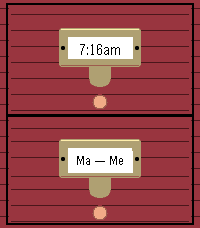
DailyA watchface inspired by vintage library card catalogs. Wood drawers with brass hardware display the time on file labels. 1.1 will have user-configurable lower drawer label.
 21
21PeReader
Tools & UtilitiesWelcome to PeReader! A super simple .TXT reader for all your reading on the go! Is the ol' 9-5 sucking your life away? Throw your favorite novel in here and disappear for awhile! Have several E-Readers back home and want to sync your reading? - Use the percentage skip option! Sneakily reading some smut in the dark? - Enable the backlight for your goblin needs! That's pretty much it... Just upload your TXT file into the app settings page and upload. You may need to adjust the page character count in the settings if on a larger device like the Time 2. Up button - previous page Down button - next page Select button - options menu - Lightbulb toggles between backlight on and auto - Skip button opens skip menu to jump forward or back Hope you enjoy! Side note: If a txt fails to upload, you may need to split it into chunks or it could be an issue with funky characters or formatting in the document. Still gotta iron that out.
 13
13UnlockThePlock
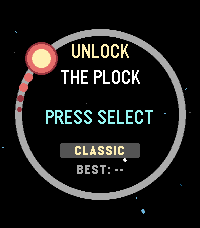
GamesA clone of the game "Pop The Lock" For pebbles, this time it's kinda more space themed.
 28
28Small Places
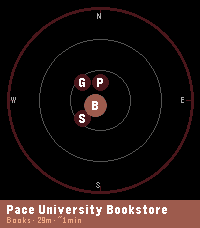
DailySmall Places Discover the independent businesses and hidden gems around you — no chains, no noise. Small Places uses OpenStreetMap to surface nearby cafes, bookstores, vintage shops, bakeries, parks, and more, filtered by walking distance and updated as you move. Built to help you slow down and appreciate the small things in life. Features: - Live nearby list with walk-time estimates and closing-soon warnings - Compass radar view showing places by direction and distance - Smart time-of-day priority sorting (coffee shops in the morning, bars in the evening) - Mood presets to instantly switch your search focus — Morning Fuel, Lunch Break, Evening Out, Weekend Wander - Save spots you want to visit later to "My Places" for quick reference - Chain filtering keeps results locally-owned and independent - Background wake-ups so results are ready when you raise your wrist - Configurable radius, poll interval, hours filter, and measurement units - Manual latitude/longitude input mode lets you explore local businesses anywhere in the world from the comfort of your current location (or simply get a better idea of the app's abilities without downloading to a physical watch) Supported Business Categories: Art & craft, bakeries, bars & pubs, bike shops, bookstores, cafes, clothing, florists, game stores, gift shops, grocery, hardware, libraries, music stores, parks, pet stores, restaurants, specialty food, toy stores, vintage & second-hand shops. Platform notes: - Full experience (color, radar view) on Pebble Time 2, and Pebble Time Round 2 - Pebble 2 Duo: all features supported, radar view not available to save you some space for a more lightweight small places experience - Original Pebble: supported with a reduced nearby list (5 places) and bookmark limit (10); radar view not available. Just the core functionality without modern space expectations weighing you down. Powered by OpenStreetMap contributors — this app wouldn't exist without their effort.
 47
47Flucht
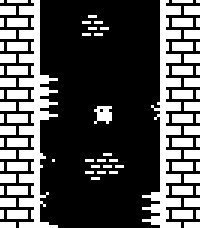
GamesWall jump as high as you can while avoiding dangerous spikes! This is a one-button game, with random level generation and local high scores. Select/Down: Jump (short tap is short jump, holding press is longer jump) Up: Toggle FPS counter display You can play a very similar version online at https://sergilazaro.itch.io/flucht NOTE: This hasn't been tested with any of the actual hardware, only with emulators. Feedback on performance is appreciated.
 14
14Time Eye-Opener
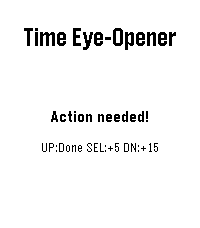
NotificationsTime Eye-Opener: The notification that doesn't take "no" for an answer. You’re in a meeting and a crucial text comes in. You can’t reply right now, but if you swipe it away, you know you’ll forget it exists. Standard smartwatches let tasks vanish into the void. Time Eye-Opener is different. With a couple of clicks, set a 5 or 15-minute persistent reminder that stays glued to your screen and escalating its vibrations until you actually mark it "Done." Stop relying on your memory; rely on your wrist. This is also very helpful for people with busy lives, or ADHD- push away the cognitive demand for later. Deal with time blindness- open your eye to more time now, in exchange for some time later!
 12
12Pebble MA
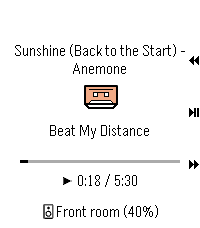
RemotesPebble Music Assistant client
 8
8MicroKnit
GamesRelax and knit away your stress on your Pebble! Select to knit a stitch Back to undo a stitch Up and Down to cycle yarn color in your basket Longpress for background, yarn basket, and reset All progress is saved for your next knitting session (usually)
 8
8ptcgwiki
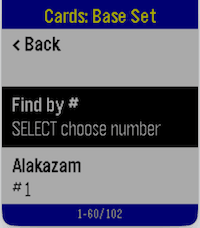
GamesPTCG Wiki for Pebble lets you browse Pokémon TCG data directly from your watch. Navigate from Series → Sets → Cards, open a card, and view key stats, effects, and market pricing in a fast, watch-friendly format. Core Functionalities Browse full Pokémon TCG catalog in hierarchy: Series list Set list per series Card list per set Automatic burst/paged loading while scrolling (supports large sets without loading everything at once) Card detail view includes: HP, Stage, Regulation Mark, Type, Rarity Weakness, Retreat cost Ability + Ability Effect Attack + Attack Effect Cardmarket prices from API (low, avg, trend) with currency unit “Find by #” in card lists (supported platforms) to jump to a card number quickly Stable back-navigation across hierarchy levels Platform Limitations Aplite (Gen1, monochrome, low memory) No image preview support “Find by #” is disabled Card detail text is shortened to fit memory/message limits Smaller in-memory page sizes for reliability Basalt / Chalk / Diorite / Flint Text-first experience (no image preview) “Find by #” available (dictation-first, fallback to manual picker) Emery / Gabbro Full text experience plus image preview support “Find by #” available (dictation-first, fallback to manual picker) Network / Data Notes Requires phone connection and internet access Uses TCGDex API data; availability and fields depend on upstream card metadata
 17
17QuickHue
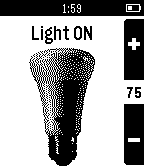
RemotesPebble app to facilitate quick control of a Philips Hue light bulb. It will toggle the preselected light ON or OFF as soon as the app loads, so it is designed to be registered as a button shortcut for quick light control. When the app is already open the Up and down will also change the light brightness. Automatic pairing with the bridge has been added. Any questions or bugs can be reported in the "source link" below.
 12
12LaunchPad
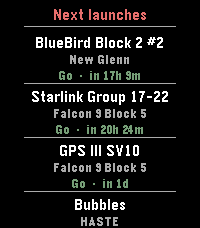
Tools & UtilitiesLaunchPad brings the world's rocket launch schedule to your Pebble. Scroll through the next 10 upcoming orbital launches, each showing: * Mission name — what's flying (BlueBird, Starlink, GPS III ) * Rocket — which launcher (Falcon 9, New Glenn, Electron…) * Status & countdown — color-coded Go / TBC / TBD with a human-readable time like "in 17h 1m" or "25 Apr · 14:00Z" App is pure alloy, data comes live from Launch Library 2 by The Space Devs — the same open database that powers many of the best space-tracking apps. Credit: launch data provided by thespacedevs.com
 21
21Flipstone
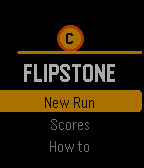
GamesFlipstone is a roguelike built for the Pebble Time smartwatch, where every combat turn resolves with a coin flip. Heads deals damage, tails misses, and a rare edge landing crits for double. Sessions last 5–15 minutes for a full 20-floor run. After every kill you pick a sticker that modifies your coin's behaviour — making heads hit harder, turning tails into something useful, or boosting the rare edge crit. Stickers stack, so over a run you build synergies that transform how the game plays. One run you're a poison tank; the next, a glass cannon fishing for edge crits. Choose between three combat stances each turn: Aggressive (+50% damage, no shield), Balanced (normal), or Defensive (half damage, extra shield). Consecutive heads build a combo streak that multiplies damage. Two reflips per floor let you reroll bad outcomes. Fight through 20 floors of increasingly difficult enemies across 4 enemy pools. Face 4 unique bosses every 5 floors: The Gambler (flips twice), Two-Faced (can't miss), The House (steals your stickers on edge), and Final Flip (all outcomes deal damage). After floor 20, continue into endless mode for leaderboard competition. Features: 24 stickers across 5 categories, gold economy with shops, event floors (rest, mystery box, shrine, fountain), persistent leaderboard, save and resume mid-run, and animated coin flips with haptic feedback