 12
12AirCheck
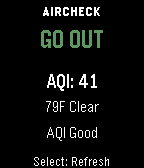
Health & FitnessAirCheck gives you a fast, simple answer to one question: should you go outside right now? Using real-time air quality (AQI) and weather data, AirCheck gives you a simple, instant recommendation: GO OUT CAUTION STAY IN Features - Real-time AQI and weather courtesy of Open-Meteo - Temperature-aware recommendations - Thunderstorm safety override - Clear reason text explaining each recommendation - Simple, easy-to-read interface - Manual refresh on launch and button press - Works across all Pebble watch types No clutter. No confusing settings. Just a clear answer when you need it.
 34
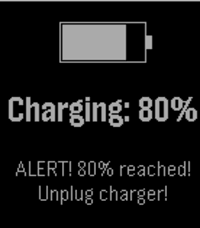
3480% battery charged
Tools & UtilitiesGet notified when you charge your pebble and the battery level reaches 80%. This way, you can manually interrupt the charge. Preventing batteries to charge completely has been proven to improve their capacity degradation. When 80% charge is reached, the pebble will display a message and vibrate repeatedly. Additionally, you can configure your pushbullet access token or a custom webhook in the settings so that you get a remote notification as well.
 10
10tg
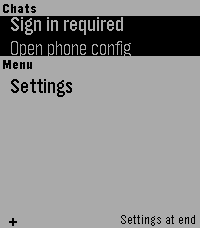
DailyTelegram interface for Pebble (unofficial). Read your messages and send with dictation. Message your friends -- or your OpenClaw -- all from your Pebble!
 22
22Game of Go
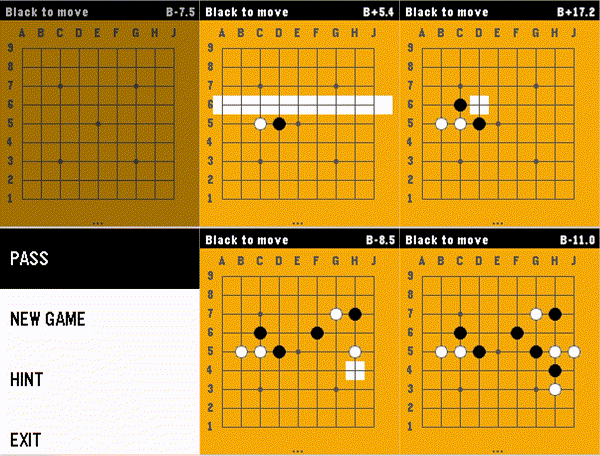
GamesThis app brings the game of Go / Baduk / Weiqi to the Pebble Time 2 with a fast, fully-featured engine and a polished interface. Go is the ultimate mental workout for your commute or coffee break. Features: * Board 9x9, Chinese rules (Stones + Territory) * AI algorithm based on Monte Carlo Tree Search. * Game modes: Player vs Player, Human vs AI (Black or White), and even AI vs AI mode. * Intuitive two-step stone placement designed specifically for the Pebble's buttons. * A real-time score estimate, keeping you informed of who's winning at every turn. * 100% offline - all computations happen on the local device, pushing Pebble's capabilities to the boundaries. * AI hints - stuck on the next move? Ask the AI for a suggestion. * Authentic look: standard coordinate labels (1-9, A-J), Hoshi (star) points, and a wooden board aesthetic How to Play: 1. Select Row: Use UP/DOWN to highlight a row, then press SELECT. 2. Select Column: Use UP/DOWN to move the cursor horizontally, then press SELECT to place your stone. 3. Press BACK to open Menu to Pass, start a New Game, or get a Hint. --- Love the game? Please leave a ❤️ on the Pebble App Store! Your support helps me keep improving the AI and adding new features like persistent saves and larger boards.
 8
8PebbleBus
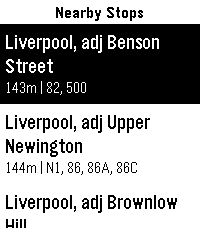
DailyInspired by the great PebbleRail, PebbleBus is an equivalent app for UK and Ireland buses: - Find nearby stops - Check a list of services from a stop, including expected and actual (live) arrival times - Check stops along the route for a given service to see when you should arrive at your destination - Save your favourite stops so you can check times for them even when you're not nearby (long press a stop to add/remove it as a favourite) Data provided by the excellent bustimes.org, thank you!
 17
17MyBuddy Pet Sugar Glider (AKA MySuggie)
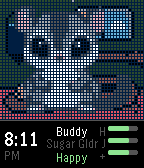
GamesHave your own cute little Suggie living on your wrist! Enjoy her every day. Keep her fed and happy. - Simple setup, no settings screen - Pick your suggie's name when you first start - Day/night is based on the actual time
 42
42HalfLife - Smart Caffeine Tracker
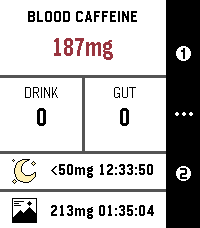
Health & FitnessTrack your caffeine like your body actually processes it. HalfLife is a real-time caffeine tracker for Pebble that simulates how caffeine is absorbed, peaks, and wears off — so you can stay energized, avoid crashes, and sleep better. Note: This is a mathematical model, not medical advice. > Why It’s Different Most apps just estimate. HalfLife simulates using a pharmacokinetic model, it tracks your caffeine levels continuously — so you always know where you stand, not just what you drank. > What You Get - Real-time caffeine levels: updates every second — no static estimates. - Peak prediction: see when your caffeine will hit hardest — and how strong it’ll be. - Smart sleep guidance: know when your levels are low enough for quality sleep. - 6 Custom drink presets: save your go-to coffee, tea, or energy drinks. - Flexible drinking durations: 3 presets of 5 to 120 minutes - Preferred caffeine range: Stay in your ideal focus zone at a glance. - Free-form logging: enter any caffeine amount anytime. > Built Around You Everyone processes caffeine differently. HalfLife lets you adjust: - Caffeine half-life (how fast it leaves your body) - Absorption speed (how fast it gets absorbed into your bloodstream) - Your personal sleep threshold - Your preferred caffeine range (color display watches only) - Or just use the built-in defaults and go. > Real-World Uses - Time your morning coffee for peak focus - Avoid the afternoon crash - Don’t ruin your sleep with late caffeine - Plan pre-workout energy boosts - Understand how multiple drinks stack over time > Private & Efficient - 100% on-device – your data never leaves your watch - No background drain – zero battery impact when closed - Open source – transparent and customizable > Coming Soon The core model is solid, but I still have some exciting plans for the future: - Redesigned UI: A visual "glow-up" is the top priority, including support for round Pebble watches. (Already making minor progress, but I'm a bioinformatician, not a designer — so bear with me.). - Edit active drinks: In case you set the wrong amount or duration, this feature will allow you to edit and delete your current drinks. - Shake For Help: Shake the watch on any screen of the app for a guide on the controls and meaning of values. (With an option to disable this if you already know what's what). - On-watch configuration: Configure most settings without needing to grab your phone. - “Preview before you drink” feature: See how a drink will affect your levels before you log it. - Drink planning: Plan you day's caffeine for workouts, productivity or to regulate your levels in advance. Get notifications for the drinks you scheduled when viewing the caffeine graph across 12-72 hours. - Closed-Loop Model: When the new Pebble hardware arrives, the plan is to use advanced heart rate (specifically HRV) data to create a self-tuning model that adapts to your body's unique response. This allows for a broad array of additional features. Note: Values in screenshots have been tampered with to show off the features. Have a feature idea or found a bug? The code is open and contributions are always welcome! (Also some extra details on the model coming soon for the science nerds) https://github.com/FPuzeras/HalfLife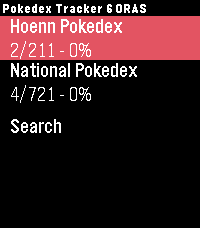 5
5Pokedex Tracker Gen 6 (Omega Ruby & Alph
Tools & UtilitiesKeep track of your captured Pokémon from the Generation 6 games right from your wrist. Featuring the complete set of all 721 Pokémon from the Omega Ruby and Alpha Sapphire versions. Track both the Hoenn region and the National Pokedex.
 14
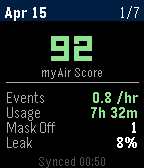
14ResMed CPAP Stats
Health & FitnessCPAP sleep stats from ResMed myAir
 2
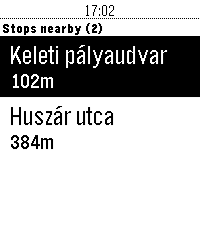
2petar
DailyThis app will show you the nearest public transport stops and realtime departure times in Budapest, Hungary.
 10
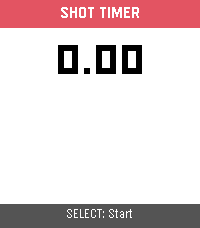
10Shot Timer
Tools & UtilitiesShot Timer is a shooting sports timer for the Pebble Time 2. Press SELECT to start a 3-second countdown, then shoot — the watch detects recoil via the accelerometer and automatically records each split time. When you're done, press DOWN to review your times: total time, per-shot timestamps, and splits between shots. Supports up to 50 shots per string. SELECT also works as a manual trigger for dry-fire practice or emulator testing.
 20
20Find My Gadgetbridge (Find My Phone)
Tools & UtilitiesPebble app to trigger Gadgetbridge's "Find My Phone" feature.
 7
7Long Rest
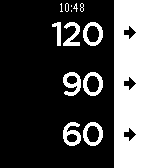
Health & FitnessSuper simple Pebble app for rest intervals (like in the gym or pomodoro) Originally built by [Remy](https://github.com/remy) for use in the gym, for rest intervals, and updated by updated by [clach04](https://github.com/clach04/pebble-rest-timer). This fork just changes timers from uint8 to uint16 for longer timers.
 14
14Pinball
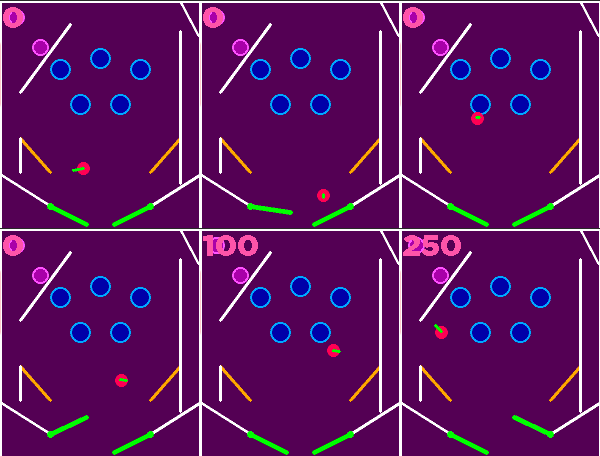
GamesPinball on your wrist! with the ability to load custom maps via your phone saving on the watch, allowing you to play any time, and allowing the ability for anyone to make maps for the game To Upload a custom map to your watch, go to the receive map Menu option, select, and then go to Your phone in the Pebble app go to the Watch app on the Pebble app, and then go to the settings and then enter the map into the settings clay text field, Then click submit and then you should see the status change on the watch, Then just wait a few seconds then exit of the watch app, and then when you open it again you should have the option to play the new map. (there is a debug option, if you press select again in the map Receive it will load a Hardcoded map) Only compatible with Core Time 2, Core Time 2 Round, Due to new Moddable JS engine that's only available on those two + ( the new JS engine having file access ), currently supported pinball objects/Map settings + map codes pop bumpers = W + tag 2, paddles = D, bumper = U, walls = W + tag 1 score plates = Q, Velocity line colour = V, Initial balls date and size = B, Game over Text And settings = G, High Score text And settings = H, Score counter settings = S, physics Settings = P, ( gravity Friction and all that stuff) Map name = N, Teleport pad = T score walls = W + tag 3 TODO Once I received my order of the Pebble time 2, test map loading and saving works properly And it works properly on proper hardware, Drop targets, (Probably wondering how to do the best system for linking drop targets, Drop target group ID?) Spinner, (Attempt but took up too much memory) What the format looks like (With comments, comments have to be removed, To be a valid map) ================================================ N SillyBounce //map name P 6,0.35,0.995,0.8,10,10 //ballRadius,gravity,friction,wallBouncy, maxSpeed, maxLaunch //Physic settings S 2,2,40,16,Bitham-Black,30,255,85,170,85,255,255 //x,y,Width, height, font, fontSize, R,G,B (Normal Colour),R,G,B (High score Colour), //score Text location G GAME OVER,0.43,0.5,160,40,Bitham-Black,30,255,255,255 //gameOverText, x,y,Width, height, font, fontSize, R,G,B //High Score text H NEW\\nHIGH SCORE,HIGH SCORE\\n,0.46,0.68,180,60,Bitham-Black,30,85,255,255 //highScoreText, Fail highScoreText, x,y,Width, height, font, fontSize, R,G,B //High Score text K 85,0,85 //R,G,B //Background colour B 0.94,0.30,0,0,255,0,85 // startX, startY, vx (Technically overrridden), vy (Technically overrridden), r,g,b //ball U 0.075,0.265,6,40,170,0,170,255,85,255,3 //x, y,Radius , hit score, (Centre colour) r,g,b, (Ring colour) r,g,b, Bounce Strength //Bottom left hard access bumper W 0.9,0.6,0.75,0.75,bonker,255,170,0,3 //x1, y1, x2, y2, behavior, r,g,b //Right bonker W 0.35,0.1,0.1,0.4,wall,255,255,255 //x1, y1, x2, y2, behavior, r,g,b //Topless bunker wall left Q 0.95,0.60,6,50,85, 85, 0,255, 255, 0,6 //x, y,Radius , hit score, (Inactive colour) r,g,b, (Active colour) r,g,b //Bottom right pressure plate Yellow D left,0.25,0.9,0.2,0.45,-0.45,0.3,0,255,0 //side, pivotX, pivotY:, length:, restAngle:, activeAngle:, angularSpeed, r,g,b //Paddle left T 0.17, 0.40,6,0,50,85, 85, 0,255, 255, 0,0,0"; //x, y,Radius , Linked ID, (Central colour) r,g,b, (Ring colour) r,g,b, ExitballVX, ExitballVY //Top right pressure plate Yellow D right,0.75,0.9,0.2,2.6916,3.5832,0.3,0,255,0 //side, pivotX, pivotY:, length:, restAngle:, activeAngle:, angularSpeed, r,g,b //Paddle Right V 0,255,0 //r,g,b // Velocity line colour Q 0.95,0.50,6,100,170, 0, 0,255, 0, 0,6 //x, y,Radius , hit score, (Inactive colour) r,g,b, (Active colour) r,g,b //Middle right pressure plate Psion ================================================ For more information on map format check out the github + Source code https://github.com/Bod9001/PebblePinball/tree/main (NOTEs loading maps from phone and saving on watch not yet tested WIP, I may need some help with this due to not having a Core Time 2, + not tested on physical hardware due to cloud pebble build only supporting ,Core Time 2, Core Time 2 Round + physics can bug out, this is due to writing a custom implementation ) Secret TODO Port to older Watches? (Wouldn't be able to load custom maps, but this should still work okay otherwise) Competition note: was accidentally submitted 4 hours early for wave 2 of the competition, due to time zone differences, was removed after like five minutes of being up, after realising the error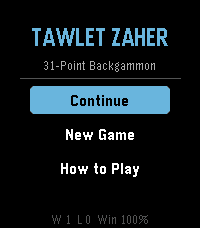 9
9Tawlet Zaher (Backgammon)
GamesBackgammon variation commonly played in the Middle East.