 5
5Simple coffee ratio calculator
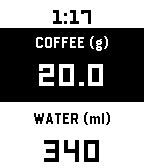
Tools & UtilitiesA coffee-to-water ratio calculator for your wrist. Set your brewing ratio once, then dial in coffee or water to get the matching amount instantly. Perfect for pour-over, when you weigh your beans freely and need the water calculated on the spot. Adjust coffee weight or water amount — the other updates automatically Press Select to switch between adjusting coffee or water Long-press Select to change your ratio (supports 1:10 through 1:25) Tap for precision (0.1g / 1ml), hold to move faster (1g / 10ml) Your ratio and last coffee weight are saved between sessions Defaults to 1:17 ratio, 20g coffee.
 2
2Cigarette Tracker
DailyAn app to track cigarette smoking. (Vibe-coded and WIP, expect breaks/issues)
 12
12Horizon Scout
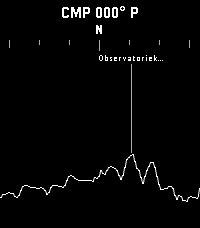
Tools & UtilitiesExplore the world around you with Horizon Scout, an app that identifies mountains and peaks in your view based on your location and direction. Perfect for hikers, outdoor enthusiasts, and anyone curious about their surroundings. Features: - Real-time peak identification as you look around you - Compass-based navigation for detailed exploration of the horizon, or use Up/Down buttons on watches without a compass - Single-click (Select button) to refresh and update the peak information - Long-click (Select button) to switch back to compass mode - Configurable settings to customize what information you see Attribution: This app uses peak data from the PeakFinder service. Horizon Scout is an independent Pebble implementation inspired by the excellent PeakFinder mobile app. If you enjoy this app, I recommend supporting the original PeakFinder app and service. Links: [PeakFinder Web: https://www.peakfinder.com/] [PeakFinder Mobile App: https://www.peakfinder.com/mobile/]
 57
57Tasks.org
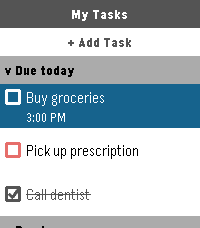
Tools & UtilitiesThe official companion app for Tasks.org. Manage your CalDAV, Google Tasks, and Microsoft To Do lists directly from your wrist.
 32
32Home Assistant Shortcuts
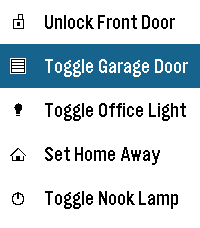
RemotesThis application is a very simple home-assistant script-caller. The goal of the application is to be as simple as possible. It won't autodetect everything that you have configured or won't check the current statuses of entities, but it loads extremely fast and responds just as fast as well. Internally, it just does a POST request to your home-assistant endpoint and triggers a script. Instructions: * Go to your home-assistant UI and create one or many scripts (Settings -> Automations & scenes -> Scripts) * Go to "Settings" for each script and take note of the entity_id (the part after "script.") * Go to your Profile -> Security and Create a new Long-lived access token (make sure to save it somewhere safe, you won't be able to retrieve it again) * Take note of how you access your home assistant URL, if it's just an IP, the shortcuts might only work when connected to your WiFi * Install the app on your watch :) * Go to the app settings through the Pebble app and fill in: - The Base URL (make sure to match http or https accordingly). It's highly recommended you leave the /api/services/ section alone unless you know what you're doing - The Bearer Token with the one you got on the previous steps - The information for each shortcut, each one has a display name, a script id (the entity id) and the icon Note: this application has been created with the help of AI, it has been reviewed by a human and fully tested in emulators and real hardware.
 405
405Todoist Mini
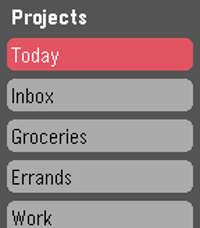
DailyUnofficial Todoist app for Pebble Time. Now maintained by Konrad Iturbe: https://github.com/KonradIT/todoist-pebble Todoist is a cloud based task management and todo list tool available on a wide variety of platforms. Works great for everything from simple shopping lists to project management. If you've just been looking for a basic todo list app on the pebble to keep yourself organized, todoist should work great! If you are not an existing user just sign up for an account at http://www.todoist.com. After that you'll be able to easily add/remove items and projects from your phone or PC and view them on your watch! Features: - Log in to your account via google or standard Todoist login. - Scrolling Text for items that overflow the width of the screen, the scroll speed is customizable via the config screen. - Completely customizable colors! Create your own style of interface using any of Pebble's 64 supported colors. - View and complete items from any of your Todoist projects. - Supports indentation, due dates, and completion of recurring tasks. - Add new items to your projects using the microphone on devices that support it.
 5
5Bike or Drive
Tools & UtilitiesShould I bike or drive to work today?
 12
12Tesla Control
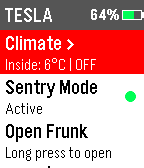
Tools & UtilitiesControl your Tesla from Pebble. Requires Tessie account. (https://www.tessie.com/)
 95
95PebbleNavi
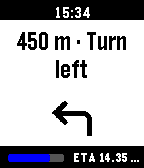
Tools & UtilitiesAndroid 16 Google Maps live notification navigation directions to Pebble. Requires companion app that is not yet published in Google Play store. Can be downloaded from https://lumie.red/pebblenavi_v13.apk Companion app update v1.3: Autolaunch of watchapp when navigation starts. Samsung OneUI support is still incomplete.
 9
9fetch
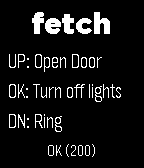
Tools & UtilitiesSend http requests from your watch! Includes config options for up to 3 quick access requests with methods GET POST PUT DELTE PATCH and custom headers
 44
44Keystone
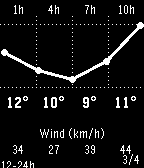
DailyKeystone turns your Pebble into a fully button-driven hub. It looks like a watchface, but every button is yours. Short press opens custom menus or widgets. Long press fires a Home Assistant webhook. Select cycles through info panels. All four buttons, all yours. Includes a 48h weather forecast, 5-day daily view, stock tracker with sparkline charts, and built-in stopwatch, timer, and alarm that keep running in the background. Everything is configured from a web page on your phone: button assignments, custom menus, webhook URLs, widgets, weather provider, and more. Compatible with Pebble, Pebble Steel, Pebble Time, Pebble Time Steel, and Pebble 2. Strictly black and white by design.
 5
5Bullpen
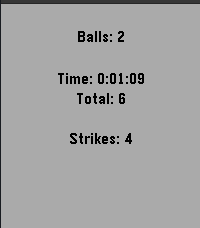
Health & FitnessBullpen is a very simple app to keep track of your bullpen pitching sessions. Right now this can keep track of how long you have been pitching, balls, strikes, and total pitches. Choose your session type, or View recent Session stats Screens: Simple - Includes a timer as well as a ball and strike counter Simple +P - Simple but also includes selecting a pitch type after marking a ball/strike Session Controls: [Up] Add Ball [Down] Add Strike View Session Controls: [Up] Change graph [Down] Change graph This is very useful to me in solo sessions. Instead of walking over to where my phone is (or bending over to pick it up off the ground), I can just use my watch to track my session. Leave a heart and I will continue to develop this and add things such as pitch location and pitch mph.
 18
18Out
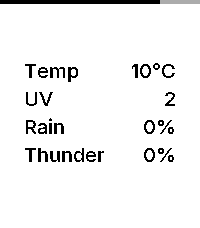
DailyOut is an open source, minimalist weather dashboard for Pebble, giving you exactly what you need before you step out the door. Features: – Current Temperature: Displays real-time temperature in Celsius or Fahrenheit, matching your watch’s 24h/12h time format. – 3-Hour Window: Shows the highest predicted risk of rain, thunder, and UV exposure for the next three hours. – Inter Typography: Uses the Inter typeface for a modern, refined look. – Zero Configuration: Automatically uses your phone’s geolocation. No settings or setup required. – Battery Awareness: A subtle indicator along the edge of the screen shows your remaining charge. Data Source: Weather data is provided by MET Norway (The Norwegian Meteorological Institute). It provides high-quality, global forecasts used by services like Yr.
 66
66TOPTer
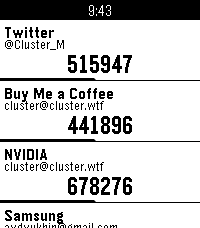
Tools & UtilitiesA powerful, standalone Time-based One-Time Password (TOTP) authenticator for Pebble smartwatches that doesn't require a companion app on your phone. Features: - No Companion App Required: TOTPer uses a local HTML page for settings - Fast Loading: Optimized for quick startup and instant code generation - QR Code Parsing: Paste QR code URLs in the phone configuration page (Pebble app has no camera access) - Google Authenticator Import: Import all accounts at once from Google Authenticator export - Supports Many Accounts: Up to ~20 accounts on original Pebble, up to 100 accounts on newer models - Multiple Hash Algorithms: SHA1, SHA256, and SHA512 support - PIN Code Protection: Optional 3-digit PIN code (000-999) to prevent unauthorized access - Standalone Operation: No Internet access required at all, neither for the settings page nor during usage - Clean Design: Simple, intuitive interface focused on readability - Visual Time Indicator: Progress bar shows remaining time for current code - Drag to Reorder: Easily organize your accounts
 14
14Pebble Hooks
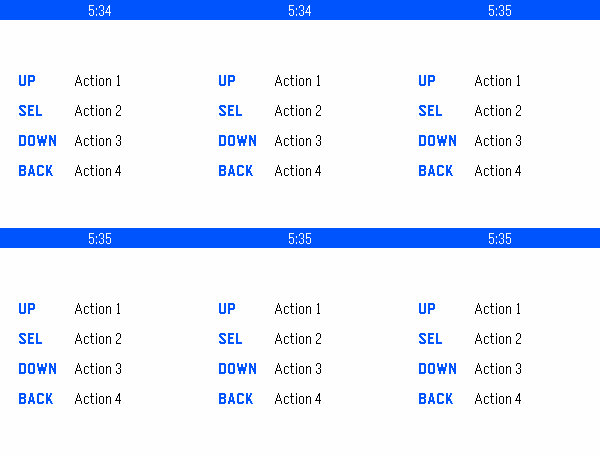
RemotesPebble Hooks lets you send HTTPS requests from your watch using the four Pebble buttons. Each button can be configured separately from the Pebble mobile app. For each action, you can set a label, HTTP method, URL, authentication, optional headers, and an optional request body. Supported auth types include Bearer, Basic, and custom header-based auth. The watch shows simple status feedback when a request is sent or completed. To exit the app, hold the Back button.