 6.7K
6.7KMorpheuz
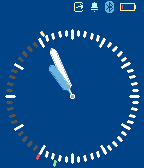
Health & FitnessA Complete Sleep App For Pebble. * Smart Alarm with Snooze * Sleep Movement Charts * Digital and Analogue Faces * Voice Control * Powernap * Daily charts sent to Pushover * Daily sleep time sent to Apple Health * Email export of chart and basic data * Phillips Hue & LIFX Smartbulb support (gently light your room up when the alarm goes off) * IFTTT Integration (can be used with WeMo, automatic email export, PushBullet and/or anything else you can think of) * Now compatible with Misfit and UP apps * Automatic bed time * Free * Smart alarm memories - three presets for your favourite settings * Timeline support showing alarm time and bed time * Sleep quote of the day * Actionable timeline pins: bed now & cancel bed time. * Morpheuz Sleep Summary in the Timeline. Documentation on morpheuz.net If you like Morpheuz, then click the heart or make a small donation. [Apple Health export requires Smartwatch Pro]
 13
13Vera Home Control
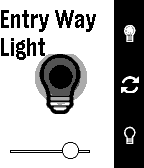
RemotesAllows control of lights, sensors, scenes, and energy monitors controlled by a Vera controller. New updates soon to allow control and access of even more. Long press up/down to immediately turn dimmable lights completely on or off.
 76
76Pokemon Go Check
Tools & UtilitiesGet the Pokemon Go server status from your watch!
 6
6Wat hier?
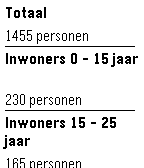
DailyOnly operates correctly in The Netherlands. Vraag gegevens op over je huidige locatie, o.a.: - statistische gegevens over de buurt - luchtkwaliteit - adres
 56
56Building Blocks
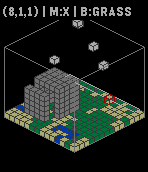
GamesBuilding Blocks!!! This is a simple game that is uses blocks! (This is a WIP) How to play! Up - Switch axis through X, Y, Z and B (Block type) Down - Move through current axis Select - Place current block type at current position This is a work in progress, feel free to email me and tell me about bugs! "Its like LEGO for Pebble!"- P1X3L Please Heart it!
 18
18Tinder for Pebble Time
DailyA tinder app for Pebble that allows you to like, pass and view profiles on the go! Forked and made in color from "Tinder for Pebble" by Neal Patel, found here: https://apps.getpebble.com/en_US/application/5435bc7926edd83fea0000ab This app is for Pebble Time and hopefully works on Pebble Round. If you are on a classic pebble use the original app. Controls: UP: Like current person DOWN: Pass current person SELECT: Next photo LONG SELECT: Show Bio Disclaimer: Not affiliated with Tinder in any way.
 45
4510 Second Ninja X Challenge
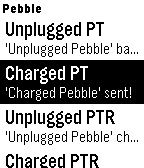
GamesCount to ten and instantly win a copy of 10 Second Ninja X on Steam Four Circle Interactive and Curve Digital unveil a brilliant new initiative which will reward anyone with a Pebble smartwatch and the ability to count to 10 with a free PC copy of 10 Second Ninja X. There’s a catch, of course: You need to be able to count to 10 exactly, to within 100th of a second. 10 Second Ninja X on PC and consoles distils the puzzle platformer down to its purest form. Players assume control of a highly nimble and deadly ninja, tasked with destroying an army of hostile robots using cunning, speed and lots and lots of throwing stars. Don’t let the title seduce you too much – reaching the end of the game won’t be easy. The game’s smartly designed to ensure that each level is a puzzle in itself. With just 10 seconds (maximum) to destroy all enemies, players will need to combine brain with throwing stars in order to meet each level’s objectives, with lightning-fast reactions required to be rewarded with a perfect score. 10 Second Ninja X boasts 100 immaculately designed levels. Whilst much of the challenge comes from demonstrating the dexterity and reactions necessary to traverse each level – players with real skill will want to complete each quickly. It’s out now on PC, Xbox One, PlayStation 4 and Vita. www.10second.ninja Instructions: Shake wrist to start timer Shake wrist to stop. Up button - about the game Middle button - retrieve prize if you've won it already Down button - further information
 14
14Log - Data Collection and Visualization
Tools & UtilitiesLog transforms your Pebble into a powerful data collection tool that's ready to capture information wherever you go. Whether you want to track smartstrap output (e.g. GPS or heart rate), built-in sensor data (compass, accelerometer), or your own custom-defined events and properties, Log allows you to collect the data that's important to you, and easily visualize the results. *** OPEN BETA *** This version of Log features limited functionality. We need your help validating the underlying technology - give it a download, press some buttons, look at the graphs (currently via config) and let us know what you think! The current build allows you to manually track your charging habits - and at present all user data is aggregated. If you like the idea, let us know, and we may invite you to test smartstrap, health, voice, and other custom functionality! :) Thank you for your help, and feel free to get in touch with any questions, feedback, or suggestions! :)
 202
202Pixel Muncher v0.6 alpha
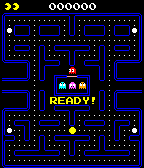
GamesPixel Muncher - Version 0.6 Alpha Controls: Up - Turn Left Down - Turn Right Select - Reverse Back - Pause (Back again to Exit) Not ready for release. Still much to do.
 122
122Quoble
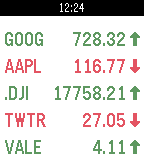
DailyDisplays your current stock quotes. Now in colour! Supports multiple stock quotes and displays up to 5 stocks per screen (up/down buttons to switch screens). Automatic stock updates can be enabled in the settings, including automatic rotation between screens and values (current, absolute and percent change)
 2
2Prosper
DailyApp
 6
6PinIt
Tools & UtilitiesA Pebble watchapp to quickly record treatments locally and optionally update Nightscout. Up to 5 assignable treatments can be defined along with their initial value and increment value. Configure your Nightscout website/API secret and select IOB or COB for the treatment to be added to Nightscout. PinIt is designed to be assigned as a shortcut and will close once a reading is entered. The last 24 hours of treatments are saved locally. On the treatment input card, the following actions and displays are available :- - treatment history can be shown by a long press up or down, long press up shows all treatments, long press down shows treatments for the current type. A selected historic treatment can be deleted. - treatment time can be entered by a long press of select (normal press saves at current time) - treatments assigned as IOB will display the current IOB and last treatment.
 7
7Healthy Work
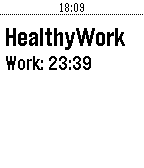
Health & FitnessThis is an application thats allow you to be productive and healthy on work remembering you to follow the pomodoro technique
 103
103MyFitnessPal Daily Stats
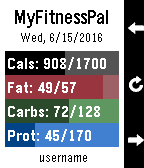
Health & FitnessMonitor your MyFitnessPal food diary right from your Pebble. Shows you progress of your daily totals compared to your goal for the day. Shows Calories and the first three other nutrients tracked in your diary settings. Buttons move backward and forward through the calendar so you can compare previous days. Food diary must be set to public for Pebble to gain access to your information. No password is required. If you like the app, please heart it in the app store. If you don't like it or would like to see additional features, please let me know and I will see what I can do. Remember, I can only read from your public diary. I cannot write to it. We are not affiliated with or endorsed by MyFitnessPal or Under Armour.
 37
37Brili for Pebble
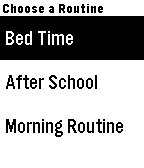
DailyIntroducing Brili for Pebble, the first ever wearable routine assistant for families. Brili makes kids' daily routines come to life as a fun race against time. It guides them through activities like getting dressed and brushing teeth with the end goal in mind (e.g. leaving for school on time or bedtime). Brili’s dynamic timers automatically adjust to make sure everything gets done by your deadline, even if you started late. With Brili for Pebble, you or your child can: - see the current task and a picture of it - see a visual countdown timer - receive vibration prompts when time is running low and when time has run out - mark activities complete, which automatically starts the timer on the next activity Every minute saved by staying on task is banked for a desirable activity at the end. Brili for Pebble allows you to access daily routines you create for your kids (or yourself!) on the Brili platform using our iOS, Android or web clients. Note: While Brili for Pebble can function without the app installed on your paired device, the Brili smartphone, tablet or web app is required to create and manage routines. Get it at http://brili.co.