 51
51Tennis
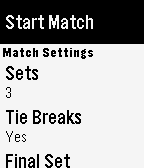
Health & FitnessBuilt by a tennis player for tennis players. Keep track of the score in your tennis matches with simple controls and a clean, uncluttered interface. Match formats are easily configured inside the app and it defaults to the settings you last used. If your yours isn't configurable, let me know because I want to support all commonly played formats. ## Instructions - Select the match format then choose 'Start match' - Use the middle button to toggle who is serving first - Your score is at the bottom and your opponent's score is at the top - Hit the bottom button when you score, the top button when your opponent scores - If you make a mistake, hit the middle button to undo ## Features - Clean interface - Service indicator - Many match formats supported - Infinite undo - Post-match stats ## Roadmap - Ability to save/resume match state with persistent storage - Ability to view stats for previously completed matches - Support any missing match formats
 6
6CGM Careportal (5.4)
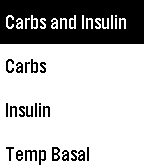
Tools & UtilitiesCareportal Watchapp For Nightscout Websites Version 9 and above
 7
7dashboard
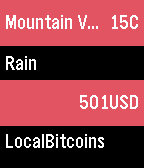
Dailymy first c app. basically just shows you the weather and bitcoin value at a glance. this version is not really complete yet, so please keep that in mind while using the app. credit goes to openweathermap and bitcoinaverage for their json apis.
 16
16Street-Face
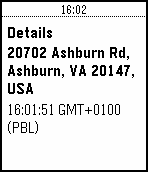
Tools & UtilitiesStreet-Face is a watch app for monitoring the closest street address to you. As your location changes, it will geocode your location using Google Maps services and provide you with an update. Use the menu to create check-ins, which you can review later. Checkins can be reviewed in the app's menu. Checkins will also appear on your timeline to allow reviews that go back further than 24 hours. NB. The Pebble timeline refreshes at a rate managed by your watch - checkpoints may not appear there for some time... Flick your wrist to update or use the menu.
 93
93HTTP Push
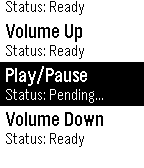
RemotesA customizable HTTP request WatchApp perfect for Home Automation. The configuration page allows you to test requests before publishing to your Pebble. Configure any number of HTTP GET/POST requests on your phone and fire them off on your watch. Setup JSON data for POST calls on the phone. Use the configuration page to create, delete, reorder and test individual HTTP requests. The Pebble interface provides feedback of each call attempt with HTTP status codes (200, 401, 404, etc). Requests are sent asynchronously, so you don't have to wait for a response before firing off another call. Setting the volume on your audio device has never been easier. Save time by testing your requests on the configuration page before making it available on your Pebble. Also if you're sending JSON data, test the formatting right on the phone app. Setup Demo Video: https://youtu.be/BL3GRCVes80 Fearture Roadmap: - Color - Additional Status field display options - Basic Authentication
 3
3Batch Timer
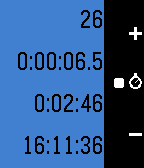
Tools & UtilitiesBatch Timer is an enhanced timer. It will estimate and notify you when a batch job will finish. Imagine that you are making a lot of copies of a document consists of several pages. You may think you want to leave the machine and come back exactly when the copy job is done, rather than waiting in front of the machine without doing nothing. Batch timer will tell you when the copy finishes. Use center button to set the duration of one copy. Push the button when one copy finishes. Then, push again when another copy finishes. Batch timer will remember the duration. Use up and down button to increase or decrease a number of copies. Remaining time will be calculated and the count down start automatically.
 5
5Higher or Lower
GamesSmall game, you have to guess if the next number is higher or lower than the last.
 5
5Ultimate Frisbee Timer
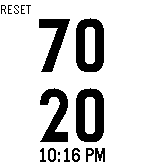
Tools & Utilities70/20 second timer for Ultimate Frisbee
 78
78Atomdoro
Tools & UtilitiesSimple and clever pomodoro app with a minimalist design. Digital and analog pomodoro with the atom spinning around the sphere. Will indicate you when the time is over! Up to 60 minutes. This is a paid watchapp $0.99 + local taxes. You have one day trial. Payment is handled through KiezelPay www.kzl.io/atomdoro
 17
17Destiny Stats
DailyAre you a Gunslinging Hunter? Or a Sunbreaking Titan? Regardless of your class or how many characters you have, Pebble Stats keeps track of your Guardian's PvP and PvE stats and puts them right on your wrist! Make sure you configure Destiny Stats in the Pebble app. Note: This app will only be black and white for original Pebble users Updates to add more stats and allow users to select what stats to display are on the way!
 65
65Find Cache - geocaching
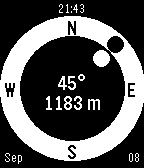
Tools & UtilitiesGeocache companion for Pebble! Configure to set multiple cache locations. Use a simple menu to choose a cache and follow easy directions to find it. Your heading (the white dot) is estimated from the movement of your phone. Align it with the target direction (black dot).
 13
13Test Location
Tools & UtilitiesTest location functionality of your Pebble. You can test if your Pebble can get your current location or track your location while you are moving.
 7
7SQL Episode 1
GamesWe here at SavageO would like to present to you: SQL hacking Episode 1 This is a very basic and important understanding of SQL Injection coding that covers small important things! Its like an article with information so it is a little long and for all the set forward people: YES IT DOES CONTAIN HOW TO HACK SOMETHINGS! How ever, DISCLAIMER: WE HERE AT SAVAGEO DO NOT PROMOTE THE USE OF SQL HACKING OR ANY TYPE OF HACKING FOR ILLEGAL OR UNJUST PURPOSES! PLEASE USE THIS INFORMATION RESPONSIBLY AT YOUR OWN DIGRESSION AND SAVAGEO, RUSSIAN OTTER, AND PEBBLE ARE NOT RESPONSIBLE FOR ANY ACTIONS YOU MAY OR MAY NOT TAKE! tags: hacking terminal SQL injection code coding color menu app game information article usefull
 14
14Rocket Blue
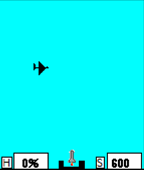
GamesThis is a Zen type game. You use rockets to destroy drones. You can never get better than 100% so once you fire and hit 1 drone you are at 100%. The best you can ever do is 100% so don't worry about it. You never need to fire the rocket and can just watch the drones fly by. If you want to be clever you can set the speed to be very slow and then launch your rocket and when you spot your prey speed up, or slow down, the rocket while it is in flight.
 10
10Countit-all
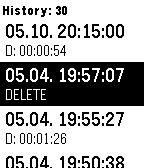
Tools & UtilitiesPebble application for counting and timing events! This application provides easy way to count and time different events. You can configure up to three (one for each button) items to count and time and select a good icon to indicate the task. Currently app supports three type of actions for each button: duration, single and disabled. The duration mode allows you to measure actions with duration - like for example how long it takes to drink a beer or how long did the work travel take (with this or that route). The single mode allows you just mark events, like had a cigarette or changed baby diaper. The disabled mode is well, disabled, but it turns the screen light on, which can be handy if you measure something in night. After you have measured you can open up a list of events on the watch (works offline without phone) and when the phone gets connected the watch synchronizes the events with the phone storage. On the watch app shows some statistics (avg interval, avg duration) on the events, but for further analysis you can get to data copy-pasted for further analysis.