Flights
Ovvio Studio
Watchapp
Description
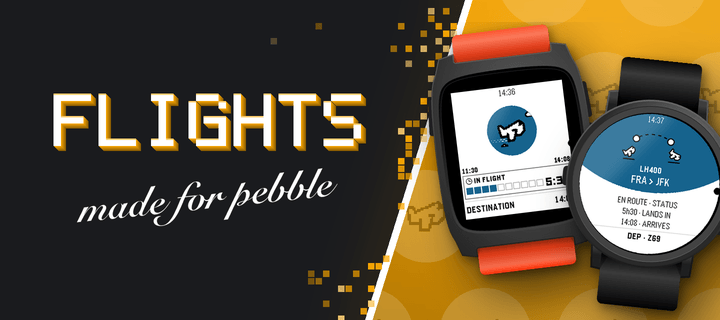
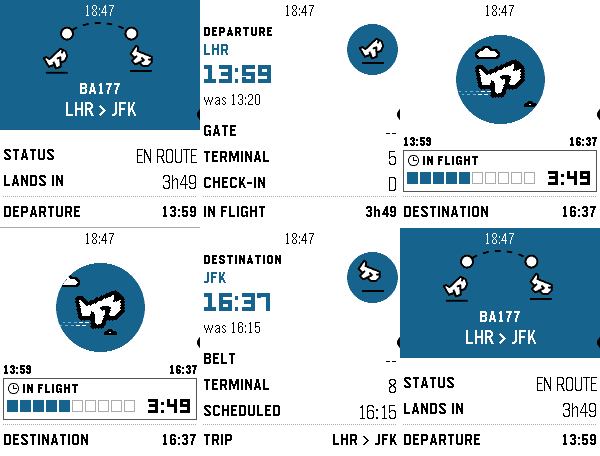
Never miss a flight update from your wrist. Pebble Flights lets you track any flight in real time — just enter a flight code and get departure and arrival times, gates, terminals, aircraft details, delay predictions, destination weather, and more, right on your Pebble.

The app is a premium app, and to continue the development of it we made it premium. It has 12h free trial and the cost afterwards will be $5.99. If you have any inquiry please contact at hello@ovvio.studio. Thanks for supporting ♥️.

Features:
- Real-time flight tracking with smart auto-refresh that speeds up near departure time.
- Aircraft details: model, registration, seats, engine type, and more.
- Airport delay predictions for departure and arrival.
- Route distance and estimated flight time between airports.
- GPS distance to your departure airport.
- Destination weather: current temperature and conditions at your arrival city.
- Live countdown to departure with context-aware tips.
- Offline mode: view your last tracked flight without connectivity.
- App settings: set your flight code, units (metric/imperial), and time format from your phone.
- Timeline pins: add your flight to the Pebble timeline from the options menu.
- Multi-flight: Up to 3 flights stored to check on their status

How it works:
1. Enter a flight code on the watch or set it from the phone settings.
2. The app fetches live data through your phone and displays it across multiple pages (route, times, aircraft, delays, weather and countdown).
3. Data refreshes automatically
- DeveloperOvvio Studio
- CategoryDaily
- PlatformsTime/Time Steel, Time Round, 2, 2 Duo, Time 2, Round 2
- Updated2026-09-16
- Version3.1.7