Description
EXPERMENTAL

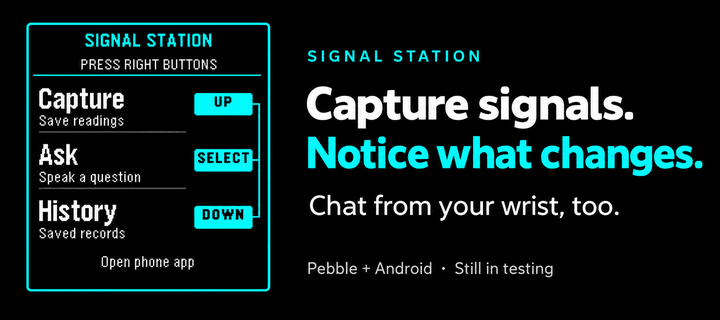
This is a signal / presence awareness system with a Pebble face serving as interface and capture tool.

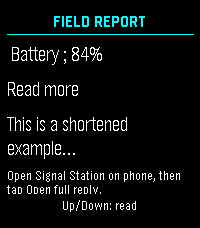
It also offers chat from your wrist with the language model you choose, enriched by signal intelligence all around you and over time, whatever you choose. The phone keeps full conversations; the watch shows a short, scrollable reply.

Install the separate Signal Station Android app first:
https://dr.eamer.dev/downloads/apps/signal-station/

On your Android phone, tap Download for Android, open the APK, allow installation from your browser if asked, and tap Install. Open Signal Station, go to Ask, choose Set up answers, and add your provider, model and key. Provider usage charges apply. Capture and local History need no key.

Keep your usual Pebble app installed and your watch paired there. In Signal Station on the phone, open Settings, Connected devices, Watch connection. Choose your Pebble app and watch, then tap Check connection.

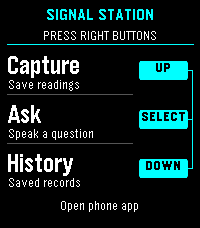
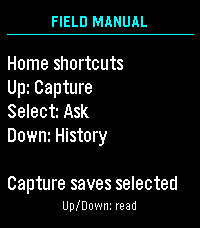
Open Signal Station on the watch. The right-side buttons are Up for Capture, middle for Ask, and Down for History. Up/Down scroll replies; Back returns home. Dictation depends on watch support. Hold the middle button while reading a reply, then open Signal Station on your phone and tap Open full reply. Requires Android build 16 or later. Resume conversation is a separate choice. The backlight stays on throughout app use.

Hold Down at home to open the Home favorites chosen on your phone. Connect Home Assistant, openHAB or Geepers in Android build 17 or later. Home access is optional; actions ask for confirmation unless you have allowed that exact action.

Still in testing. By Luke Steuber.