Dashboard
xefensor
Watchapp
Description
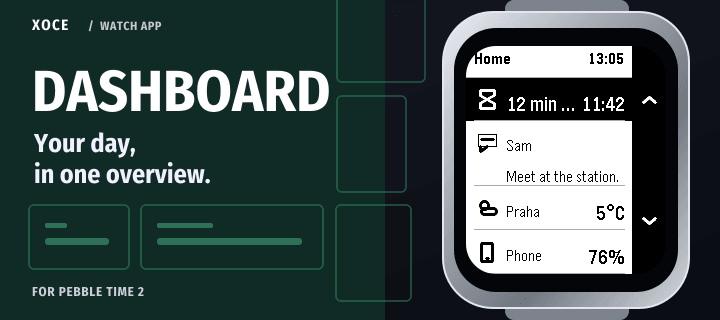
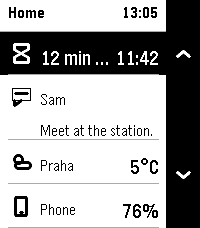
Your activity, notifications and pinned readings in one Pebble overview.

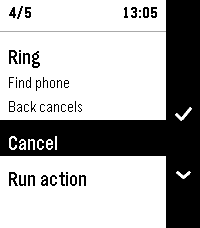
Open Dashboard for a quick look at one activity, a notification panel and two pinned items. Browse the full collections when you need more detail.

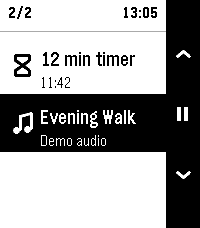
- Hold Up to browse Activities: ongoing updates such as a running Timer.
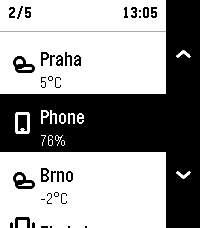
- Open Pinned to browse your chosen readings and shortcuts.
- Choose what each pin displays, its Select action and its Hold Select app shortcut, where supported by the source.
- Confirm actions when required by the source or your pin settings.
- Choose text size and a Light or Dark watch appearance. Available in 17 interface languages.

Start a countdown in Timer, then see its remaining time in Dashboard. Timer keeps control of the countdown and alarm; open Timer to pause or resume it. Available actions depend on the selected source.

For Pebble Time 2 and Round 2. Shared readings and Activities require a connected phone, plugin support enabled in the official Pebble phone app, and permissions for the chosen sources. Built-in music and notifications require Android. Pinned items here are Dashboard readings and shortcuts, separate from Pebble timeline pins.

Free. Part of XOCE. No XOCE account, ads or analytics. Selected providers have their own requirements and privacy practices.
- Developerxefensor
- CategoryTools & Utilities
- PlatformsTime 2, Round 2
- Permissions
- Updated2026-11-14
- Version1.0.2