Fit Tracker
SetPebble
Watchapp
Description
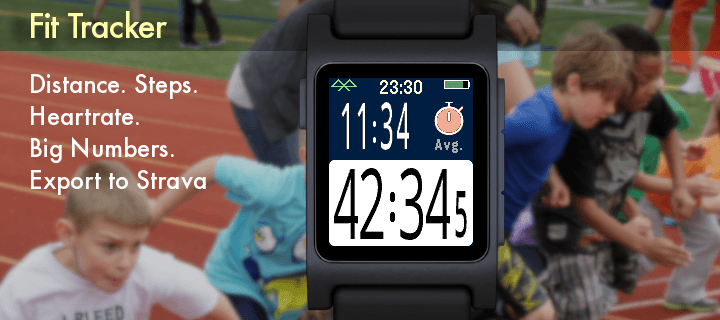
Exercise app that records elapsed time, heartrate, and distance. Exports FIT files for Strava and other online applications.

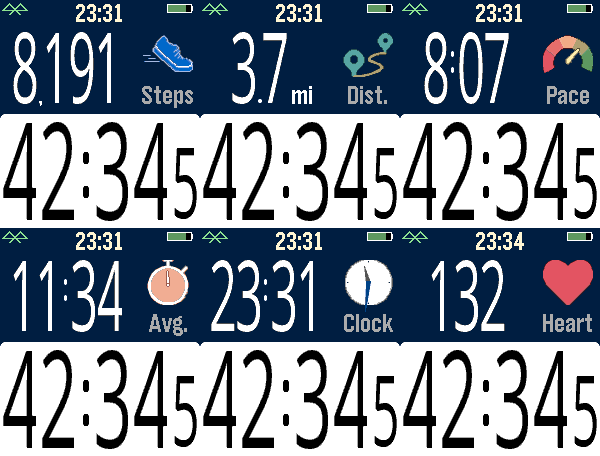
The bottom button is used for starting and stopping. The top button switches the top line mode between steps, distance, current speed, average page, current time, and (if available) heartrate.

Device-dependent features are heartrate, speaking, and touchscreen. There are custom settings for the watch to speak the interval distances or times (Pebble Time 2, Pebble Duo). The touch screen can be used to switch between the modes, similar to the up button. A touch over 0.2 seconds is recognized, and the left and right side of the screen change the mode forward or backward.

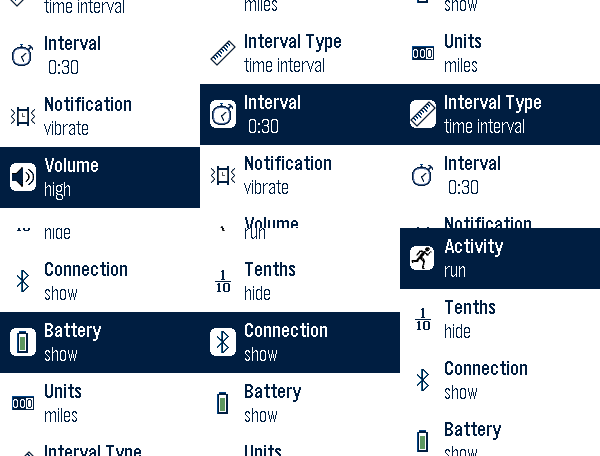
Use the middle button to activate the menu for custom feature. These include showing tenths, bluetooth, battery, metric/imperial. Interval notifications by time or distance are supported, and the notifications can be by vibration or (if available) the speaker announcing the interval.

You can see your mapped workouts at https://fit.setpebble.com. In order for your activity to be linked to your account, you will need to enter your Pebble serial number both for your account and when you adjust the app settings using the Pebble companion app.

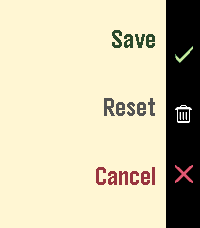
After a workout, do a long press on the up button to either Save or Delete your workout. If saved and you have a SetPebble account, you can see your workout at https://fit.setpebble.com.

There is a Strava limit of 10 users (including me!), and I am not allowed to request an increase until we reach 10 users.
- DeveloperSetPebble
- CategoryHealth & Fitness
- PlatformsTime/Time Steel, Time Round, 2, 2 Duo, Time 2, Round 2
- Updated2026-08-31
- Version0.2