Wrist AI
Asterwyn
Watchapp
Description
Wrist AI — Your Pebble, Now Smarter

Your Pebble will be better with Wrist AI !!

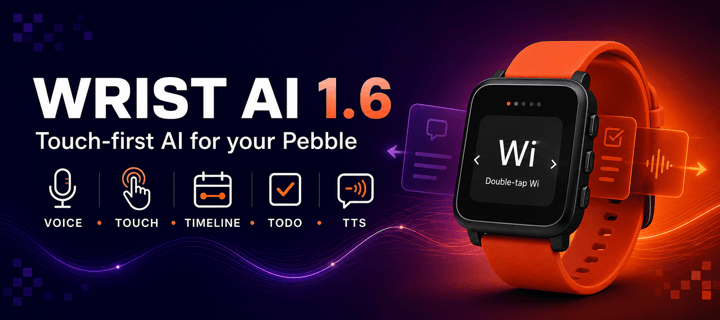
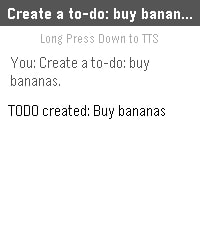
Wrist AI turns your Pebble into a flexible, deeply integrated AI assistant. Speak naturally, talk to your preferred Large Language Model, hear replies through supported watch speakers, understand your health trends, remember important personal context, and turn everyday language into Timeline events, reminders and ToDos.

Use OpenRouter to access GPT, Claude, Gemini, Gemma, Llama, Qwen and many more models, or connect Wrist AI to your own compatible API endpoint. Your phone handles API requests over Bluetooth; Wrist AI requires no proprietary relay server.

WHAT’S NEW IN 1.6

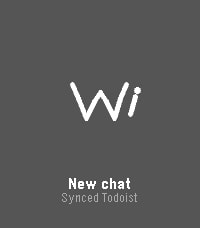
• Full Touchscreen Workflow — On Pebble Time 2, double-tap Wi to talk, swipe left for Menu, swipe right for ToDo & Notes, use edge swipes to go back, drag lists directly and tap a row to open it. Physical buttons remain fully supported.
• Refined Wrist AI Interface — Home, Menu and ToDo & Notes now use a unified floating-card design with cleaner transitions, compact gesture hints and dedicated touch controls instead of stock Pebble menus.
• Reply History by Gesture — Pull down from the top of a reply to view the previous answer. From the bottom of an older answer, push up to return to the next one. Each answer opens from the beginning.
• Better Reply Controls — Double-tap a reply to continue speaking, use the lower-right TTS control to start or stop playback, and keep navigation outside the reading area.
• Clearer Touch Feedback — Scrolling no longer flashes list selections. A tapped row highlights briefly before opening so every action is visible and intentional.
• Faster, More Reliable Assistant Actions — Improved multi-event Timeline requests, mixed ToDo/Timeline commands, speech-to-text tolerance, all-day events and TTS startup.

CORE FEATURES

• Voice conversations with up to 20 chats and 20 messages per chat
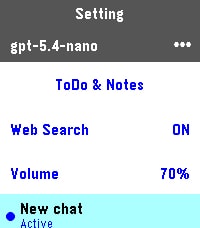
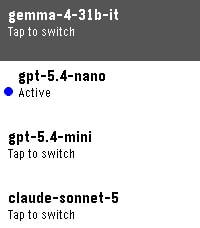
• Up to five configurable models with on-watch switching
• OpenRouter and custom OpenAI-compatible API support
• Long-term Memory.md stored locally on the phone
• Multi-day Pebble Health and exact sleep context
• Timeline events, relative reminders, all-day events and strong local reminders
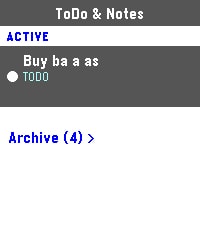
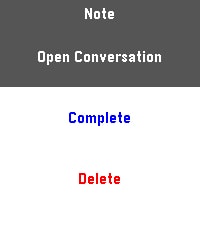
• ToDo & Notes with conversation links and Archive
• Optional Todoist two-way synchronization
• Full touchscreen support on Pebble Time 2; experimental Pebble 2 Duo compatibility
• Optional location context and web search
• Conversation export, font controls and fixed or random themes
• Basalt, Chalk, Diorite, Emery and Flint support

GETTING STARTED

1. Install Wrist AI and open Settings in the Pebble companion app.
2. Add an OpenRouter API key, or select Custom API and enter your endpoint.
3. Add up to five model IDs and choose the active model.
4. Enable only the optional integrations you want: Health, Timeline, Todoist, location, web search or TTS.
5. Open Wrist AI and press SELECT to talk.

WATCH CONTROLS

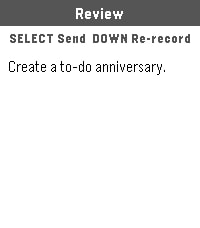
• SELECT: talk, send reviewed Dictation, close a reply, or stop TTS
• Hold SELECT: start a new conversation
• UP: open conversations/settings or scroll upward
• DOWN: open ToDo & Notes, re-record Dictation, or scroll downward
• Hold DOWN on a reply: read it aloud on a supported speaker watch
• BACK: return to the previous screen

The complete control guide appears in the watch UP menu and can be hidden from Config after onboarding.

PRIVACY AND COMPATIBILITY

Conversations, Memory.md, ToDo & Notes and integration mappings are stored locally by the Pebble companion environment. Requests are sent only to the APIs you configure. Health and location context are optional and are not written into normal conversation history.

Timeline features require a compatible Core Devices companion app with local Timeline support. Notifications depend on watch vibration, notification and Do Not Disturb settings. Pebble 2 Duo TTS remains experimental because it has not been validated on physical Duo hardware.

Source and support:
github.com/deusaw/Pebble-Wrist-AI

Support development:
paypal.me/Asterwyn
- DeveloperAsterwyn
- CategoryTools & Utilities
- PlatformsTime/Time Steel, Time Round, 2, 2 Duo, Time 2, Round 2 (scaled)
- Updated2026-07-27
- Version1.6.0