ISS Tracker
Alfredo Chamberlain
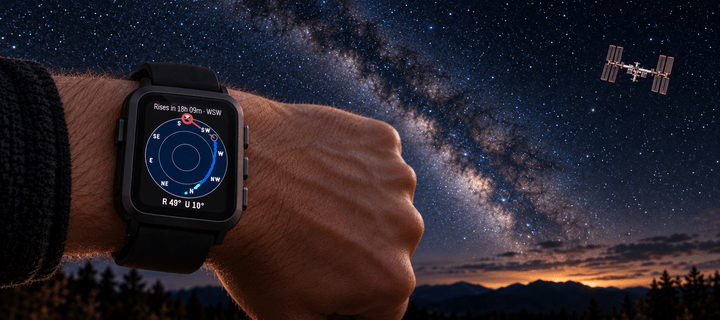
Watchapp
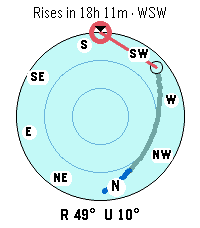
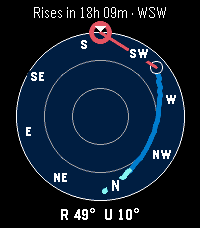
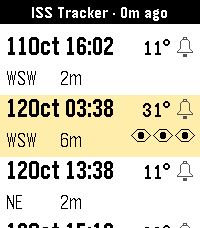
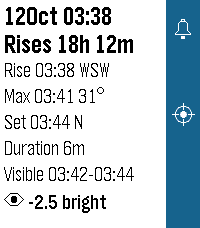
Description
Find the International Space Station with your Pebble Time 2. See every ISS pass over the next 3 days, which ones you can actually see and how bright they will be, and get a vibration 5 minutes before the passes you choose, even with the app closed. In the sky view, point your watch at the sky: a polar sky map shows the pass track and the live ISS position, and a compass-driven ring guides you onto the station. Needs the phone's location; orbital data from CelesTrak.

Settings:
- Filter: show only the passes you can see (Visible) or every pass (All).
- Wrist: the wrist you wear the watch on; used by the Forearm pointer.
- Pointer: what you aim at the sky, the top edge of the watch (Watch top) or your forearm (Forearm). In Forearm mode, point with a finger, never with a flat outstretched hand: you are spotting a space station, not invading Poland.
- Compass: Rotating turns the sky disc so the direction you point is always at the top; Fixed keeps north up.
- Sky theme: Light or Dark colours for the sky view.
- Diagnostics: live compass and accelerometer readings, to check the sensors.
- DeveloperAlfredo Chamberlain
- CategoryTools & Utilities
- PlatformsTime 2
- Updated2026-10-11
- Version1.0.0