PebBeep
Scott Harrison
Watchapp
Description
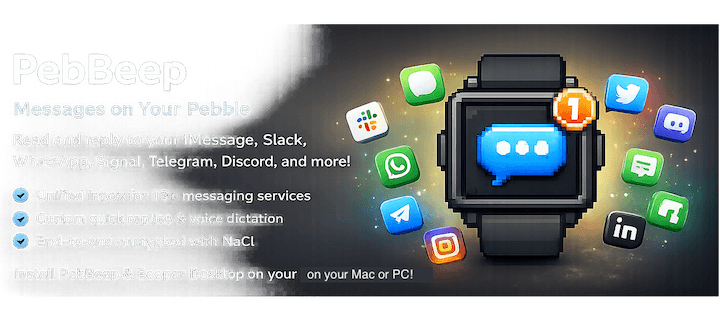
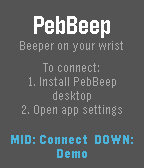
PebBeep — Messages on Your Pebble

Read and reply to your iMessage, Slack, WhatsApp, Signal, Telegram, Discord, Messenger, Instagram, Google Chat, Google Messages, Matrix, X (Twitter), and LinkedIn messages right from your wrist.

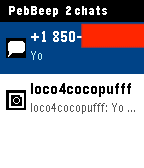
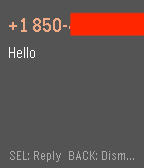
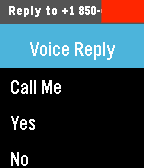
PebBeep bridges your conversations from Beeper Desktop on your Mac to your Pebble in real time, end-to-end encrypted with NaCl. Tap a chat to read recent messages, long-press to reply with a custom quick-reply or by voice (on Pebble Time and later).

Features

Unified inbox across 13+ messaging services (powered by Beeper)
Service icons so you know at a glance who's messaging
Quick replies — voice dictation + 4 custom canned responses
End-to-end encrypted between desktop and watch
Vibration + notification banners for new messages
Persistent message history on the watch
Works on all Pebble models (Aplite, Basalt, Chalk, Diorite)
Setup

PebBeep needs the companion PebBeep desktop app and Beeper Desktop running on your Mac to bridge your messages.

Install Beeper Desktop and sign in to your messaging accounts: https://www.beeper.com
Install the PebBeep desktop app: https://pebbeep.web.app
Launch PebBeep desktop, sign in / sign up with your email, and link it to Beeper Desktop
Install PebBeep on your Pebble from the app store
Open PebBeep settings in the Pebble app and sign in with the same email account
You're done — messages will start appearing on your watch
Configuration

The settings page (Pebble app → PebBeep → Settings) lets you:

Set 4 custom quick-reply phrases
Toggle vibration on new messages
Toggle notification banners
Adjust polling interval
Privacy

All messages are encrypted end-to-end between your desktop and watch using NaCl public-key cryptography. The PebBeep relay server only sees ciphertext — it cannot read your messages.

Disclaimer

PebBeep is an independent third-party app. It is not affiliated with, endorsed by, or sponsored by Pebble, Rebble, Beeper, or Automattic. "Pebble" and "Beeper" are trademarks of their respective owners and are used here for descriptive purposes only. PebBeep requires a separate Beeper account and Beeper Desktop installation, which are subject to Beeper's own terms of service.

© 2026 PebBeep. All rights reserved.
- DeveloperScott Harrison
- CategoryNotifications
- PlatformsOG Pebble, Steel, Time/Time Steel, Time Round, 2, 2 Duo, Time 2 (scaled), Round 2 (scaled)
- Updated2026-04-08
- Version1.1