 117
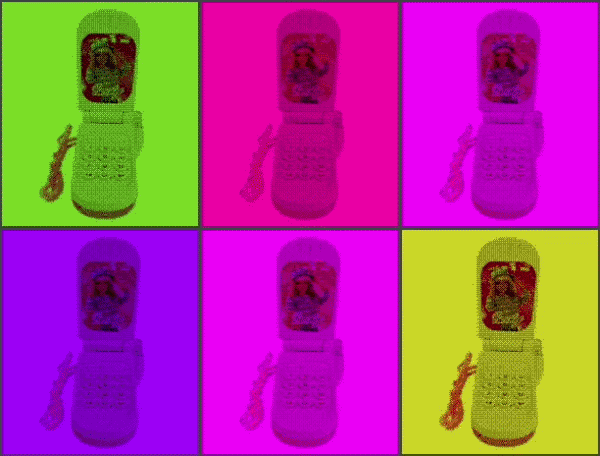
Chinese Toy Phone
ay ay ay im your little butterfly ay ay ay im your little butterfly

press select to use the phone, and press up/down to change the volume. you can also use the touch screen if you're using PT2 lol
 112
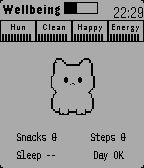
Pebblegotchi
Feed, clean, play, and meditate with a tiny wrist pet. A daily ritual that revives pixel‑era nostalgia and turns small habits into a warm, retro moment.

The gameplay is intentionally simple. To obtain food, players must walk in real life: every 250 steps earned translates into one food item. In addition, getting enough sleep provides an energy bonus.

Meditation also restores energy, but it can only be used three times per day. Aside from that, feeding and cleaning are simple one-tap actions, as there wasn’t enough time to implement mini-games.

The source code will likely be open-sourced after the contest ends, if time permits and nothing gets overlooked.
 112
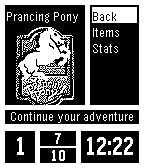
MiniLOTR
Traverse Middle-Earth fighting your way through random encounters with all of your favorite creatures from Tolkiens universe! Stay alive, use your magic sparingly, and prepare yourself for your battle with the Dark Lord...

Sauron must be defeated! You must save Middle-Earth!

Based off code of Torivons "MiniDungeon."
 111
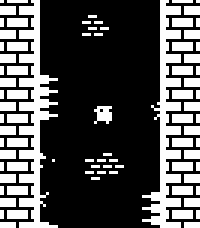
Flucht
Wall jump as high as you can while avoiding dangerous spikes!

This is a one-button game, with random level generation and local high scores.

Select/Down: Jump (short tap is short jump, holding press is longer jump)
Up: Toggle FPS counter display

You can play a very similar version online at https://sergilazaro.itch.io/flucht

NOTE: This hasn't been tested with any of the actual hardware, only with emulators. Feedback on performance is appreciated.
 111
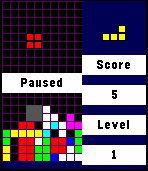
Tebbletris
Tetris for the Pebble Time! I loved the original Pebble's Tetris app, so I decided to make one in color for the Pebble Time.

Controls:
Back: Pause / Quit. Progress is saved automatically when you quit from within a game.
Up: Move block left.
Down: Move block right.
Select: Rotate block / Resume.
Up (hold): Snap block left.
Down (hold): Snap block right.
Select (hold): Quick drop.

This project is open source under the MIT license! I think that I've tested it well, but I wrote it quickly in my free time so please report any bugs you run into.

Github: https://github.com/WRansohoff/Tetris-PebbleTime

Credits:
Thanks to kamotswolf for adding an option to toggle the drop shadows.
 107
FlipClock 3D
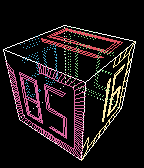
FlipClock3D is a gravity & gesture aware 3D interactive fliping clock.

Buttons:
- UP/DOWN: +/- spin speed.
- SELECT: transparency (SOLID/XRAY/WIREFRAME).
- LONG SELECT: configure digit font.

Gestures:
- TWIST: mode change (DYNAMIC, STEADY)
- PUNCH: spin faster
- YKES : stop spinning, make Day/Hour/Minute faces visible.
 106
Greedy Greedy Piggies
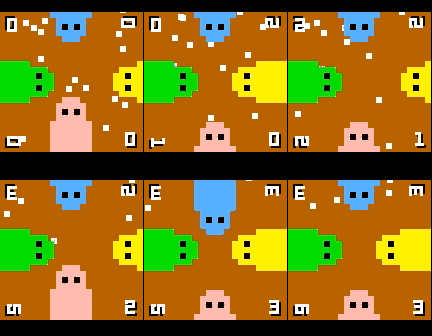
4 player dot munching, button mashing fun! Up to 4 players at once on a single pebble, or play on your own against CPU piggies.

If the dots ever get stuck or difficult to get, simply give the watch a quick shake.

Note: this game uses the back button to control the green piggy, so to exit hold back for a few seconds.
 106
Draw - Sketch on your Wrist!
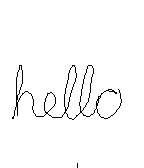
Draw just by tilting your wrist!

Note: Currently not compatible with Pebble Times. Working on fixing this and adding color.

Send the drawing to your phone without sending anything to a server or needing a companion phone app.

View the drawing on your phone by going to the 'Draw' app settings in the Pebble phone app. (Only tested with iPhone)

iPhone users - To save, copy, send the image:
1) Hold down on the image in the 'Draw' settings in the Pebble phone app and tap Copy
2) Create a new note in the Notes app and paste into the note
3) Tap Done and then hold down on the pasted image, which will let you save, send, copy the image from there.

- 1st Shake of Pebble: While not drawing, undo last pen stroke
- 2nd Shake of Pebble: While not drawing, undo the undo or clear the image based on setting
- Up Button: Re-center cursor
- Select Button: Click to toggle 'pen' on/off, Hold for 2 seconds for Eraser
- Down Button: Actions & Settings, including send image to phone
 105
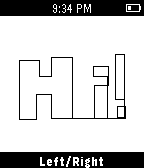
Etchist
Etchist turns your Pebble into an Etch-a-sketch! Use the select button to toggle between drawing up/down and left/right. Shake to clear the screen!
 105
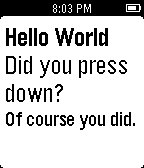
Button Press
Just a 15 year old learning how to write programs here. You can press the buttons or hold them and it will tell you what button you pressed. Enjoy :)
 104
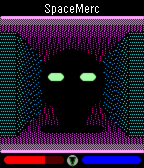
SpaceMerc
A 3D first-person shooter (FPS game)! Defend humanity against hostile aliens, earn money, and buy upgrades as you progress through this intense sci-fi action thriller.

UP: Press once to step forward, twice to turn left.
SELECT: Fire your laser gun to demolish walls and kill enemies!
DOWN: Press once to step back, twice to turn right.
 103
Shake Dice
IT SHAKES DICE.
(Dear God)
There's more.
(No)
It also flips coins!

But seriously:
Press up or down to select and roll a dice/coin. Press select or shake wrist to roll the displayed die.

Actual feedback from REAL users:
"I am GROOT"
-Groot

"I have done nothing but teleport bread for three days"
-Soldier
 103
PebblePool
Turn your Pebble into a tiny pool table and test your basic billiard skills.

You can choose between:

- free play mode, try to get your top score in one single round

- qualify mode, a six-round challenging experience


How many balls will you be able to score without a miss?
Do your best!
 102
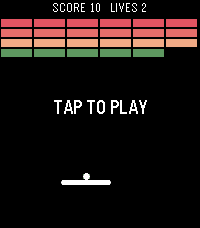
BreakerBrick
A breakout clone using touch and speaker

Note: this was made as a tech demo, I probably won't update this. Please stop sending me messages with feature requests :)
 101
Aquarium
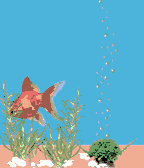
Little aquarium with Golden fish on your wrist.