 418
418Timer
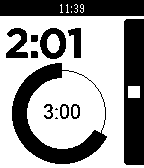
Timer-App for Pebble, designed for usability and to look awesome.

V2.2 uses the Wakeup API (available in the latest Pebble Firmware). The Timer App will be automatically be started 5 seconds prior to a scheduled timer event.
 395
395Radar
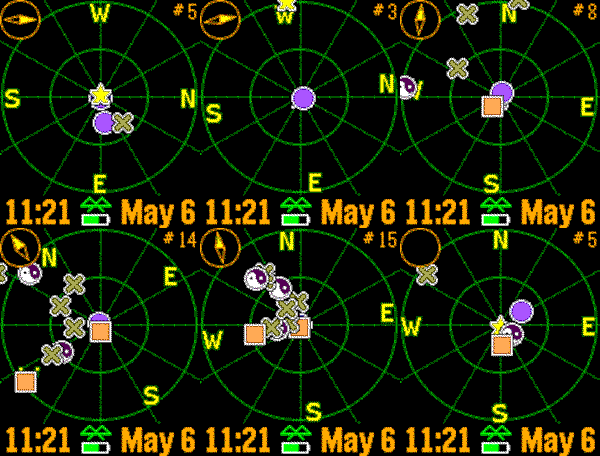
Realtime tracking of Pebble watches.  The closest dozen Pebbles are displayed with approximate distance.  Now with compass, droppable marker, and color support!

Use the buttons to zoom in and out, and shake to refresh.  Custom settings include GPS accuracy, your symbol, distance units, battery, connection, vibration alerts, markers, compass, and more.
 388
3883D Coins & Dice
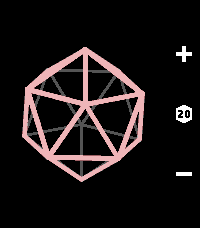
• Features a coin, D4, D6, D8, D10, D12, and D20.
• Roll up to 4 dice at once by holding + or -.
• Real-time 3D geometry and tumbling animations.
• Incredibly satisfying vibrations.
• Minimal and intuitive interface.
 375
375Powernoter
Create and search Evernote notes by voice.  Check off checkbox items, view color images from your notes, append to existing notes and more.

Notes you've modified recently as well as Evernote reminders are automatically added to your timeline.  You can add a reminder to a note by pressing Select when viewing it.

Powernoter is in no way affiliated with Evernote.

Show your appreciation at http://4r.io/pn
 373
373Rain Radar
See rain heading your way, right from your wrist.

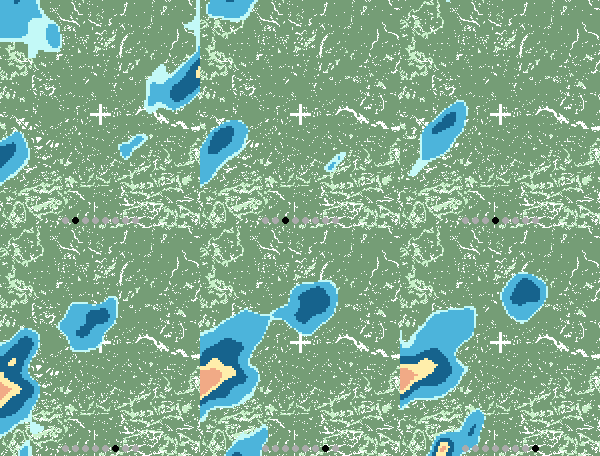
Rain Radar combines animated rain radar with a clear street map centred on your location, helping you judge where the rain is and whether it’s moving towards you.

• Animated rain radar — follow recent rainfall movement and intensity.
• Built-in compass — orient yourself with a live north arrow while the map stays north-up.
• Two map views — switch between Standard and Wide for local detail or a broader picture.
• Browse recent history — step through radar frames using the watch buttons.
• Automatic or fixed location — follow your phone’s location or choose somewhere to keep an eye on.
• Backlight lock — hold the screen to keep the map visible.

Designed for Pebble Time 2. Uses RainViewer radar and OpenStreetMap mapping. Requires a connected phone with internet access.
 365
365Dislock
Control the lock screen of your device right from your Pebble. Set your phone or tablet's lock screen to locked, unlocked or automatic.

When set to automatic, Dislock will control the lock screen based on your Pebble's connection and will lock your device when your Pebble disconnects.

(In-app purchases for some features)
 361
361RING MY PHONE
Do you ever lose your phone and ask someone to call it so you can find it? No more! Now you can ring your phone from your Pebble smart watch. RingMyPhone is a simple Android app that allows you to start your phone ringing using your Pebble smart watch. Phone on silent? RingMyPhone don't care! RingMyPhone will turn your volume to max, turn your screen on, and keep ringing until you tell it to stop.
 358
358GoogleTasks for Pebble
Browse all your ToDo lists (from GoogleTasks) right on your wrist! Task notes are supported too.
You can also mark tasks as Done. You will no longer need to look at your phone while buying groceries in store or something else.
This app uses task lists stored in Google Tasks service. You can manage them from the web browser on your PC or phone. Also you can use any GoogleTasks-compatible mobile ToDo/notes app.
Previous names: PebbleNotes, PebbleTasks.
 358
358Night Sky
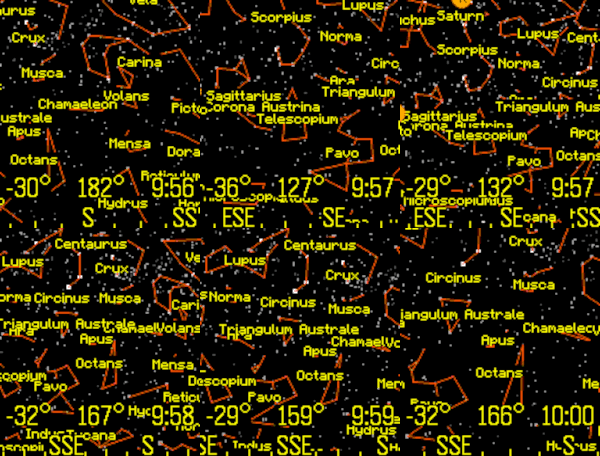
View the stars, constellations, and planets of the night sky.

The up and down buttons change the field of view.  Click the middle button for custom settings, selecting planets, or choosing a constellation.

The orientation can be set by compass, tilting the Pebble, or can be locked to a specific heading. Latest Pebble models can use touch to pan the display.

Memory is tight, so only 1,000 stars are in the original Pebble and 4,000 stars for the newer Pebbles.

Voice dictation is supported for newer watches. To use this feature, select "Voice" from the menu, and clearly state the name of a planet or constellation. Some sample terms to try are "Moon" and "Aquarius".

This app has been updated for the newest Pebble Time 2 and Pebble Round 2 apps.
 357
357Find Watch
Can't find your Pebble? If it is still within bluetooth reach and your phone/pad is connected to your watch, installing this app will make your watch vibrate and flash.

The app counts minutes and seconds until the watch is found. You can set vibrations and screen flashing on or off.

Hint: play hide-and-seek by hiding the watch and using a phone to find it.
 350
350Notepad (Tertiary Text)
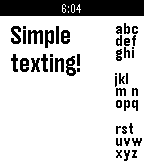
Notepad allows you to take notes directly on the Pebble! Using Tertiary Text it is possible to quickly type complete and full messages directly on your Pebble.

Visit the site for more information on how to type with it. The keybindings become muscle memory in no time.
 350
350Time Traveler - World Clock
Remember the old days, when your digital watch would come preloaded with a bunch of cities throughout the world, and a world map prominently displayed on the screen? Wasn't it fun to just scroll through all those cities, wonder where all those abbreviations really were?

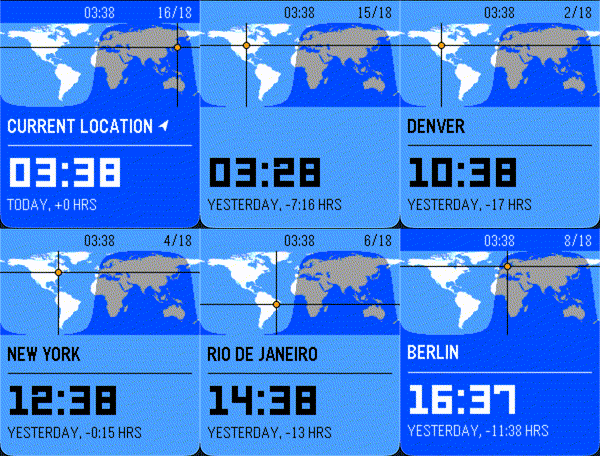
That's why I created TIME TRAVELER, a fun, animated world time experience for the Pebble watch! Smoothly animates between cities around the world, showing real-time day/night data, accounting for time zones, summer time, and more!

Features:
- Real-time daylight terminator calculation, showing you exactly which cities are experiencing daylight and which aren't!
- Hide or show your favorite cities, selecting from 49 different cities commonly found on Casio™ digital world time watches!
- Shows you whether it is today, tomorrow, or yesterday for a given time zone -- now you can finally remember what day it is for your friends in Asia!
- Exciting animations!
 348
348PowerNap
PowerNap tracks your movements until you fall sleep and wakes you up with a vibration alert just after your desired nap cycle is completed
 346
346Navi App
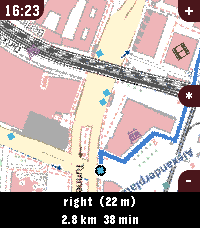
Welcome to Pebble Navi
- Turn-by-turn navigation and a map on your wrist
- No companion app needed
- Support walking, driving and cycling modes
- Destination selection from saved locations
- You can dicate a destination to your watch if it has a micro
- Save current location
- Support for Imperial and Metric units
- Added Rotation mode, the map rotates with the user and the route.
- Supports every nearly pebble
- Dynamic rerouting
- Preview routes on your phone
- NEW: Vibrate on left and right turns (only in walking and cylicng mode)

You can manage locations in the apps phone menu.

To people with older pebbles:

There are two new options, one is to Enable experimental mode were we maximise sending speed of the map, but that can lead to instability, together with the telemetry option I hope i can make sure the update works fine on ever watch. When im sure it works fine with every watch model, i want to remove the telemtry again. I only could test this on my time 2 but the emulator behavior and hw behavior is different.

If you have any suggestions or issues send me a message using the contact developer option or open a issue on github.

Rebble Store Listing:
https://apps.rebble.io/en_US/application/6a2ec9ab000bc200090963fc
 327
327PCal
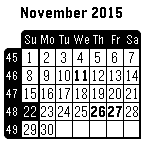
Universal Calendar, configuration screen available from the Phone Pebble App, allowing to set language, display of week numbers, first day of week and public holidays for some countries.

Available languages : Dutch, English, French, German, Italian, Spanish or Swedish.