 42
42TOPTer
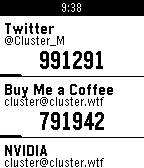
Tools & UtilitiesA powerful, standalone Time-based One-Time Password (TOTP) authenticator for Pebble smartwatches that doesn't require a companion app on your phone. Features: - No Companion App Required: TOTPer uses a local HTML page for settings - Fast Loading: Optimized for quick startup and instant code generation - QR Code Parsing: Paste QR code URLs in the phone configuration page (Pebble app has no camera access) - Google Authenticator Import: Import all accounts at once from Google Authenticator export - Supports Many Accounts: Up to ~20 accounts on original Pebble, up to 100 accounts on newer models - Multiple Hash Algorithms: SHA1, SHA256, and SHA512 support - PIN Code Protection: Optional 3-digit PIN code (000-999) to prevent unauthorized access - Standalone Operation: No Internet access required at all, neither for the settings page nor during usage - Clean Design: Simple, intuitive interface focused on readability - Visual Time Indicator: Progress bar shows remaining time for current code - Drag to Reorder: Easily organize your accounts
 68
68Hex Editor Watchface
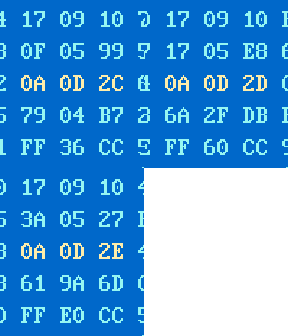
FacesThis watchface looks like classic hex editor. It can show date and time in hexademical format as well as in normal decimal format. Also it can show battery level and bluetooth connection status.
 22
22Montana
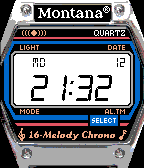
FacesMontana :) Color version for Pebble Time.
 7.5K
7.5KMario Time Watchface
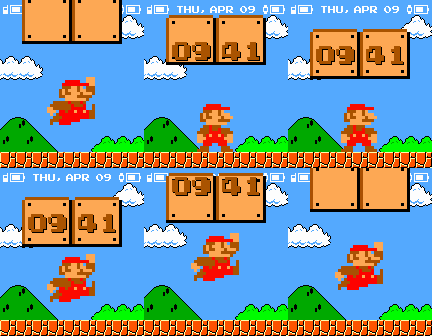
FacesSuper Mario jumps every minute. It can show weather, watch battery level and vibrate when disconnects from phone. You can also download Android companion app to show phone battery level. And there is color version for Pebble Time too. Based on a concept by Denis Dzyubenko.
 141
141DOS Terminal Watchface
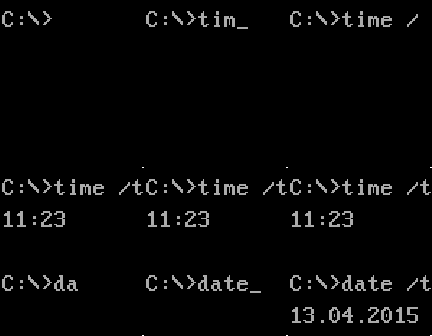
FacesSimple DOS command line style watchface. Just like "CMD TIME" by Chris Lewis but with "terminal" font.
 52
52Space Dragon
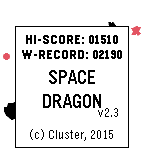
GamesSimple game. Tilt your watch to control the spaceship and avoid asteroids. Beat you own record! Be number one in online ratings! Press select button for a second to enable permanent backlight (but it will rapidly deplete the battery!)
 64
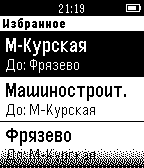
64Электрички
DailyRussian train schedule. Приложение, которое отображает расписание электричек на основе Яндекс расписаний. Есть возможность автоматического поиска ближайших станций в заданном радиусе на основе геолокации телефона. Эта версия не требует приложения компаньона. Внимание! Для корректной работы приложения на часах должна быть установлена прошивка с кириллическими шрифтами. По непонятной причине не работает на iOS!