 7
7Playtime
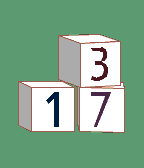
FacesTell the time with a stack of 3D toy blocks — lazily stacked, randomly colored, always playful. The hour sits on top, the minutes on the bottom, one stencil number per block. SHUFFLE IT UP (all on out of the box) • Misaligned: blocks look lazily stacked, slid, pushed and turned. Set how wild with Off / Low / Medium / High sliders • Random block colors, using 1 to 4 different colors • Random background and number colors, always readable: every number is picked to stand out clearly on its own block, as the Pebble screen really shows it • Random rotation: the stack leans a new way each time • Shuffle every minute, 5 minutes, 30 minutes or hour, or on a flick of the wrist MAKE IT YOURS • Pick your own background, block, outline and number colors • Rainbow numbers or a single color • Lean the blocks left, right or flat-on • 12/24-hour follows your watch's own setting Works on every Pebble (at least in emulator) Open source (MIT): github.com/CATEIN/playtime-pebble Numbers drawn with the Allerta Stencil font by Matt McInerney (SIL OFL).
 15
15Still Alive
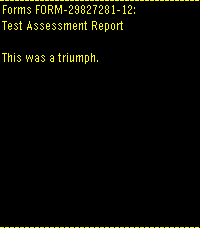
GamesPortal end credits song 'Still Alive' Runs entirely on device, a little over 700 kilobytes Credits run after song due to screen size. I was too lazy to try to fit the ASCII art onto the screen as well. "Still Alive" and all Portal characters, music, and content are the property of Valve Corporation. Most of the data came from this repo: https://github.com/errorer/Portal_StillAlive_Python
 1
1Rubik's Cube
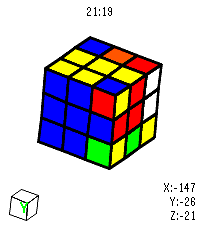
GamesVirtual Rubik's Cube for Pebble Time 2. I got close to solving it but messed up on the last layer 😭 Open source so yall can fork and make it better. Made using Claude.
 17
17Lichess TV
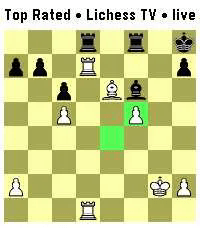
GamesWatch live chess, on your wrist! Lichess TV streams a live game position to your watch as it happens: every move, both players' names, titles, and ratings, and clocks that count down in real time. FEATURES • Live board, updated the instant a move is played • Player titles, names, ratings, and Patron status • Watch Lichess TV, Broadcasts and Streamers • Last-move and check highlighting • 9 board color themes, plus a choice of board size • Flip the board with a double-press of Select, or a flick of your wrist • Pause the board by holding Select and cycle though recorded moves • Optional inactivity timeout to save battery CONTROLS • Down: show player names, ratings, score and clocks • Up: pick a live game/stream from selected type • Back: close the info panel, or exit • Double-press Select, or flick your wrist: flip the board • Hold Select: Pause the feed and cycle through move history. No account or setup required — just install and watch. Requires a Bluetooth connection to a phone running the Pebble app, with internet access for the live feed using Lichess's API. This project is not affiliated with Lichess.org