 14
14AI Alfroid - Your Personal Agent
Tools & UtilitiesAlfroid puts your personal AI assistant on your Pebble. Open the app and just speak — your question is answered by the Alfroid launcher on your phone, which runs a full AI agent with access to your calendar, contacts, notifications, web search, and your favorite MCP like home assistant. The answer arrives on your watch as concise, scrollable text. When the agent wants to take a real-world action — add a calendar event, turn off the lights — your watch vibrates and asks first: **Up** to accept, **Down** to reject, without ever touching your phone. Press **Select** to ask a follow-up, as often as you like. Requires the free Alfroid Android companion app with your own OpenRouter API key (you select your favorite LLM). Supports Pebble 2 Duo, Pebble 2 / 2 HR, Pebble Time / Time Steel, and Pebble Time 2. ---- If you like my app you can buy me a coffee with this link :D https://www.paypal.com/donate/?hosted_button_id=Y4PDJU84LC3N2
 6
6NestedNumbers
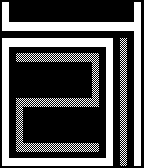
FacesA simple watch face with large numbers. The numbers are nested so always read from left to right and inside to the outside. It also implements a menu that you can circle with flick (double flöick the first time for stabiltiy) to show more information: 1. Hours & Minutes [Gray White Gray White] 2. Month & Day [Gray Gray White White] 3. Steps & Battery [White White Gray Gray] The menu automatically returns to the time after 5 seconds as we mainyl want a watch that shows the time ;) Some examples are given in the screenshots: Screenshot 1: 20:14 Screenshot 2: 21:37 Screenshot 3: 12/24 Screenshot 4: 07k Steps; 63% Battery
 78
78LibreHealth
Health & Fitness# Libre Health Pebble companion app for Libre Health, the open-source, local-only health tracker for Android. Warning: Requires the LibreHealth Android companion app. There you can connect to pebble by clicking the upper right dots, then "Pebble". Automatically syncs your Pebble health data — heart rate, step counts (broken down by hour), and sleep — to the Libre Health app on your phone. Enable automatic mode and the app wakes up every 30 minutes to send your latest stats, no manual intervention needed. ## Features - Hourly step tracking with 24-hour breakdown - Heart rate and sleep data sync - Automatic background sync every 30 minutes - Manual send with one button press - Works on all Pebble platforms (Aplite, Basalt, Chalk, Diorite, Emery) **Your data stays yours.** All data is sent directly to Libre Health on your phone — no cloud, no accounts, no third parties. ## Controls - **UP:** Enable automatic sync - **SELECT:** Send data now - **DOWN:** Disable automatic sync ## Coffee If you like the app and want to buy me a coffee (or simply click the website button): https://www.paypal.com/donate/?hosted_button_id=Y4PDJU84LC3N2
 536
536Pebble Mesh
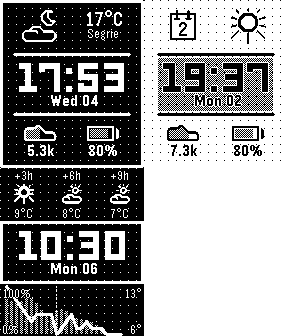
FacesPebble Mesh is an open-source, retro-digital watch face designed for maximum clarity and essential stats. This face features a signature dot-matrix grid background that gives it a crisp, monochrome, and classic aesthetic including a retro typewriter animation. ## FEATURES - Bold Time Display: Large, easy-to-read - Custom colors: Select custom colors for dark and light theme - Configurable Infos: Weather, temperature + location, step count, battery level, date, heart rate or data fetched from a custom url. - Minute Animation: Watch for a subtle, satisfying line animation every time the minute changes! - Detailed Weather Screen: Double flickr to open the detailed weather screen. - Highly Customizable: Choose what info to show where and how to show it. Different themes, animations, and more. ## SETTINGS - Theme: Light, Dark, Dynamic (sunrise / sunset), Dynamic (quiet time) - Enable / Disable animations - Location: Current or Fixed Name - Temperature Unit: °C, °F - Step Goal: 10k per default - Layout: You can select what info to display where. ## CONTRIBUTORS - peerdavid (https://github.com/peerdavid) - koichirose (https://github.com/koichirose) ## THANKS TO - Weather provided by https://open-meteo.com/ - Reverse GeoCoding provided by https://bigdatacloud.net/ - Pebble Dev Iconography https://github.com/pebble-dev/iconography ## Donate A "buy me a coffe" link is in the settings header :) Or enter this link: https://www.paypal.com/donate/?hosted_button_id=Y4PDJU84LC3N2 Thank you so much!
 26
26Vault
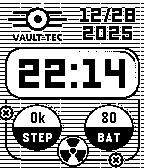
FacesA fallout inspired open-source watch face which shows the date, time as well as the number of steps and the battery level. Disclaimer: This project is an open-source, fan-made creation and is not affiliated with, authorized, maintained, or endorsed by Bethesda Softworks or Microsoft.
 37
37Winter
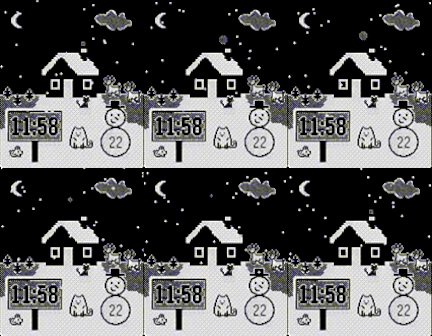
FacesAn open-source watchface for the winter and christmas season inlcuding animations for snowflakes and a smoking chimne. And, of couse, I included some cute cats and rabbits. Flick to trigger the animation again ;)
 39
39Eye Protect (20-20-20)
Health & FitnessStaring at screens all day? Give your eyes the break they desperately need with the 20-20-20 rule! This simple and essential app automatically reminds you about the recommended 20-20-20 rule. How it works? When you open the app it immediately toggles its mode between active and inactive (nice in combination with quick launch). When active, every 20 minutes, your Pebble watch will gently vibrate 3-times. This is your cue to look at something 20 feet away (about 6 meters). You can stop after your pebble vibrates 3 times again (20 seconds).
 12
12BW Clock
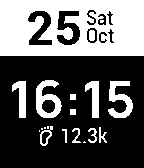
FacesA simple Black & White watch face that also shows your step count.