 4
Tekudash
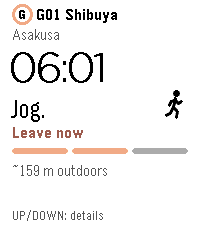
DailyTekudash brings your tracked Tokyo train to Pebble Time 2. See your station, direction and departure countdown at a glance, with walking, jogging or running advice when fresh location data is available. • Countdown and trip details • Line colours and English or Japanese station names • Light and dark appearance synced from your phone • Optional vibration when your pace becomes more urgent GET STARTED Open https://tekudash.app on your phone. Go to Settings → Watches → Pebble, create a watch connection and copy it. Paste it into “Watch connection” in this watchapp’s settings in the Pebble phone app. Press and hold a departure card in Tekudash and choose “Track on Lock Screen” on iPhone or “Show on Pebble” elsewhere. Your watch shows that train until tracking ends. KEEP YOUR PHONE APP OPEN Fresh updates require Tekudash to stay open on your phone, an internet connection and a Bluetooth connection to your watch. Pace advice expires within 30 seconds without fresh data. The saved countdown continues with a stale indicator; it does not confirm the train’s actual departure. Select refreshes. Up or Down switches between countdown and details. The watchapp closes after a minute of inactivity once the saved departure time has passed.
 19
Claude Code Mascot
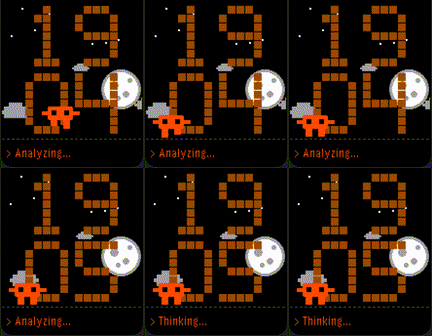
FacesAn animated watchface featuring the Claude Code mascot — a tiny AI character that walks, runs, thinks, and sleeps across a pixel-art terminal display. Shows time in a chunky orange pixel font with animated digit transitions. Background features a day/night sky with a moving sun, moon, stars, and drifting clouds. The mascot cycles through developer phrases and can be customised via the settings page. Developed with Claude Code.