Long Press a Button and your phone rings! Stuck in a long conversation and need to go? No prob!
Loser at the bar bothering you? Escape!
Want to pretend to have friends and be cool? Welcome to the club!

Works on my pebble time 2. Thats all I know for sure.

SETUP: (Kind of a pain)
This app needs a webhook URL to ring your phone. Two options:
OPTION A - Twilio (Recommended, ~$1.15/month):

Sign up at twilio.com (free trial included)
Buy a local phone number
Go to Functions and Assets > Services > Create Service
Add a Function with path /call, set it to Public
Paste this code (replace the phone numbers with yours):
exports.handler = function(context, event, callback) { const client = context.getTwilioClient(); client.calls.create({ to: '+1YOURNUMBER', from: '+1TWILIONUMBER', twiml: '<Response><Say voice="alice">Hey, do you have a second?</Say><Pause length="60"/></Response>' }).then(function(call) { callback(null, 'OK'); }).catch(function(err) { callback(err); }); };
Deploy All, then Copy URL
In the Pebble app, open Escape Call settings, paste the URL as Webhook URL, set Method to GET, Save

OPTION B - CallMeBot (Free, needs Telegram):

Install Telegram, search for @CallMeBot_txtbot, send /start
Follow auth steps, then add @CallMeBot_API to contacts and message it
Your webhook URL: http://api.callmebot.com/start.php?user=+1YOURNUMBER&text=Incoming+Call&lang=en-GB-Standard-B&rpt=2
Paste into Escape Call settings, set Method to GET, Save
Note: Telegram must be running in background

QUICK LAUNCH: On your watch, go to Settings > Quick Launch > assign Escape Call to Back button. Hold Back 2 seconds from any watchface to activate. 12
12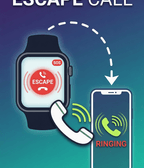 44
44 6
6