 4
Android Igor
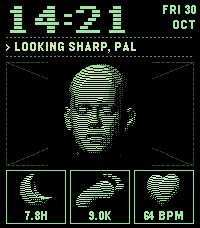
FacesIgor is an android who never blinks. Three sensors feed him your sleep, steps and pulse. All clear and his panels glow green; something wrong and they turn red, and Igor will tell you so. Head: Lee Perry-Smith, CC BY 3.0, modified
 6
Shutter Remote
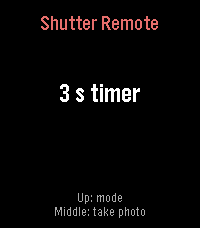
RemotesShutter Remote lets you take photos with your phone's built-in camera straight from your Pebble Time 2. Open the camera on your phone, press the middle button on your watch to take a photo right away or after a three-second timer, and use the Up button to switch between the two modes. The watch app works together with a small Android companion app, which presses the camera's shutter button for you through an accessibility service, so it works with your stock camera app without any extra hardware. The companion app is free and open source: download it from the project's GitHub page and set it up in three short steps inside the app.
 26
Stack Face
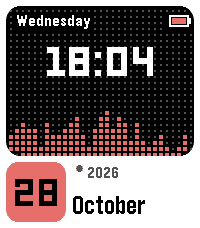
FacesStack Face is a watchface for Pebble Time 2 built around a dotted-grid panel, with a large time that follows your watch's 12/24-hour setting and the weekday written above it. An orange pixel equalizer along the bottom of the panel changes shape every minute, and below the panel a tile shows the day of the month next to the month name and the year. A small battery icon in the top right corner shows the charge level. Twelve colour themes are available, and you can pick one in the watchface settings on your phone, where each theme is shown as a small preview.