 1
AU Shuttle
Tools & Utilitiesshuttle
 1
WMATA Bus Board
Tools & Utilitiesbus
 10
Open Gymnasium
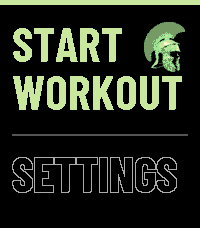
Health & FitnessOPEN GYMNASIUM Set and rest timer, heart-rate tracking and automatic workout logging for the Pebble Time 2. Every workout is saved as a spreadsheet-ready CSV in your own Google Drive. WHAT IT DOES - One-button set and rest timer, with a live heart rate coloured by training zone and a graph of the whole workout. - Your workout days on your wrist: exercises in order, each with reps per set and a starting weight. Alternating exercises (for example curls and pull-ups) supported. - Record the weight of every set on the watch, in kg or lbs. - Optional warm-up, timed rest alarm with snooze, and Generic workouts (Exercise 1, 2, 3) when you have no plan. - Pause stops recording. A forgotten workout asks "Still exercising?" and ends itself. - A summary at the end: total time, average heart rate, work and rest time, and a heart-rate graph. - One CSV per workout in your Google Drive: every set and rest, reps, weights, heart rate and two calorie estimates. Optional Android helper to copy workouts into Health Connect. - No account, no subscription: your data goes from your watch to your phone to your Drive. CONTROLS - SELECT: start a set / start the rest. - UP: next exercise. Hold UP: back an exercise. - DOWN: weight up 1 kg or 5 lbs (with no weight yet it opens Record weight). - Hold DOWN: menu (Pause, Record weight, Swap movement, Jump to exercise, Settings, End workout). - Hold SELECT: end the workout. - On the start screen, hold SELECT for a Generic workout. WHAT YOU NEED - A Pebble Time 2 and the Pebble / Rebble app on your phone. - A free Google account. SET UP (about 10 minutes, once) Downloads: https://drive.google.com/drive/folders/1TcKN7BK410Mwz1CnRDCwd1dCp9fWFO38?usp=drive_link 1. Download Code.gs. At script.google.com create a New project, replace the code with Code.gs and save. 2. In Project Settings > Script Properties add UPLOAD_TOKEN with a long random password of your own (optional: FOLDER_NAME, default Open Gymnasium). 3. Deploy > New deployment > Web app, Execute as: Me, Who has access: Anyone. Approve the Drive permission and copy the Web app URL (ends in /exec). Nobody can save to your Drive without your token. 4. On your phone, open Open Gymnasium's settings: paste the URL and the token, choose Metric or Imperial, add your workout days and exercises, and Save. Finish a workout of 2 minutes or more and its CSV appears in your Drive a few seconds later. If the phone is offline it keeps the workout and uploads it later. Optional (Android): install OpenGymnasiumHealthSync.apk from the same folder, enter the same URL and token, allow Health Connect access and tap Sync now. Typeface: Barlow Condensed (SIL Open Font License). Statue artwork is AI-generated.
 7
Fuzzy time smart features
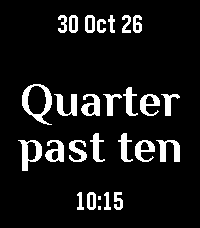
FacesFuzzy time inspired by Scott Barman, with some smart features. Six looks - Original, Wired, Uber, Vodafone, Bugatti and Cursor - tell the time in words ("Quarter past one"), every one in white, black, or automatic (white from sunrise to sunset, black from sunset to sunrise). Choose what stays on the face all the time: the date, the numeric time (12- or 24-hour, with or without AM/PM), a weather word, and in Cursor a day bar. With nothing else showing, the words fill the whole screen edge to edge, set big and small: the hour big, the rest stacked around it ("Five / past / FIVE", "Twenty / five / to / EIGHT", "Seven-" over "ish"). Hidden extras on demand: tap or shake the watch to bring the time up to date and show the extras you choose (date, numeric time, weather word, Cursor day bar), either for a number of seconds or until you tap again. Choose whether the time shows seconds and how often the face refreshes while they are up - down to every second. Tap or shake can also be turned off. Also: the weather word (storm, snow, rain, fog, heat, cold, cloud), Cursor's day bar shaded by heat, rain, cold, snow or cloud cover, and an hourly vibration or sound with silent hours. Everything is set on the phone settings page, where a short summary spells out what is always on the face, what appears after a tap, and the refresh rates. Made for Pebble Time 2 (Emery).