 27
27Mole
GamesThis is a joke app, but you can whack a mole. You can whack it. That's all.
 28
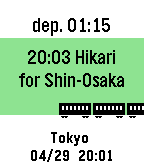
28TrainTime
Tools & UtilitiesThis is train time table app. Please open setting page and input time table. After setting, network connection is unnecessary when using the app. You can change the Icon type to "Train, Bus, Ship, Plane". Sample is below. https://otoone-dev.github.io/docs/train_setting_sample.html Controlls [UP,DOWN] Change train. [SELECT] Change station (only 2 station) for Japanese... NextTrain 形式のテキストが使える場合があります。 多くの電車が出発する駅はサイズオーバーになる事がありますので、 その場合は曜日や時間を削る等の編集が必要です。 祝日には対応していません。 適用方法がわからない方はメールしてください。
 29
29COUNTER3
Tools & UtilitiesThis is counter. [UP,SELECT,DOWN] Count up [LongPressed UP,SELECT,DOWN] Clear
 99
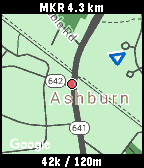
99SimpleMap
Tools & UtilitiesThis is simple map application. Show current location, speed(km/h), altitude, clock, and user marker(distance, direction) only. (The map is not always displayed, because it uses google static map) User markers can be set from the setting page or button. If the map is not updated, run the GPS continuation application (I did not create it) on your smartphone. * HOW TO USE * [CENTER] Change "enable / disable" position updating. [UP/DOWN] Change zoom level. [LongPressed CENTER] "Set / Clear" user marker. (one position only)
 3
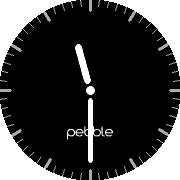
3SimplePBBi
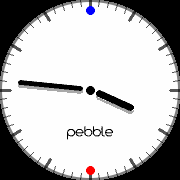
FacesVery simple watchface with bluetooth-information and battery-information. Blue dot = bluetooth is disconnected Orange dot = battery is under 30% Red dot = battery is under 10%
 7
7SimplePBi
FacesVery simple watchface with bluetooth-information and battery-information. Blue dot = bluetooth is disconnected Orange dot = battery is under 30% Red dot = battery is under 10% If you don't want to check bluetooth connection, install "Simple-PB" watchface.
 3
3StopWatchPB
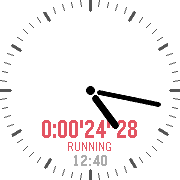
Tools & UtilitiesSimple stopwatch application. Please use it with [SimplePB] watchface. When 1 minute elapses, the display will be displayed at 1 second intervals. and when 5 minutes elapses, the display will be displayed current time clock at 1 minute intervals. (Unit of measurement is less than a second) UP: START, STOP DOWN: RESET
 11
11SimplePB
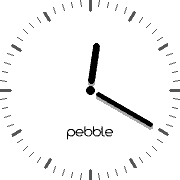
FacesVery simple watchface. (No battery indicator, No weather info, No bluetooth info, No date info) If you want to check bluetooth connection, install "Simple-PBi" watchface.
 10
10OsakaSubway
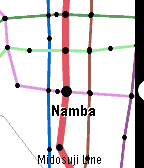
Tools & UtilitiesOsaka Subway Map. for English and Japanese. (1) SELECT: Choose the train. (2) UP, DOWN: Go to the next station, or return to the previous station. SELECT: Change to the other line. BACK: Back to select menu.
 68
68Light
Tools & UtilitiesThis is simple application, it can use a back light long time.
 31
31TokyoSubway
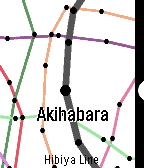
Tools & UtilitiesTokyo Subway Map. for English and Japanese. (Included JR Yamanote Line) (1) SELECT: Choose the train. (2) UP, DOWN: Go to the next station, or return to the previous station. SELECT: Change to the other line. BACK: Back to select menu.
 122
122Calendar
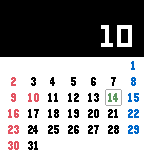
Tools & UtilitiesThis is calendar application. It is enable to show Japanese holiday and United States holiday. (Holidays display will change with pebble's language setting) [UP,DOWN] Change month. [CENTER] Today [Long-pressed UP] Show holiday / Not show holiday [Long-pressed DOWN] Sunday start / Monday start