EXPERIMENTAL :
A time-management watchface

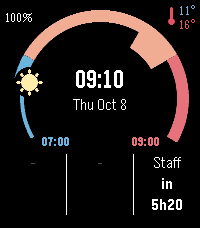
A 240° arc shows the current 12-hour window (7:00–19:00, then 19:00–7:00), with a sun or moon marking the current time.

Your Google Calendar events appear as radial blocks along the arc. Past events turn grey and the current one is outlined in white.

A ring around the sun or moon fills up as the current event progresses, like a visual timer.

Three columns at the bottom show the last event (time ago), the current one (time left) and the next one (time until).

The centre shows the time, date and an optional goal for each day and evening of the week.

The top shows battery, and today’s min/max temperature by day or your last sleep and wake times by night (from the watch’s sleep tracking).

Settings: paste your Google Calendar secret iCal address and set your daily goals from the Pebble app. Your calendar link stays on your phone.
 3
3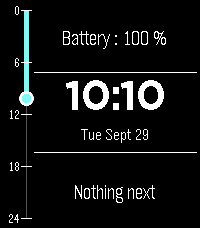 6
6