 3
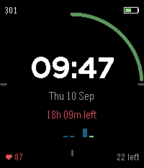
3Super Productivity Watch Face
FacesSuper Productivity companion watchface
 10
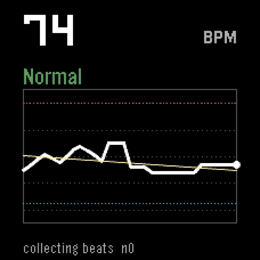
10Cardia
Health & FitnessA PebbleOS watchapp that watches your heart rate more closely than the system does by default and flags three things: sustained high rate, sustained low rate, and irregularly-irregular rhythm (the pattern linked to atrial fibrillation).
 6
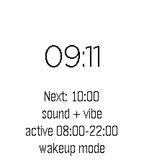
6Hourly Chime
NotificationsA PebbleOS watchapp that chimes on the hour with the speaker and/or the vibration motor. Runs on Pebble Time 2 (emery) and Pebble 2 Duo (flint) — the two watches with a speaker.
 2
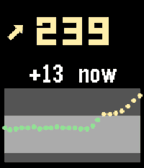
2xDrip CGM
DailyA Pebble quick-launch app that shows your xDrip+ CGM data — number, trend, delta and a 2-hour graph. It is not a watchface, so you can run any watchface and still get a glucose glance on demand. Uses the local XDrip web service to enable - xDrip+ → Settings → Inter-app settings → enable xDrip Web Service.
 17
17PebbleRecorder
Tools & UtilitiesTurn your Pebble watch into a remote start/stop trigger for audio recording on your phone. Press a button on the watch, and a companion Android app records straight to a folder you choose — no need to touch your phone. You will need the companion android app from https://github.com/BigWebstas/PebbleRecorder/releases Or find it on the F-Droid App Store
 18
18Super Productivity
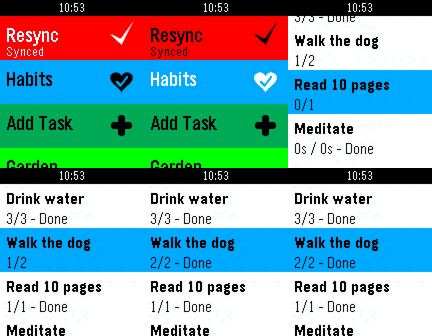
DailyA PebbleOS watchapp that shows your active tasks from Super Productivity — optionally grouped by project — and lets you mark them done, track time, dictate new tasks by voice, and track habits, all from your wrist, synced through Super Productivity's own SuperSync server. --Navigation and Functionality -Up and down buttons to scroll through the habits and task list -Select (Middle button) --Click once to toggle Done/In-progress --Long hold to start time tracking when on tasks and habits --Long hold to append a note when on the notes screen --Double click to show task and project notes, plus a task's tags (shown above its notes) --To show projects and project notes you must enable "Group tasks by project" in settings -Back returns to the prior screen