 8
Liquid Color
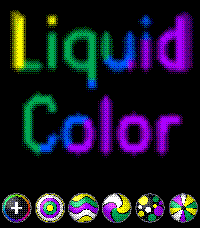
GamesLiquid Color turns your Pebble Time 2 into a pool of liquid paint. Drip colour onto a black canvas, or start from one of five ready-made patterns in randomly chosen colours. Then just move. Tilt, swing, tap, turn, and let your own heartbeat stir it. Colours run, splash and marble into each other, and nothing ever springs back, so no two pictures are the same. There is no clock and no menu to dig through. It is a small living painting on your wrist. What you can do A title made of paint. The "Liquid Color" logo on the start screen is itself liquid paint, in a new random palette every time you open the app. It reacts to your heartbeat, tilt and swing too. Six ways to start. Free painting, or one of five patterns: Ripples, Layers, Vortex, Drops and Rays. Each pattern blooms across the screen in that launch's random colours. Free painting. Pick one of seven paints, then drip dots and draw lines with a wide brush for seven seconds. Change colour at any time from the palette along the bottom. Tilt the watch and the paint runs and drips downhill. Swing your arm and the paint sloshes, splashes and flings droplets. Tap your wrist and a splash bursts out from the centre. Your heartbeat sends a ripple through the paint on every beat. A faster pulse pushes harder. Turn your body and the compass twists the whole picture around the centre. Touch the screen to drag a finger through the paint and smear and blend the colours. Beautiful mixing. Colours marble and blend while staying vivid. Every change stacks up and nothing is undone. Nothing else. No clock, no settings. The back button exits. Liquid Color は、Pebble Time 2 を液体の絵の具のパレットに変えるアプリです。黒いキャンバスに色を垂らすか、ランダムな配色の5つの模様から始めて、あとは動かすだけ。傾けて、振って、叩いて、回って、あなた自身の心拍がかき混ぜます。色は流れ、はじけ、マーブル状に混ざり合い、決して元には戻らないので、同じ絵は二度とできません。時計の表示もメニューもありません。手首の上の小さな、生きている絵です。 できること 絵の具でできたタイトル。 起動画面の「Liquid Color」のロゴそのものが液体の絵の具で、開くたびに新しいランダムな配色になります。心拍・傾き・振りにも反応します。 6通りのはじめ方。 自由に描く「Free」と、5つの模様(波紋・横縞・渦・水玉・放射)から選べます。模様は、その起動の配色で画面いっぱいに広がります。 自由に描く。 7色の絵の具から1色を選び、7秒間、太い筆で点や線を垂らせます。下のパレットで、いつでも色を変えられます。 時計を傾けると、絵の具が下へ流れて垂れ落ちます。 腕を振ると、絵の具が大きく揺れて、しぶきが飛びます。 手首を叩くと、中心からはじけるように広がります。 心拍に合わせて、1拍ごとに波紋が絵の具の中を伝わります。脈が速いほど強く押します。 体の向きを変えると、コンパスで絵全体が中心を軸にねじれます。 画面にふれると、指で絵の具を引きずって、色をなじませたり混ぜたりできます。 美しい混ざり方。 色は鮮やかさを保ったまま、マーブル状に混ざります。変化は積み重なり、元には戻りません。 それだけ。 時計表示も設定もありません。戻るボタンで終了します。
 16
Voice J ↔︎ E
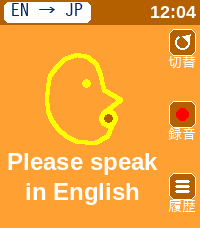
Tools & Utilities英語と日本語相互に対応した翻訳アプリです。 アプリを日本語用と英語用に切り替えて使用します。 翻訳された文字は相手に見せるために180度画面を回転させることができます。 This is a translation app that supports both English and Japanese. You can switch between the Japanese and English modes within the app. You can rotate the screen 180 degrees to show the translated text to the other person.
 6
HIYOKO
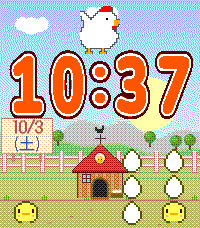
FacesThis is a cute chick watch face that I designed with my daughter. It's so cute.
 44
Spinning Clock
FacesThe Folding Watch has been updated to offer improved visibility and a more stylish design. You can choose between a white or black background. You can also select your preferred color for certain parts.
 6
Dot Face Weather
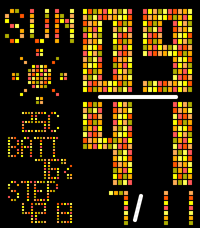
FacesDot Face Weather When you launch the app, dots flow in from the left. We’ve released a major update. Just give your wrist a light shake, and the layout will slide to display the weather forecast. Current weather, tomorrow’s weather, weather in 3 hours—the display switches to show the information you need. “Features” Displays the time, date, day of the week, weather, and temperature for your current location. Tap to switch: Tomorrow’s weather / Weather in 3 hours “Additional Features” Battery level display, step count display “Color customization has been greatly enhanced!” You can now select colors for each category, such as time, calendar, and background. The number of available colors has also increased. You’re sure to find your favorite color scheme. Translated with DeepL.com (free version) Dot Face Weather アプリを起動すると、左側からドットが流れ込んできます。 大型アップデートしました。 手首を軽く振るだけで、レイアウトがスライドして天気予報が表示されます。 現在の天気、明日の天気、3時間後の天気――必要な情報に合わせて表示が切り替わります。 「機能」 現在地の時刻、日付、曜日、天気、気温を表示 タップして切り替え:明日の天気 / 3時間後の天気 「追加機能」 バッテリー残量表示、歩数表示 「カラー選択が大幅強化!」 時間、カレンダー、背景などカテゴリ毎に色を選択できるようなりました。 選択できる色も増加。 あなたのお気に入りの配色がきっと見つかります。
 13
MapNavi JP
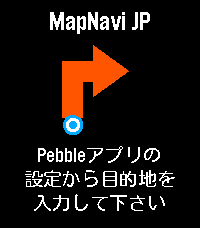
Tools & UtilitiesMapNavi JPは、スマホのMapNavi JP設定画面から住所を入力することで、Pebble Time 2のウォッチ画面に「300m先で右折」といった指示が矢印で表示される、日本向けナビゲーションアプリです。 徒歩・自転車・車の3つの移動手段に対応。 表示縮尺が変わることが目的で、経路は移動手段に最適化はされていないと思います。 カラー画面に周辺地図を表示し、曲がり角では自動的にバイブで通知します。 あくまで参考程度にすることをお勧めします。 ・カラー地図: 周辺の道路・建物・公園・川をリアルタイム表示 ・リアルタイムGPS追跡: スマホのGPSで現在地を自動追跡 ・経路から外れると自動リルート: 80m以上外れると自動で経路を再取得 ・曲がり角でバイブ通知: 指示が変わったことをすぐに知れます ・日本の住所に対応: 駅名・建物名での検索も可能 ・複数の移動手段: 徒歩・自転車・車から選択
 15
MORE-RECOMO
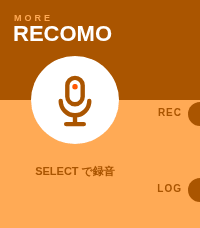
Tools & UtilitiesMORE RECOMO This is an enhanced version of the original RECOMO app. It’s a voice memo and notification app. Jot down, save, and set reminders for thoughts that pop into your head. The app enters recording mode as soon as you launch it. Main Features 1. Voice Recording & Transcription Automatically transcribes audio using Pebble’s speech recognition 2. Log Management Saves transcribed content as logs (up to 20 entries) Use the LOG button to view a list of past logs Unneeded logs can be deleted 3. QR Code Display Converts saved text into a QR code and displays it Can be scanned with a smartphone 4. Notification Scheduling Set up notifications to be received from Pebble at a specified time A countdown is displayed on the home screen while a notification is scheduled Notifications can be canceled using the UP button Voice recognition uses the Pebble free plan, which allows 50 uses per month. Translated with DeepL.com (free version) MORE RECOMO 旧RECOMOアプリの機能強化版です 音声メモ&通知アプリです。 ふと思ったことをメモ、保存、思い出す通知機能。 アプリを起動するとすぐに録音モードになります。 主な機能 1. 音声録音・テキスト化 Pebbleの音声認識で自動的にテキスト化 2. ログ管理 テキスト化した内容をログとして保存(最大20件) LOGボタンで過去のログを一覧表示・閲覧 不要なログは削除可能 3. QRコード表示 保存したテキストをQRコードに変換して表示 スマートフォンで読み取ることができる 4. 通知スケジュール設定 指定した時間後にPebbleから通知を受け取る設定が可能 通知設定中はホーム画面にカウントダウンを表示 UPボタンで通知をキャンセル可能 音声認識は50回/月 のRebble無料プランを利用しています。
 38
Mountain Moon
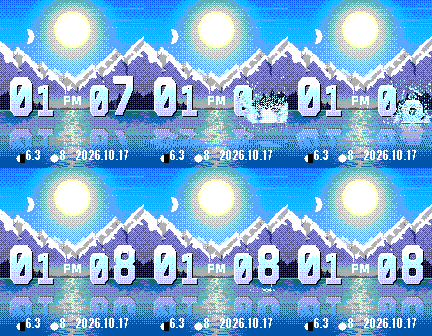
FacesMountain Moon A landscape watch face. Features ・Automatic day/night switching — Detects sunrise and sunset times. Transitions from sunrise → daytime → sunset → moonlit night ・Moon phase display — Shows the current moon phase and the number of days until the full moon ・Weather animation — Dedicated screens for cloudy and rainy conditions ・Time display — 12-hour format
 10
Folding watch
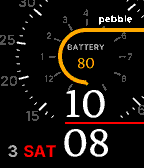
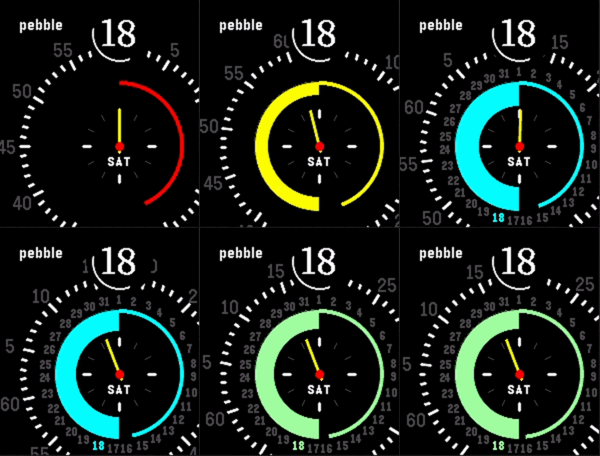
FacesFolding Watch - Watch Face for Pebble Time 2 This watch face features a concentric ring design that lets you see the time at a glance. Basic Display The time is displayed prominently on the black disc in the center. The day of the week appears at the bottom of the watch, and the outer rotating dial indicates the minutes and rotates. The magnifying glass-shaped lens at the top always displays the current minute in large numbers. Battery and Seconds To the left of the central circle, a color gauge displays the remaining battery level. The color changes depending on the remaining charge: green (high) → yellow → orange → red (low). To the right, an arc indicating seconds fills up from 0 to 60 seconds.
 33
Rotating clock
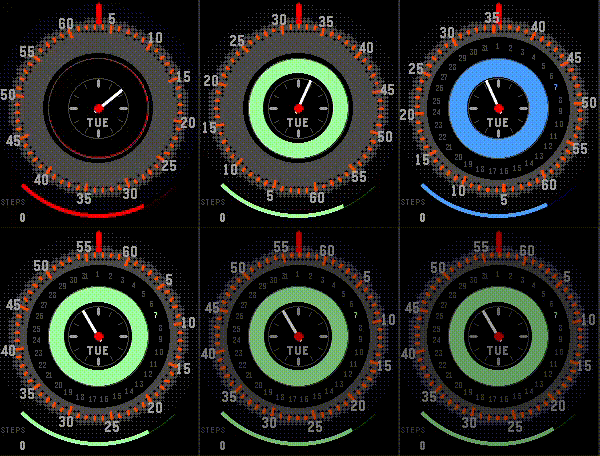
FacesWhen turned on, it rotates to display the time. You can also tell the battery level by the color of the circle.
 58
Dot Face
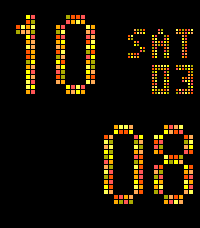
FacesTime emerges from the random noise. You can now set the color from the Pebble app. ・Orange ・Blue ・Green ・Purple Please select your favorite color. To improve battery life, we have removed the seconds display and replaced it with a calendar.