B&O Control
Pryning
Watchapp
Description
Control your Bang & Olufsen speakers from your wrist.

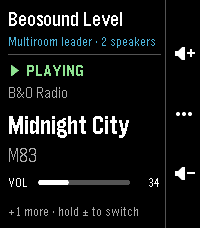
See what's playing and change the volume, play/pause, skip tracks, join or leave Beolink multiroom groups, and turn speakers off, all over your home network.

Works with both B&O platforms:
• Mozart (Beosound A5, Level, Balance, Emerge, …)
• ASE (Beoplay M3, M5, Beosound Stage, Core, …)

Features
• Home page with the controls for whatever is playing. For a Beolink group it shows the leader.
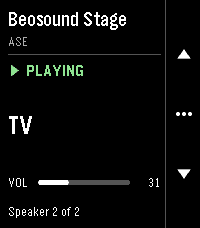
• Hold volume +/− on the home page to switch between speakers playing separately.
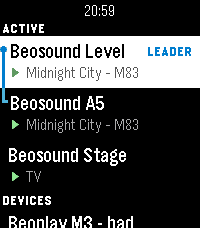
• Hold ••• on any page for the device list: active speakers first, multiroom groups joined by a bracket with the leader on top.
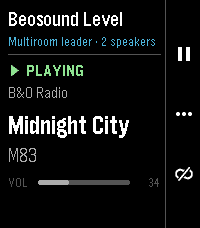
• Music-app style controls. Press ••• to cycle between volume, play/pause + join/unlink (hold pause to power off), and previous/next.
• Power off or unlink a whole group from its leader.
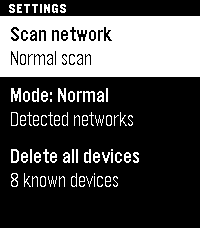
• Network scan (Fast, Normal or Thorough) finds your speakers automatically.

Your phone needs to be on the same network as the speakers. Allow the "Local network" permission when the Pebble app asks.

Unofficial app. Not affiliated with or endorsed by Bang & Olufsen. 100% vibe coded with Claude Code.

Open source (GPL-3.0): https://github.com/Pryning/pebble-bno-control
Built on the Mozart Open API (github.com/bang-olufsen/mozart-open-api) and pybeoplay (github.com/giachello/pybeoplay).
- DeveloperPryning
- CategoryRemotes
- PlatformsTime 2
- Permissions
- Updated2026-11-13
- Version1.0.0