Carbon Ion
Nils Reichhard
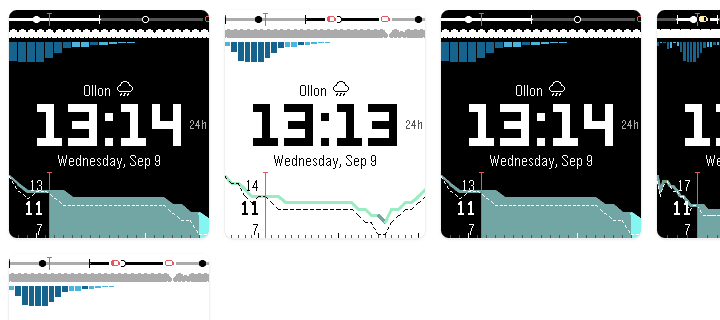
Watchface
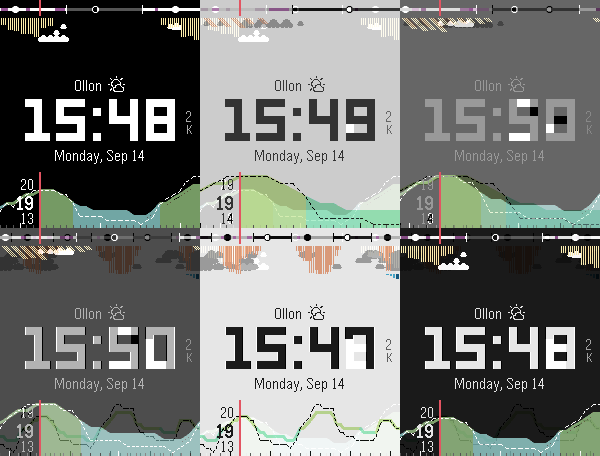
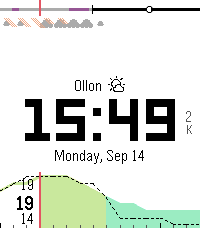
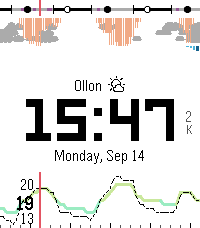
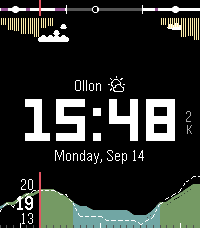
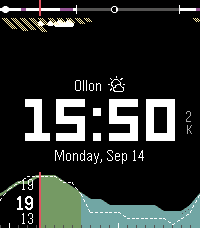
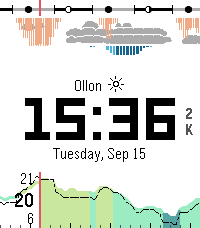
Description
Carbon Ion is a high-precision, weather-focused watchface engineered exclusively for Pebble Time 2 / Emery (emery, 200×228 color display). Other platforms are not build targets. Live meteorological and astronomical telemetry is powered by the free Open-Meteo API with zero API keys required.

Developed by Nils Reich (@nilsreichhard), based on the original open-source Carbon watchface by Cory Hughart (@cr0ybot).

FeaturesCarbon Ion — Pebble Time 2 weather watchface

Live weather and daylight on a rolling timeline: forecast horizon, sunrise/sunset and moon, cloud cover, sunlight rays, rain, dual temperature curves (actual + feels-like), high/low and current temps, up to 3 calendars on the daylight track, steps, and battery milestones. Dark or light theme. Powered by Open-Meteo (no API key).

Settings

Forecast Horizon
• 12h (+3h past)
• 18h (+4.5h past)
• 24h (+6h past)
• 36h (+9h past)
• 48h (+12h past)

Thermal Infill — color under the temperature curve
• Future forecast only
• Past hours only
• Full timeline
• None (lines only)

Current Time Needle — red vertical marker
• Top track & meteogram
• Top track only
• Bottom meteogram only
• Hidden

Timeline Battery Markers — projected on the daylight track
• 20% yellow, 10% orange, 0% red
• 10% orange, 0% red
• 0% red
• None

Calendar Events — up to 3 ICS calendars on the daylight timeline
• Bar at start time
• Duration span
• Off

How to get a calendar URL
• Google: Settings → your calendar → Integrate calendar → Secret address in iCal format
• Outlook / Office 365: Calendar → Share → Publish → ICS link
• Apple (iCloud): Calendar sharing → Public Calendar → webcal/ICS link

Per calendar (1–3)
• ICS URL
• Color: Cyan, Blue, Green, Red, Orange, Purple, Yellow, Magenta, Teal, Pink, Lime, Deep Red, Sky, Mint, Indigo, Gold
• Position: On timeline, Above timeline, Below timeline

Color Theme
• Dark
• Light

Bluetooth Disconnect Alert — red icon left of the time when disconnected

Silent Mode Indicator — muted bell when Quiet Time is on

Show Step Counter — daily steps to the right of the time

Date Format
• Monday, 1/15
• Monday, 15/1
• Monday, Jan 15
• 1/15/2026
• 15/1/2026
• 15 Jan 2026
• 2026-01-15

Temperature Unit
• Auto (locale)
• Celsius (°C)
• Fahrenheit (°F)

Refresh Interval
• Every 15 minutes
• Every 30 minutes
• Every 60 minutes

Cloud Coverage Sensitivity — how readily clouds appear
• Very sensitive
• Sensitive
• Balanced
• Insensitive
• Off

Cloud Display
• Total (1 layer)
• Split (3 layers: high / mid / low)

Sunlight Sensitivity — rays over clouds; angled in Total, vertical in Split; strength by length
• Very sensitive
• Sensitive
• Balanced
• Insensitive
• Off

Location
• Detect City Name (from GPS), or Custom City Text
• Use Fixed Coordinates (latitude / longitude) instead of GPS

Advanced
• Clear Cached Weather on Save

Leave calendar URLs blank and/or set Calendar Events to Off to hide events.
- DeveloperNils Reichhard
- CategoryFaces
- PlatformsTime 2
- Updated2026-09-28
- Version2.6.6