Playback for Spotify
alex_pavlov
Watchapp



Description
Playback for Spotify
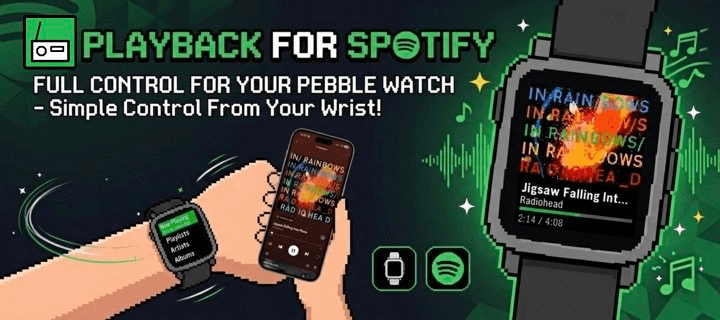
Control Spotify from your wrist without reaching for your phone.

Features
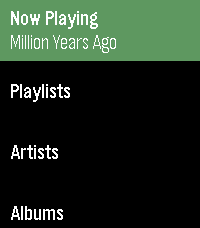
-Now Playing: Track info, live progress bar, and album art (full color, dithered B&W, or full-screen on round displays).
-Library Access: Browse and play from your Playlists, Saved Albums, Followed Artists, and Liked Songs.
-Queue Support: Access your upcoming tracks directly from your wrist.
-Advanced Playback Menu: Long-press 'Now Playing' on the main menu to easily toggle Shuffle and Repeat modes.

Controls
-SELECT: Open queue, press it one more time to Play / Pause
-UP / DOWN: Next / Previous track
-Hold UP / DOWN: Volume Up / Down (only works while playing on external speakers because of API limitation)
-Hold SELECT: Toggle UP/DOWN buttons to Volume Mode (auto-reverts after 3 seconds)
-Use touchscreen on supported watches(PT2, PR2)

Setup & Requirements
-Requires a Spotify Premium account and active playback on any device.
-Setup uses secure OAuth (PKCE) and requires a free Spotify Client ID (a built-in tutorial will guide you).

Supported Platforms: Aplite, Basalt, Chalk, Diorite, Emery, Flint, Gabbro.

Open Source
-Playback is fully open source. Check out the code, report issues, or contribute on GitHub: https://github.com/alex523ap/Playback-for-Spotify
- Developeralex_pavlov
- CategoryRemotes
- PlatformsOG Pebble, Steel, Time/Time Steel, Time Round, 2, 2 Duo, Time 2, Round 2
- Updated2026-05-14
- Version1.3