Clear Alarm
Alexander Yeremeev
Watchapp
Description
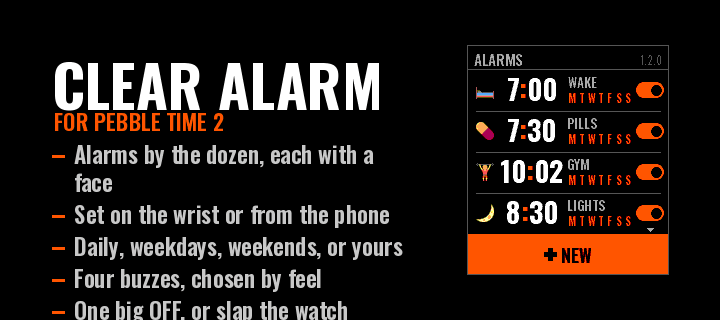
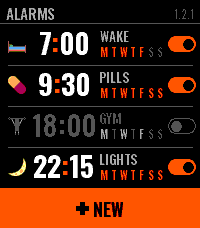
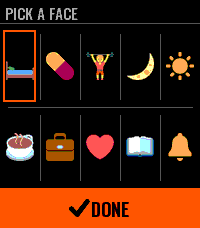
Clear Alarm is an alarm clock for Pebble Time 2 that you can read at a glance. Each alarm has a face — a small picture you choose on the watch — beside its time, its name and the days it keeps, and a switch that shows whether it is on. A tap on the row turns it on or off right there in the list; a hold opens it.

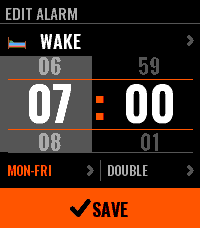
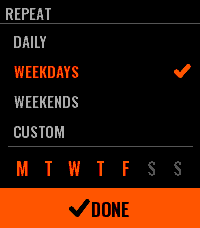
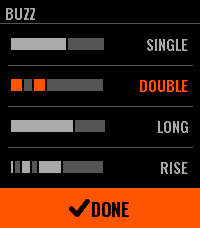
Setting one is two wheels, hours and minutes, that turn under your finger and run on when you flick them; the side buttons step and, held, run through the values. The week comes as four shapes — daily, weekdays, weekends, custom — and the buzz as four patterns you pick by feeling each one.

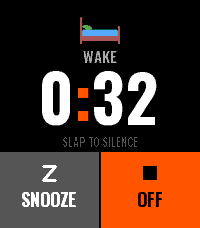
When it rings you get the face, the name, the hour, and two keys: SNOOZE and one big OFF. A palm on the watch silences it. Snooze puts the alarm off by 5, 10, 20 or 30 minutes, an hour or two hours. After OFF or a snooze the app steps aside within ten seconds and your watchface is back. An alarm that repeats rings again on its next day, and one that does not switches itself off.

Names are typed on the phone, in Latin or Cyrillic, and the watch sets them in capitals. Everything else can be set on the phone too, and what you set on the watch shows up there.

The faces are Twemoji (CC-BY 4.0), reduced to the watch's colours.
- DeveloperAlexander Yeremeev
- CategoryTools & Utilities
- PlatformsTime 2
- Updated2026-09-26
- Version1.4.0