Coast
Kieselleger
Watchface
Description
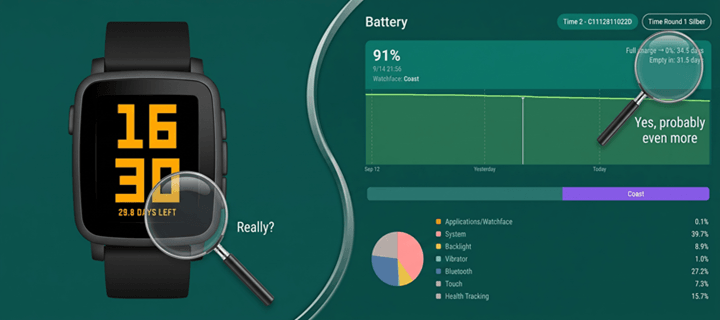
Most watchfaces redraw the screen every minute. A face with a second hand redraws it 86,400 times a day. Coast redraws it 288 times - and if you ask it to, only 96.

It does that by rounding. The time steps in five minute intervals, and between two steps nothing on screen changes, so nothing is drawn - not the digits, not the background, nothing. No second hand, no sweeping animation, no minute that ticks over just to prove the watch is awake.

You choose which way it rounds. Down shows the step you have passed, so the time is never ahead of itself. Up shows the step that is coming, which keeps you running a few minutes early - useful if you are the sort who is always catching the train by a hair.

There is no Bluetooth traffic while it runs. No weather to fetch, no timeline to sync, no phone to wake. Nothing is subscribed to the accelerometer or the heart rate sensor. The backlight is never switched on by the face itself. What is left is the smallest amount of work a watchface can do and still tell you the time.

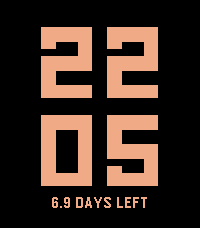
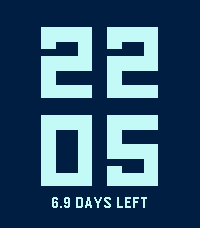
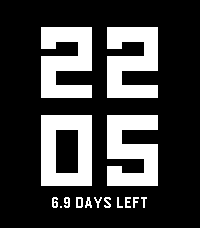
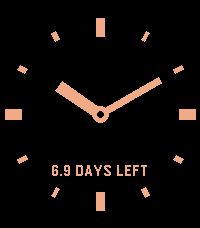
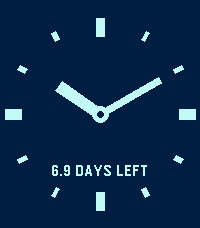
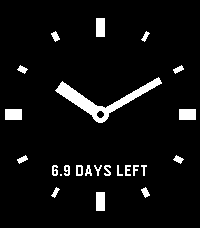
Two styles, same principle. Digits sets the time in two lines, hours above minutes, filling the display. Hands is a bare dial of twelve marks and two flat hands. The minute hand jumps from mark to mark like a station clock, so the rounded time is simply where the hand stands. Neither style costs more to draw than the other.

Alongside the time, Coast tells you what all of this buys you. It measures how fast your watch actually discharges and turns that into the days you have left - not a percentage you have to interpret, but a number you can plan around.

That number gets better the longer you wear the watch. The first estimate arrives after a single percentage point of discharge, which makes it early but rough. Every measurement after that is folded into the figure, and the later ones are taken over longer stretches, so the estimate stops moving and settles. After a few days it is no longer a rule of thumb but a reading of your watch in particular - your notifications, your backlight, your time out of Bluetooth range. Until that very first measurement is in, the line simply shows the charge level.

Both colours are yours. Pick a background and a colour for the digits or the dial; if you happen to pick the same one twice, the watch quietly
substitutes something you can read. Night mode simply trades the two, between an hour you set in the evening and an hour you set in the morning, so a bright face turns dark for the night and back again on its own.

A note on the rounded time: Coast is deliberately not accurate to the minute. Rounding down, 11:07 shows 11:05; rounding up, it shows 11:10, and with hands the minute hand points at the mark it belongs to. If you need the exact minute at a glance, this is the wrong watchface - and that is the whole point of it.


SETTINGS

- Style - Digits or Hands.
- Update step - 5 or 15 minutes. The displayed time is rounded to this step.
  Fifteen minutes redraws the screen 96 times a day instead of 288.
- Rounding - down to the step you have passed, or up to the one coming.
- Background - the face colour.
- Digits and hands - the colour of the numerals or the dial, and the battery line.
- Show runtime estimate - turn the battery line off entirely for the barest
  possible face.
- Swap colours at night - trades the two colours between the hours you set.
- Night begins / Day begins - any full hour, listed in both 24 hour and
  AM/PM form. Set both to the same hour to leave the colours alone all day.

12 or 24 hour format follows the watch setting; there is nothing to configure.
- DeveloperKieselleger
- CategoryFaces
- PlatformsOG Pebble, Steel, Time/Time Steel, Time Round, 2, 2 Duo, Time 2, Round 2
- Updated2026-09-26
- Version1.4.0