 494
494Commute
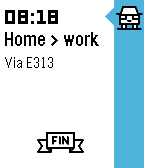
DailyGet live traffic information for your commute at a glance! See how long it'll take you to get from your current location to work or home – including how much you'll be delayed by traffic jams along the way. Better yet: have your watch tell you when to leave for work thanks to Commute's Pebble timeline integration. Magic! Brought to you with ♥ from the beautiful, traffic-stricken land of Belgium. Traffic data supplied by Google Maps.
 98
98Pixebble
Tools & UtilitiesPixebble is the fastest way to preview your designs accurately on Pebble devices. With Pixebble, you can make sure your designs appear exactly the way you want on the Pebble OG, Pebble Time or Pebble Time Round. Go to www.half4.com/pixebble/ to start sending your design to your pebble watch ! Pixebble is included with a Dither library, who automatically convert the colors of your design to match the smartwatch's color palette. Getting Started Pixebble is a combinaison of a web service and an app. Because it's complex to send image data to a Pebble, we cannot refresh the image in real time ; the user have to manually upload his design. * Download this watchapp * Open Pixebble website on your favorite browser * Set a custom Unique Identifier and add it in the settings of the watchapp. * Upload your image on the website * Shake the watch or press the middle button to get the image on the watch
 67
67ChinaBus
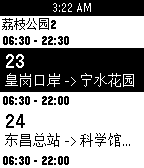
Tools & Utilities可实时获取附近公交到站时间 可在公交详细页按选择键收藏,用以加入快捷菜单(即启动app第一屏列表中)快捷打开常用公交 目前只是测试了pebble time 第一版本暂没有提供清除数据的功能 大家有建议或者有发现问题请联系 注: (请打开gps!!) QQ: 1534760747 Email: jiangege47@gmail.com
 104
104Modern+Timer
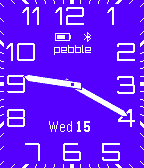
DailyFor left-handers now you can turn the screen upside down! An analog watchface app based on Lukasz Zalewski's design with the addition of a stopwatch and countdown timer. The timer function is started by pressing the select button and then either the up or down buttons depending on what type of timer is required. Various features of the app, including the color of the watchface and its orientation, are configurable in settings which also includes full instructions on how to operate the timer function.
 82
82Jarvis
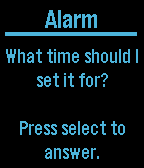
Tools & UtilitiesA Voice Assistant for Pebble Time I can help you in the following ways: Add an alarm to your phone Launch an app on your phone Add an event to Calendar Search Contacts and return email and phone number Send text message by contact name Play music Start navigation to a given address Return temperature with high and low for a time and/or place Return travel time from current location to a given address Return when the next episode of a TV show will be on Tweet Query Wolfram Alpha Check sports scores
 8
8Chesty
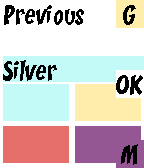
Tools & UtilitiesFan of Clash Royale? Enter your the chests you receive from battle and this watchapp will predict the type of your next chest.
 10
10Ponte Rio-Niterói
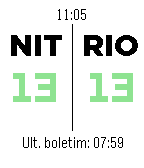
DailyWatchapp para saber o tempo de travessia da Ponte Rio-Niterói (RJ - Brasil). --- Watchapp to discover the journey time to cross the Rio-Niterói Bridge. (RJ - Brazil).
 6
6StatusChecker
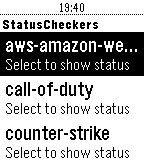
Tools & UtilitiesA pebble app designed for webops-y people that would like to check certain website statuses from their watch.
 4
4Masters 2016
DailyView the Masters Tournament leaderboard live on your pebble!
 21
21Hearthstone Cardbase
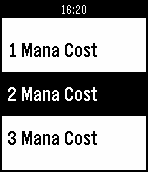
DailyHearthstone card database containing all Hearthstone collectible cards which are shown by class, then by mana cost. Each card contains the card's name, mana cost, rarity, type, description, attack/damage and health/durability. Support this app by giving it a <3 and/or donate via paypal here: http://bit.ly/23eVqB8 Working on improving the app visually with color and image resources, please email bugs to barrydoyle18@gmail.com
 10
10Horario 5to TIC
Tools & Utilitieshola
 38
38MadridBus Pro
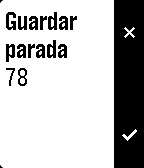
Tools & UtilitiesFind bus stops near to you in Madrid and check the time for the next bus to arrive. You can store frequently stops in favorites and change the location radious in order to find more stops around you. Long press the select button in the near stops list to store in favorites.
 32
32Gallery
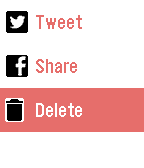
RemotesGallery is the easy way to display your photos from your Android device to your Pebble smartwatch. Show, share and manage all your pictures and photos on your device with simple app from your Pebble smartwatch. Just launch app in your watch, and you can watch the photos of last night’s party in a fullscreen preview. No need for any cables and any other software, just your Android device and a Bluetooth connection with Pebble. Features: ★ Watch all the pictures stored in your device from smartwatch, remotely ★ Share your pictures in Facebook and Twitter (available only in a full version) ★ Manage pictures: delete pictures stored in your device comfortably from your Pebble (available only in a full version)
 21
21CoffeeTime
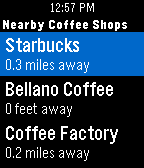
DailyEver have that moment when you are trying to find coffee shops in an area you're not familiar with? Fret not, CoffeeTime is here to guide you. All you have to do is to launch CoffeeTime, and you will see a list of nearby coffee shops along with its distance (This process could take up to 5 seconds as your phone's GPS pinpoints your location). Click into it and you can see the store's address so you know which direction to go! - Possible Use Cases - > Experiencing caffeine withdrawal in an unfamiliar territory > Craving for coffee while stuck at a traffic light > Suggesting a #coffeemeetup with your buddies > Not sure where to bring your crush to a coffee date without awkwardly checking your phone Last but not least: We do not store your location information nor do we collect any other data. Now you can look for coffee right at your wrist!
 4
4E-NUM
Tools & UtilitiesE-NUM – система авторизации. Никаких паролей, только e-mail! 1. Вы устанавливаете приложение E-NUM клиент для мобильных, с зашитым уникальным для каждого пользователя кодовой книгой. 2. В форме авторизации (на сайте, в программе) в ответ на введенный регистрационный e-mail вам отображается неповторяющееся число-вопрос. 3. В E-NUM клиенте вводите число-вопрос, получаете единственно верный для вашего приложения число-ответ. 4. Вводите число-ответ в форму - ВЫ АВТОРИЗОВАНЫ! А теперь приложение можно связать с часами Pebble (Настройки->Умные часы) и число-ответ будет показываться на телефоне.