 102
102Sonic Core
GamesSonic 1 adaptation for pebble! Play through a faithful recreation of the first 3 levels. There will be bugs here and there (my methods for recreating the map weren't great, lol), so I am aware there will be unreachable checkpoints and duplicate objects. Other than that, please enjoy this tech demo!
 3
3Sprue
RemotesKeep an eye on your print without hovering over it. Sprue connects to your FlashForge printer over your local network and surfaces the essentials right on your Pebble: print status, nozzle and bed temperatures, current layer, progress, and estimated time remaining. Whether you're across the house or just across the room, a quick glance tells you everything. The watch polls your printer automatically Press the select button to refresh on demand. Filenames scroll if they're too long to fit. Set it up once from the Pebble app on your phone - enter your printer's local IP address, serial number, and access code - and Sprue handles the rest. You may need "Local LAN only" setup to enable the API access. *Note: Claude Code was used in the generation of this app.*
 21
21Base Camp - Daily Puzzles
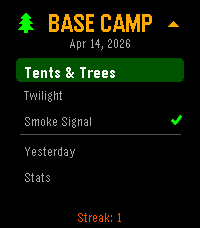
Games3 Daily Puzzles! 2 difficulty levels each. Date Seeded so everyone gets the same puzzle every day. Designed for the Pebble. Tents & Trees: Find a campsite for every tree where its touching a tree, but not near another campsite! Smoke Signal: Follow the guides on the side to light the correct fires! Twilight(binario): Fill the grid with suns and moons, can never have 3 in a row, all rows/cols must have equal # of each, every row unique! Stats and play yesterdays in case you missed it. Use the 4 Pebble buttons as directions (UP/DOWN/LEFT/RIGHT) and tap to select/toggle the cell. (New! tried to fix tap logic... as a fallback, if it doesn't work, you can LongPress Select to toggle.)
 81
81FaceBrowser
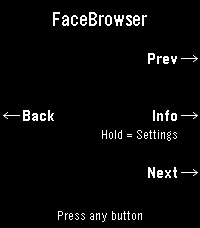
DailyBrowse watchfaces right from your wrist. FaceBrowser lets you scroll through the Rebble and Pebble app store catalog directly on your watch, showing you a live preview of each watchface so you can see exactly how it will look on your screen. Use the up and down buttons to flip through faces one by one, or turn on random mode to discover something new. Filter by collection to browse all available faces or just the most loved ones. When you find a face you like, press select to see the app name, developer, and a QR code you can scan to quickly open it on your phone and install it. Features: - Live watchface previews rendered on your watch - Browse sequentially or shuffle randomly - Filter by collection (all or most loved) - View app details including name and developer - QR code for quick install from your phone - Support for Rebble and Pebble app stores - Works on all Pebble hardware platforms
 27
27Tennis Time: Track your game's score
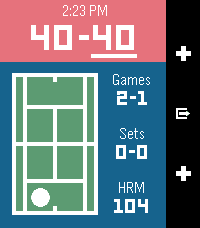
Health & FitnessWith Tennis Time you'll be able to keep track of your game's score, and the side the server or receiver should be on. Tennis Time has heart rate and calorie tracking on devices with a heart rate monitor.
 1
1Tap Diagnostic
Tools & UtilitiesDiagnostics to test the various Accelerometer data coming from the watch
 23
231 More Episode
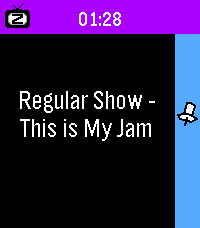
Daily"#^%$! I fell asleep and woke up watching a different season! What was the last episode I saw?!" - You, probably Well now your Pebble smartwatch can tell you! This app uses your Pebble Health data to match the time you fell asleep with your Jellyfin/Plex watch history. You can even track what you fell asleep to each night on your past timeline! Simply provide your Jellyfin/Plex (Tautulli) API key+URL in settings and let your Pebble keep track! The app changes themes automatically to match your streaming platform of choice. Due to limitations of Pebble sleep data retention, it can only show data for your most recent sleep session, and it has to be within the last day, so be sure to launch the app the day you wake up from your binge! WARNING: Jellyfin is strongly encouraged! Plex support requires installing Tautulli since the official API doesn't seem to want to return watch history (unless you have Plex Pass?).
 16
16Counter+
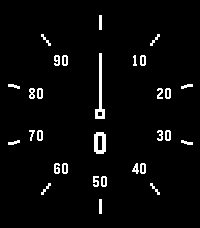
Tools & UtilitiesONE! One fairly simple counter with a dial readout, HA, HA, HA. The bottom button counts up, the top button counts down, and holding the middle button resets. In settings you can change to a purely digital readout, change the maximum digits that can be counted before rolling over, and change the colors.
 9
9Timer
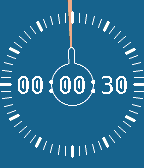
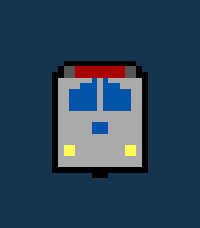
Tools & UtilitiesA minimal timer application inspired by physical rotational timers.
 25
25CTATrack
DailyCTATrack gives you fast, focused transit info for Chicago right on your wrist. Find nearby CTA train stations and bus stops, then scroll through live arrival times without pulling out your phone. The app is optimized for quick checks while commuting, with clear line colors, readable timing, and one-button mode switching between rail and bus. Features - Nearby CTA train arrivals with line-aware display - Nearby CTA bus stop arrivals with route and direction hints - Configurable search radius for train and bus results - Metric or imperial units for both radius and distance display - Distance shown for each selected stop/station - Auto-refresh to keep arrival times current Notes - Designed for CTA service in Chicago - Requires location access to find nearby stops - Uses official CTA data sources for arrivals
 76
76Pebble Worms
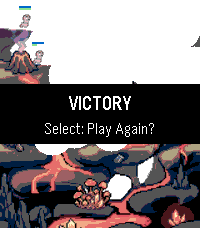
GamesA rough but fun homage to the classic PC game Worms. Move your minion with the up and down buttons, then bring up your bazooka with select. Aim with up and down, then hold select to fire (at different weights). Three random levels to play (for now). Expect bugs (but Worms like bugs, right?). Have fun!
 12
12MMS Viewer
NotificationsWOAAH Extremely beta. Check out for full info on GitHub Allows you to see text images on the watch , beware probably really buggy. Only for time 2. Requires companion app
 77
77Yes-No-Button
GamesHave kids? Do they love Bluey, or ask A LOT of "trifficult" questions? NO WORRIES! BEHOLD, THE YES NO BUTTON (For Real Life)!!! Answer your kids in style, or Co-Workers (it works on them too!), and save your time and energy for other things like using your Pebble Time 2 as a Calculator for all that adulty business stuff. Just tap the Yes or No button for the response you need and enjoy your time in your relaxy chair while you sip your drink from a coconut. Use the side Top and Bottom buttons to control the volume, some situations require more volume... I mean we can't all be like the Magic Claw who has no kids who's days are free and easy (remember those days? Sigh). This is way more funner than a touch enabled Calculator on your wrist, I mean that's a no brainer unless you're a Freak! (jk jk jk jk)
 0
0BogeyCount
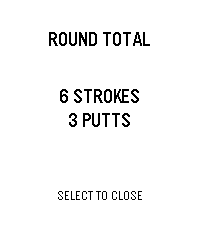
Tools & UtilitiesSCORECARD — Golf Misfit Edition Tally your round on your wrist. No fairway distractions, no app switching. Just strokes, putts, and the course. Track 18 holes with per-hole breakdowns. Tap up to add strokes, down for putts. Long-press to correct. Shake your wrist when you're done—instant total shows all strokes and putts for the round. Press down on summary to clear the round. Features: Full 18-hole scorecard Separate stroke & putt tracking Persistent storage (rounds saved locally) Haptic feedback on every input Quick summary view with 5-sec auto-dismiss Back-button navigation
 18
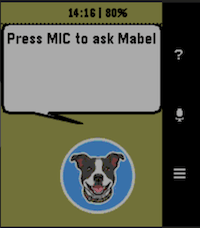
18hb MabelAI
DailyYour AI powered assistant on a Pebble Smartwatch. Speak questions to Mabel and she will fetch your answer from one of 3 configurable AI partners. Features: - Voice-to-text input using Pebble's built-in dictation (requires mic: Pebble Time, Time Round, Time Steel, 2/2HR) - Choice of AI provider: Claude, Gemini, or ChatGPT (API keys from each are required) - In-app settings UI for API keys, model, max tokens, and memory depth - Usage statistics per AI provider with reset option - Reminders, timers, and alarms set via AI and pinned to the Pebble timeline - Current weather conditions and 1-hour forecast (no API key required) - Token usage tracking per provider - Supports all Pebble platforms: basalt, chalk, diorite, emery, flint Note: A Rebble subscription is required for dictation. See https://help.rebble.io/subscription/ Issues, suggestions, etc, email: alan@handsbreadth.com