 48
48AlarmNote
Tools & UtilitiesDaily alarms with custom notes, automatically rescheduled to the next day. Great for taking various different pills on a daily basis. (Do not rely totally on these reminders. Bugs may be present, even though I have tried to verify correct working in many situations.). Time changes are not handled and would be hard to handle. Just select "reset alarms" when changing time zones.
 1.1K
1.1KAlarms++
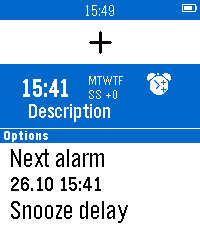
Tools & UtilitiesThis app is open source! If you like my apps heart them in the appstore and consider a donation (link is at the source link of this app). With Alarms++ you can flexibly schedule up to 24 alarms on specific weekdays. - You could set alarms for your work days and another one for the weekend. - You can add descriptions to the alarms which will be shown when the alarm goes off. - Long-Press middle button to bring up a menu where you can disable and delete alarms - Alarms without weekdays are so-called "one time" alarms. They will ring on the next possible weekday and then deactivate themselves. - NEW: Konami-mode! Select "Dismiss alarm: hard" in the advanced settings. Now you have to press a sequence of keys during wakeup to actually dismiss the alarm (the sequence changes randomly). This should avoid dismissing the alarm accidentially. - NEW: Your next alarm is pushed as a pin to Timeline!
 207
207Drink Counter
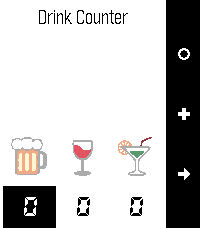
Tools & UtilitiesDrink Counter allows you to keep track of your alcohol, water and cigarette consumption. It even estimates the blood alcohol level based on your gender, weight and number of drinks. Remember: Never drive under the influence of alcohol! A long press on the middle button allows to set a price for the drink. A long press on the bottom button allows to move individual items.
 6.5K
6.5KBattery+
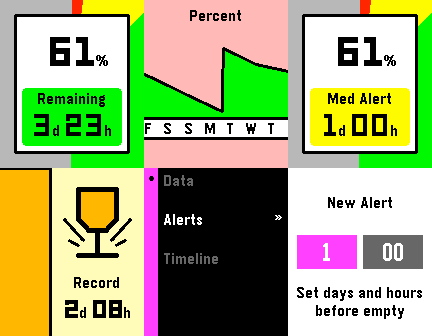
Tools & UtilitiesBattery+ is a smart battery tracking application. It learns your battery usage and then gives intelligent battery life predictions and awesome statistics! Features Include - Intelligent battery life predictions - Customizable alert times (one day left) - Timeline integration - And much more! Give it a heart if you like it, and visit the website link below for more details!
 6
6pInTheAM - TaskWarrior Client
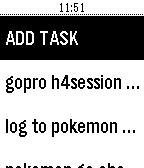
Tools & UtilitiespInTheAM is a Taskwarrior client for Pebble watches. You need a active Inthe.AM account synced with Taskwarrior. Features: - View all tasks - Set task complete, start task, stop task and delete task - View task details (due, project...) - Add task via voice - Timeline support
 16
16mvPrayerTimes
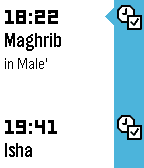
DailyThis app displays the prayer times for Maldives. It has timeline support for Pebble Time and displays the prayer time Pins. More features will be added soon...
 20
20Feeding Time!
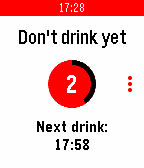
Health & FitnessSmart assistant for bariatric surgery patients. Only in the US, over 180 000 people a year undergo some kind of bariatric surgery (gastric plication, sleeve gastrectomy, silastic ring gastric bypass, etc.) which come with strict dietary restrictions. This app is supposed to make those patients' lifes a little easier. Features: * Count your 5 meals a day * Get local and Timeline schedule for your next meal in 3 hours * Get notified 15 minutes before meal that you should stop drinking * Get notified 30 minutes after meal that you can get your drink again * Get your timeline re-scheduled if you eat out-of-schedule Upcoming: * Configurable frequency and reminders
 274
274Multi-Timer+
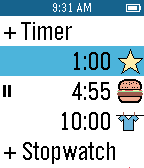
Tools & UtilitiesMultiple countdown timers for cooking, reminders, more! Multiple count-up timers (stopwatches) for timing activities and projects. Timers can be as short as a few seconds to multiple days. Timers run in the background and wake up the app 5 seconds before they finish. A variety of icons and vibrations are available to customize timers. A long press of the center button starts/stops timers from the main screen. A long press of the up button on the timer screen to delete the timer. UX design & icons, Nicola Schäppi, Werbeschluessel.ch
 170
170PushLine
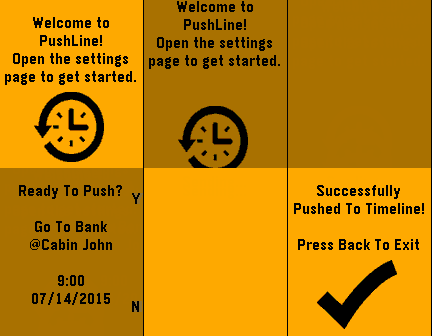
NotificationsPushLine allows you to push notes directly to your timeline. Simply open the settings page, enter your note, then set the time and date to appear on the timeline. Please e-mail me if you have any other suggestions for the app.
 1.4K
1.4K7-Minute+
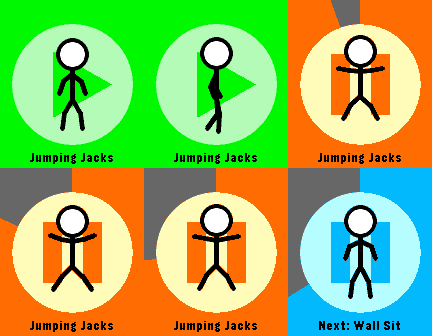
Health & FitnessGet in shape with this simple 7-Minute Workout app! Never forget to exercise with a daily timeline reminder, and receive a pin when you complete it. Like it? Giving it a heart helps make more apps :) Also, check out the website link for more info!
 13
13HAM Contest counter
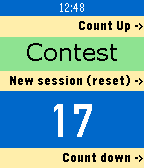
Tools & UtilitiesOccasionally working contests as a HAM operator? Keep track of your worked count without the paper and pencil on your desk. Flick your wrist (or push a button) after each QSO and the counter is increased (buzz confirmed). No more forgotten or double numbers given out. It remembers your last session so you can get out for lunch with a normal watchface. Freebie made by EA5JVQ aka PA0RET!
 46
46a Training Tracker Watchapp
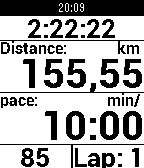
Health & Fitnessa Training Tracker is an Android app that allows you to easily track your training sessions and supports ANT+, Bluetooth LE, and GPS. With this watchapp, you can even display all values on your pebble and control the Android app with the buttons on the right side of your pebble: Top: just turn on the light. Middle: short: next view (can be configures within the app); long: start searching. Bottom: short: new lap; long: toggle pause.
 171
171Strava Starter
Health & FitnessStart and stop Strava activities from your Pebble! Android only, companion app needed. Strava Starter is not affiliated with Strava company. Strava and all other Strava product names are trademarks or registered trademarks of Strava.
 226
226Backlight
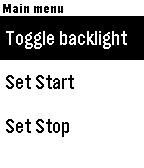
Tools & UtilitiesSimple program to automatically control your backlight. It sits in the background, allowing you to use whatever watch face you like. When you raise your arm to look at your watch, it will automatically turn on the backlight for 5 seconds. If you need to turn it back on again, just turn your wrist away and back again! The program has the ability to schedule a start and a stop time, however there is currently a bug in PebbleOS which prevents background wakeups from happening in some cases. Once this bug is fixed, I'll verify the functionality and upload a new version. Note, that PebbleOS only allows one background ("worker") task at a time. If you are using a program which counts steps, etc., and is thus running in the background, then you can't use this program at the same time. Most menu items are pretty clear, but the "Responsiveness" item isn't, so here's a description trying to describe what it does: The background worker task already reads only 10 accelerometer events per second, which is the slowest allowed. This new menu items allows the wearer to program the number of samples which are collected before the callback is called. Thus, it allows programming of the responsiveness of the backlight in 1/10th second increments. Presumably, calling the callback less often should save power at the expense of response time. You be the judge of what you want! Menu allows configuration such that light may be set to be always on while charging.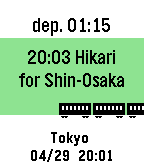 28
28TrainTime
Tools & UtilitiesThis is train time table app. Please open setting page and input time table. After setting, network connection is unnecessary when using the app. You can change the Icon type to "Train, Bus, Ship, Plane". Sample is below. https://otoone-dev.github.io/docs/train_setting_sample.html Controlls [UP,DOWN] Change train. [SELECT] Change station (only 2 station) for Japanese... NextTrain 形式のテキストが使える場合があります。 多くの電車が出発する駅はサイズオーバーになる事がありますので、 その場合は曜日や時間を削る等の編集が必要です。 祝日には対応していません。 適用方法がわからない方はメールしてください。