 57
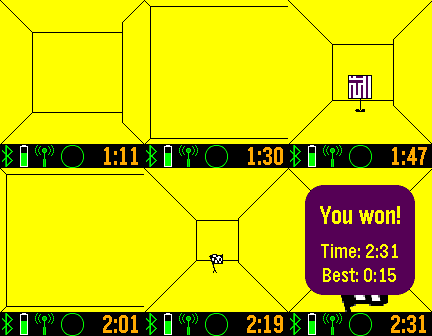
57Maze Craze
GamesFind the flag in the maze, and see other players in the maze also. Use the up and down buttons to turn, and the middle button to move forward. A long press of the middle button will open an options menu. There is an option for tilt navigation control. Discover helpers in the maze to show the map, compass heading, flag proximity, and flag direction. Network play limited to iOS and Android 4.4+. More levels available to subscribers. Track your progress at https://SetPebble.com/mazecraze
 42
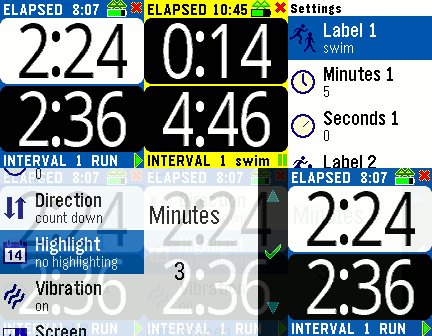
42Interval Trainer
Health & FitnessThe Interval Trainer tracks elapsed time and interval times. You can set two intervals which are repeated as time elapses. A vibration alerts you when an interval changes, and the numbers are BIG for easy reading while exercising. The interval minutes and seconds are customizable, as are the vibration alerts, screen background, etc. Press the middle button or choose Setting from your smart phone.
 228
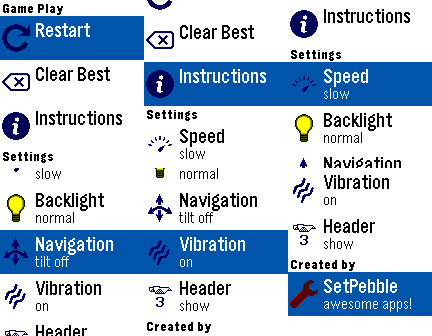
228Pocket Glider
GamesFly a paper glider through a house, using heating sources to keep you aloft. Try to collect all objects without bumping into shelves, tables, or landing on the floor. Navigate by either the top and bottom buttons, or tilting your Pebble from side to side. The middle button activates the settings menu, where you can restart the game, reset the best score, or change custom settings.
 239
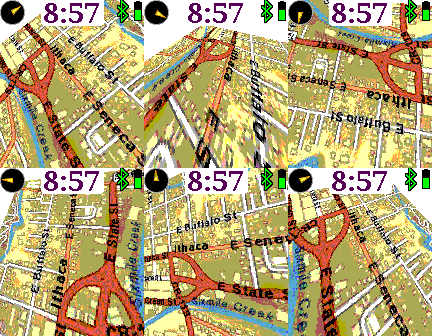
239Earth
Tools & UtilitiesA map that rotates, tilts, and zooms. Up and down buttons zoom in and out. Pressing up or down continuously pans the map forwards or backwards. The middle button shows the custom settings, and a long middle press resets the map to your current location. Customizable features include mapping service, displaying the time, compass, battery, bluetooth, screen inversion, vibration, map labels, and more.
 43
43Azimuth
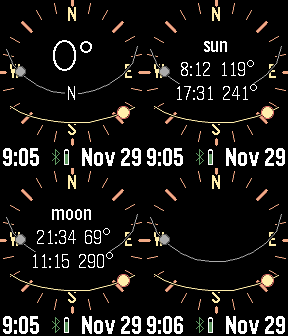
Tools & UtilitiesPlan for the perfect camera shot. This app calculates and displays the sun and moon path against a compass. Tap or press buttons for rise and set times. Many custom options, including backlight, moon positions, screen inversion, battery, connection, and vibration alerts.
 21
21Lightning distance
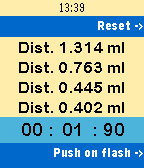
Tools & UtilitiesTool to track distance of thunderstorms. On a flash click, and on the following thunder sound click again. Up to 4 measurements in a row are displayed. Miles or Kilometers and languages English, German and Dutch. Make sure to unplug your antenna's in time! $3.95 only!
 3
3TreinTijdjes – NS Treintijden
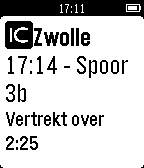
DailyDutch description only due to the fact that this app only functions in the Netherlands. App might still be suitable for international travellers as it displays the same information as the signs found on platforms. De TreinTijdjes app is een simpele app om te zien welke treinen er vertrekken vanaf de dichtstbijzijnde stations. Het is mogelijk om te zien waar de treinen naartoe gaan, hoe laat ze dat doen, of er vertragingen zijn en welke treinsoort het is. Het is ook mogelijk om een simpele timer weer te geven, welke aftelt tot een trein zou moeten vertrekken. Gebruik: Kies een station uit de lijst. Kies daarna een trein, en druk eventueel op de middelste knop om een timer weer te geven. Waarschuwing: Deze app is alleen getest op een originele Pebble Watch. De werking op een Time-model is niet 100% gegarandeerd, maar in theorie zou deze moeten werken. Disclaimer: Deze app maakt gebruik van de NS API. De NS of ontwikkelaar van deze app kan niet verantwoordelijk worden gesteld voor onwaarheidsgetrouwe informatie. De informatie in deze app dient slechts als hulp voor de eindgebruiker en het kan niet gegarandeerd worden dat deze accuraat is.
 52
52Kana Teacher
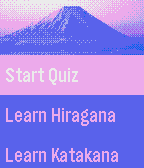
Tools & UtilitiesLearn hiragana and katakana on the go! Test your knowledge in a highly configurable quiz mini-game.
 28
28Reminders
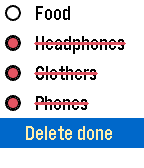
NotificationsThe list of reminders, shopping, or just what you need. Why take the phone in the store if you can look at the clock?
 39
39Stay Focused!
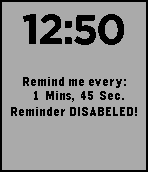
DailyFor those who need constant reminders. It may help with ADHD, if you're constantly distracted! OR it can remind you to do something every few mins! Need to remember to sprint every 5 mins in your Run? This app can help! You can customize the time from as low as 'Remind me every 5 seconds' to 'Remind me every 60+ mins!" It can easily be turned on/off with the 'select' button. And you can increase an decrease the timer with the up/down buttons, (5 sec increments) OR long press either button to increase/decrease the time by 60 seconds! I made this about a year ago,(first app I ever made) and finally decided to release it to the public. If it can help even one other person, then that would be awesome! :)
 28
28Hive for Pebble
RemotesConnects and controls the Hive Heating system by British Gas Any problems don't hesitate to email and ask. The information you provide e.g username/password is stored on your phone and can only be accessed by Hivepebble.
 17
17Hive for PebbleTime
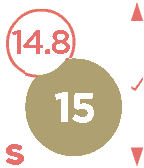
RemotesConnects and controls the Hive Heating system by British Gas. Select 'Version Information' to see what new features have been added. This is for the Pebble Time and Pebble Time Steel models
 12
12Tennis Score
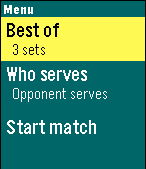
Health & FitnessDo you play tennis? Now you can keep track of the score in your Pebble! Tennis Score for Pebble tracks points, games, sets and who is serving. Update the score by pressing a button; undo available. Choose between best of 3 or 5 sets; tiebreak for all sets. Shows current time and match duration. Features: + Menu: - Select best of 3 or best of 5 sets - Select who starts serving - Start match! + Match: Use buttons to track the score. - Up: point to your opponent - Down: point to you - Select: undo last point; as many times as you want - Back: exit to main menu + Score: - Upper row: your opponent score - Lower row: your score - Left time: current time - Right time: match duration in minutes - Asterisk: who is serving +Statistics: Scroll down at the end of the match. - Match score - Number of points won - Match and set duration Give it a <3 if you like it! Thank you!
 11
11Table Tennis
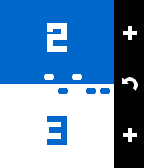
GamesTrack your table tennis scoring during play. Features: - Play to 11 or 21. - Overtime serving rules (when game reaches 10:10 or 20:20). - Choose vibration options for player serve, serve change, and game end. - Undo, just in case :)
 7
720 Seconds Timer
Tools & UtilitiesThis app can support to your habits by the "20 Second Rule" psychology. The timer starts from 20 seconds automatically when you launch the app. When the count reaches zero, the app will end with vibrate. This app is useful if you add the shortcut. For example, you could end bad habits by waiting 20 seconds before doing it.