 358
358GoogleTasks for Pebble
Tools & UtilitiesBrowse all your ToDo lists (from GoogleTasks) right on your wrist! Task notes are supported too. You can also mark tasks as Done. You will no longer need to look at your phone while buying groceries in store or something else. This app uses task lists stored in Google Tasks service. You can manage them from the web browser on your PC or phone. Also you can use any GoogleTasks-compatible mobile ToDo/notes app. Previous names: PebbleNotes, PebbleTasks.
 358
358Night Sky
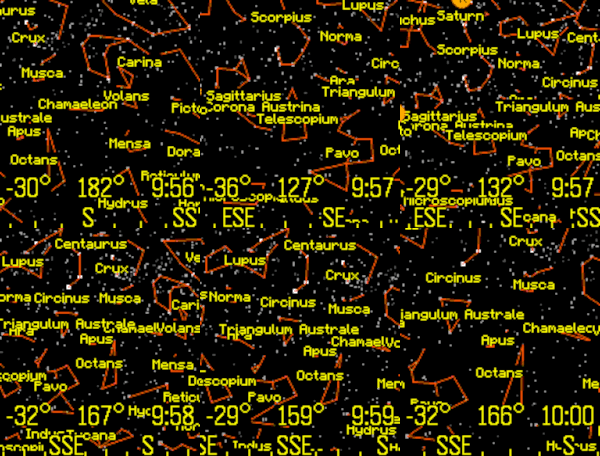
Tools & UtilitiesView the stars, constellations, and planets of the night sky. The up and down buttons change the field of view. Click the middle button for custom settings, selecting planets, or choosing a constellation. The orientation can be set by compass, tilting the Pebble, or can be locked to a specific heading. Latest Pebble models can use touch to pan the display. Memory is tight, so only 1,000 stars are in the original Pebble and 4,000 stars for the newer Pebbles. Voice dictation is supported for newer watches. To use this feature, select "Voice" from the menu, and clearly state the name of a planet or constellation. Some sample terms to try are "Moon" and "Aquarius". This app has been updated for the newest Pebble Time 2 and Pebble Round 2 apps.
 357
357Find Watch
Tools & UtilitiesCan't find your Pebble? If it is still within bluetooth reach and your phone/pad is connected to your watch, installing this app will make your watch vibrate and flash. The app counts minutes and seconds until the watch is found. You can set vibrations and screen flashing on or off. Hint: play hide-and-seek by hiding the watch and using a phone to find it.
 351
351Time Traveler - World Clock
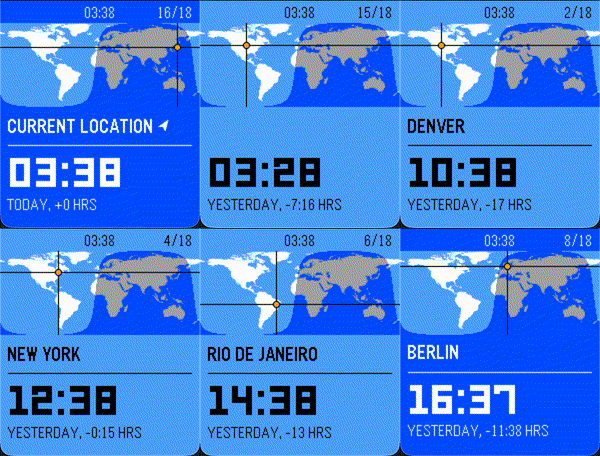
Tools & UtilitiesRemember the old days, when your digital watch would come preloaded with a bunch of cities throughout the world, and a world map prominently displayed on the screen? Wasn't it fun to just scroll through all those cities, wonder where all those abbreviations really were? That's why I created TIME TRAVELER, a fun, animated world time experience for the Pebble watch! Smoothly animates between cities around the world, showing real-time day/night data, accounting for time zones, summer time, and more! Features: - Real-time daylight terminator calculation, showing you exactly which cities are experiencing daylight and which aren't! - Hide or show your favorite cities, selecting from 49 different cities commonly found on Casio™ digital world time watches! - Shows you whether it is today, tomorrow, or yesterday for a given time zone -- now you can finally remember what day it is for your friends in Asia! - Exciting animations!
 350
350Notepad (Tertiary Text)
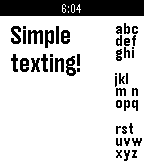
Tools & UtilitiesNotepad allows you to take notes directly on the Pebble! Using Tertiary Text it is possible to quickly type complete and full messages directly on your Pebble. Visit the site for more information on how to type with it. The keybindings become muscle memory in no time.
 348
348PowerNap
Tools & UtilitiesPowerNap tracks your movements until you fall sleep and wakes you up with a vibration alert just after your desired nap cycle is completed
 347
347PebbleBucksE
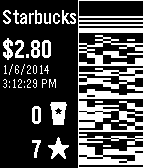
DailyThis lets you pay for Starbucks using your watch. You can also view your balance and rewards information. (This is based on the 2.0.1 version of the PebbleBucks app by Alexsander Akers. His 3.0 version is currently not working for a large group of users, so I'm putting this modified/fixed version of 2.0.1 up for people to use in the interim.)
 347
347Treble
RemotesIMPORTANT: Version 1.0.0 of the Android app will stop working before October 2026. Update it to 1.1.0 before then, or you won’t be able to recognize any songs! A song-finding app using Shazam’s audio recognition. It connects to an Android companion app to listen to nearby sound through your phone’s microphone, securely process it through Shazam’s service, and match it with any known audio signature in Apple’s music catalog. You can install the Android app from the source link at the bottom of the page. After setting it up on your phone, launch the watch app at any point to listen for music. When a song is successfully found, you will feel a short vibration and be presented with the song name and artist (currently, only names with Latin letters are known to display correctly). The previous 10 found songs are saved right on your watch, organized by discovery date.
 346
346Navi App
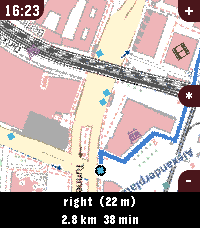
Tools & UtilitiesWelcome to Pebble Navi - Turn-by-turn navigation and a map on your wrist - No companion app needed - Support walking, driving and cycling modes - Destination selection from saved locations - You can dicate a destination to your watch if it has a micro - Save current location - Support for Imperial and Metric units - Added Rotation mode, the map rotates with the user and the route. - Supports every nearly pebble - Dynamic rerouting - Preview routes on your phone - NEW: Vibrate on left and right turns (only in walking and cylicng mode) You can manage locations in the apps phone menu. To people with older pebbles: There are two new options, one is to Enable experimental mode were we maximise sending speed of the map, but that can lead to instability, together with the telemetry option I hope i can make sure the update works fine on ever watch. When im sure it works fine with every watch model, i want to remove the telemtry again. I only could test this on my time 2 but the emulator behavior and hw behavior is different. If you have any suggestions or issues send me a message using the contact developer option or open a issue on github. Rebble Store Listing: https://apps.rebble.io/en_US/application/6a2ec9ab000bc200090963fc
 343
343Bible
DailyThe full Bible strapped to your wrist. Navigate the entire Bible using fast book and chapter selection. Read chapters of the Bible right on your Pebble. Bible version is the New English Translation. Bible API provided by Bible.org, Copyright ©1996-2006 Bible.org, reprinted with permission
 342
342Get Up, Stand Up
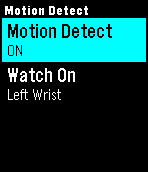
Health & FitnessSitting still for long periods of time can be detrimental to your health. This app reminds you to stand up and move around to keep you happy and healthy. It's ideal for those of us who work at a desk all day. Features: * Scheduler so you only get reminders when you want * Motion detection to track when you've been stationary too long * Snooze to pause reminders if not convenient (if you're at lunch or in a meeting, for example) * NEW: Configurable vibration strength Once the schedule and motion detection are set then there's no need to do anything more - the app works automatically. IMPORTANT: * If using the motion detect feature be sure to tell the app which wrist your watch is on.
 339
339Get Me Out
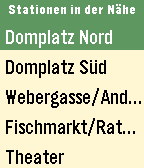
DailyGet Me Out zeigt dir alle Abfahrten in deiner Umgebung. Egal ob Bus, Tram, S- oder U-Bahn, RE oder sogar ICE. Und das beste daran: du musst nichts eingeben. Alle erforderlichen Informationen wie Standort und Uhrzeit kennt deine Pebble ja schon.
 335
335Drug Wars
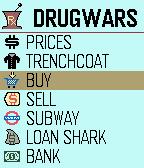
GamesThe Classic Drug Wars game is now available for Pebble. Originally written for IBM by John E. Dell 1984. (Adapted from TI-84 game code)
 335
335Domino's Pizza USA
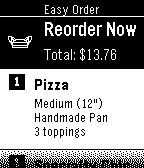
DailyUse the Domino's app on Pebble to place your Easy Order™ or Recent Orders and conveniently track your order from start to finish.
 333
333Loc8Pkmn
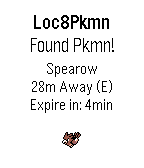
NotificationsPokemon Go, Pokemon finder, locate Pokemon close to you without the Pokemon Go app. 31/7/16 - Servers Down, Working on Fix! Have a feature request, please contact me! Love my app? Please donate: http://bit.ly/2awtWST How does it work? Simply leave the Pebble application running and when you are within 35 meters (or notification distance set in settings) of a Pokemon your Pebble will vibrate and display the nearby Pokemon information. If no Pokemon are within the notification distance a list of Pokemon nearby will be displayed. Q. Searching... is displayed with no nearby Pokemon? A. Servers could be overloaded, or you are in an area with no nearby Pokemon. Q. Do I need to run the Pokemon Go application on my phone at the same time? A. No, the Pebble application works independently of the Pokemon Go application on your phone. == TODO/IMPROVEMENTS == 1. Additional language programming for full multi language capability. Not affiliated with Niantic or Nintendo. All trademarks property of their respective owners.