 22
22Who's In Space?
Tools & UtilitiesQuickly find out who's currently in space and their dwellings. Data is provided by the Open Notify API, which licensed under the Creative Commons Attribution 3.0 Unported License.
 22
22FlashRead News
DailyFlashRead News brings RSS feeds to your Pebble using RSVP (Rapid Serial Visual Presentation), a proven speed-reading technique that displays words one at a time, centered on the optimal recognition point. Features: 6 pre-configured news sources (BBC, NY Times, NPR, Guardian, Le Monde, Reuters) Add unlimited custom RSS feeds via phone configuration Adjustable reading speed from 100 to 600 WPM Read headlines, then dive into full article descriptions Optional backlight during reading Navigate between articles with physical buttons Perfect for the small Pebble screen. Free and open source.
 22
22Football v1.1
DailyCheck the latest premier league scores.
 22
22Warmup Sets
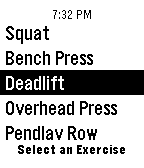
Health & Fitness**New Feature** With the release of 2.0 I have added the ability to specify the warmup set multipliers! This means that for each exercise you can say exactly what percentage of the max weight you want to do for each warmup set! Warmup Sets is the watch app to have while you're in the gym! The goal is to help you determine the sets you should do for your warmup while also providing you with barbell plate math and other nifty features! Warmup Sets automatically calculates the warmup sets for the following exercises*: • Squat • Bench Press • Deadlift • Overhead Press • Pendlay Row • Power Cleans *Note: Warmup Sets is based off of the Starting Strength program. Here's an overview of everything the Warmup Sets does: • Calculates your warmup sets for a specific exercise • Calculates barbell plate math for each set • Supports both Imperial and Metric • Allows you to specify the barbell weight • Allows you to specify the warmup set multipliers for each exercise • Displays the current time at the top of all of the Windows. • Remembers settings and each exercise weight (in both unit systems) • Timer for timing your rests in between each set (simply hit the select button from anywhere on the sets menu). If you find any bugs, have any suggestions, or want to ask a question, feel free to contact me with the email down below!
 22
22Slapp
Tools & UtilitiesA revolutionary way to meet new people and immediately connect with them. We can exchange your contact and other social networking information with a customizble gesture on your wearble device. This is in very early development!!
 22
22Plus or Minus
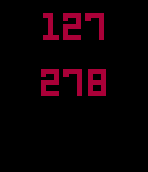
GamesYou thought that calculators were your friends, but now your parent's generation smokes you at basic math. You're taking Calculus, but customers at your minimum wage job are still telling you how to make change. You're better than that. Program your mind with +/-, a stupidly simple (yet surprisingly addictive) left-brain exercising piece of gym kit. 1.) You'll be presented with two random numbers. If the numbers are blue, add. If they're red, subtract. 2.) Select button shows you what you claim you already knew. 3.) Up button lets you work addition problems, down is for subtraction. Updates are coming soon, because you and I both need work on multiplication and division. <3 @petegeste
 22
22KOREA STOCK
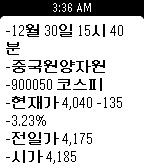
Tools & Utilities- Settings를 통해 주식 코드 등록 - 내가 등록한 코스닥/코스피 종목 실시간 확인 - 상세 항목에서 5초 마다 데이터 업데이트
 22
22Next DART
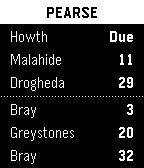
DailyCheck DART times right from your Pebble watch. Automatically displays times for your nearest DART station. Uses realtime data from Irish Rail. http://api.irishrail.ie/realtime/ DART is Dublin’s commuter rail system. http://www.irishrail.ie/index.jsp?p=122&n=182
 22
22Klipper Monitor
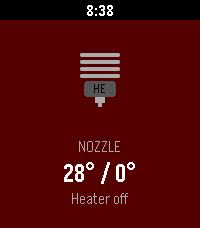
RemotesMonitor your Klipper 3D printer
 22
22Watch my Wallet
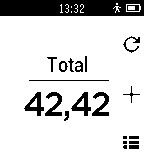
Tools & UtilitiesA simple app to keep track of your expenses.
 22
22Glance-a-Round
DailyGlance with circles Does NOT include other watchfaces. Cannot accept custom faces
 22
22RubikStopTap
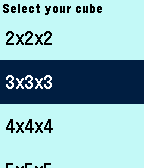
Tools & UtilitiesThe best application to measure your time solving the Magic Cube, just select the size of your cube, Scramble your cube, shake your Pebble to start review time, when Pebble vibes start solving, when done shake your Pebble to stop the timer and Check your time, shake your Pebble to register your time and reset the timer. Now your Pebble is ready to start again and again. Keep track of your stats like average, best and worst times for each cube size independently and compare it with your friends. Happy solving!!
 21
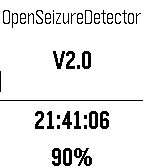
21Open_Seizure_Detector
Health & FitnessPebble based epileptic seizure detector to warn a carer that someone is experiencing a tonic-clonic seizure. Uses an associated Application that runs on an Android phone to raise alarms. Version 2 of the App allows the user to mute the alarms if they are doing an activity that would otherwise generate alarms, and to raise an alarm manually (by pressing and holding the UP and DOWN buttons respectively). If anyone with a Pebble has an interest in epilepsy, I would appreciate you having a look at this app and feeding back your thoughts!
 21
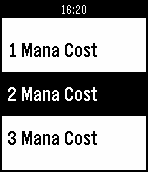
21Hearthstone Cardbase
DailyHearthstone card database containing all Hearthstone collectible cards which are shown by class, then by mana cost. Each card contains the card's name, mana cost, rarity, type, description, attack/damage and health/durability. Support this app by giving it a <3 and/or donate via paypal here: http://bit.ly/23eVqB8 Working on improving the app visually with color and image resources, please email bugs to barrydoyle18@gmail.com
 21
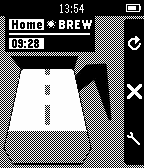
21Coffee Timer
Tools & UtilitiesThe fun way to remember when your coffee is ready!