 21
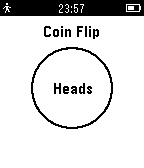
21Coin Flip
DailyHeads or Tails! Cannot make up your mind between two choices? This app will do it for you! Just tilt your watch to throw the coin and watch as it flips and lands on either heads or tails!
 21
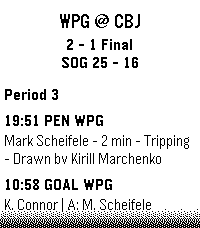
21NHL Scores
DailyKeep updated with your favorite teams with NHL Scores, the ultimate daily companion for hockey fans on the Pebble watch! Whether you're tracking a live matchup or checking the final results from earlier in the evening, NHL Scores focuses exclusively on the current day's action, bringing the scoreboard right to your wrist. Get a quick glance at today's game scores, or dive into detailed views to see team records, division standings, and play-by-play events including goals, assists, and penalties. Configuration Settings Customize your experience right from the Pebble app on your phone: - Favorite Teams: Select up to 5 of your favorite NHL teams to always pin their games to the top of your daily list. - Show Penalties: Choose whether to display or hide penalty events in the play-by-play view. - Event Sort Order: Read through today's game events sequentially (from puck drop in Period 1 to the final horn), or set it to "Latest Event First" to see the most recent goals and action at a glance. Credits Score data is made possible thanks to the excellent open-source nhl-score-api project and official NHL web APIs. The configuration menu is powered by the @rebble/clay library. About the Developer - Comet Designs creates fun content for the Pebble platform. - Please send any feedback to cometdesignspebble@gmail.com ! - Buy me a coffee https://ko-fi.com/cometdesigns
 21
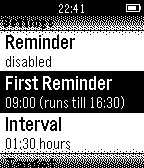
21Drink!
Health & FitnessNEW: The optional companion app can fetch logged data from the watch to your Android smartphone! Stay hydrated! Reminds you to drink during the day, includes reminders, vibration, snoozing and more! Check out http://astifter.github.io/Drink/ for details.
 21
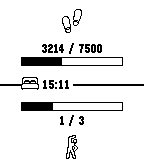
21Get active!
Health & FitnessThis app helps you to reach your health goals. It can be configured to notify you: - If you didn't spent enough time active within the last hour - If you are about to not reach your daily step goal - If you reached your daily step goal - If you should go to bed to get enough sleep The app shows your current health values and warnings. If a notification occurs, the app will be opened and trigger vibration.
 21
21Peek a boo (Where is my phone?)
Tools & UtilitiesWhere is my phone? This app send a peek to phone to play your default notification. you can associate it to button up or down using Pebble Quick Launch. In this way you can execute it using any watchfaces.
 21
21PebbleHAB
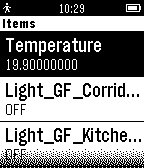
RemotesPebbleHAB is an OpenHAB client for the Pebble. Current capabilities include: -connecting to HTTP servers (no HTTPS) -connecting to my.openhab (only HTTPS) -displaying switch items and state -displaying Temperature items (the name of the item has to contain "temp" or "Temp") -displaying contact items -displaying dimmer items -toggling switch items -toggling dimmer items Please contact me for all issues or ideas on how to improve.
 21
21Diamond Clicker
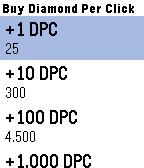
GamesGain as many diamonds as you can by pressing up/down button! As soon as you have enough diamonds, visit the shop by pressing middle button and use your diamonds to buy DPC (Diamond per click) to gain diamonds even quicker! This is a mini version of Diamond Clicker (Android). Full version : https://goo.gl/aXb571
 21
21Checklist with Web
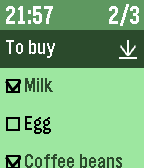
Tools & UtilitiesDo you have checklist on Wunderlist or CarbonFin outliner or dropbox ? This app import your checklist data from Wunderlist or CarbonFin outliner, or plain text list on web file server like as dropbox. * CarbonFin outliner is an iOS outliner App. * Features - import checklist from web service , Wunderlist or CarbonFin Outliner or dropbox . - can reload recent 5 checklists quickly - display current time - display checked item number and all item number * How to operate - select cursor with up/down button - at item line, check/uncheck with select button - at checklist name line, reload with select button, delete with long push select button - at bottom line of named "Delete Checked", delete all checked items with select button * How to import checklist from web - see config file of this App * Note - Please set checklist URL again after version up from ver.1.3 or lower .
 21
21Decision Maker
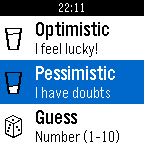
Tools & UtilitiesThe decision making process was never easy. This pebble app is here to help you out! Whether you are optimistic or pessimistic there is always a quote response for you!
 21
21CoffeeTime
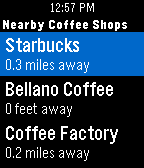
DailyEver have that moment when you are trying to find coffee shops in an area you're not familiar with? Fret not, CoffeeTime is here to guide you. All you have to do is to launch CoffeeTime, and you will see a list of nearby coffee shops along with its distance (This process could take up to 5 seconds as your phone's GPS pinpoints your location). Click into it and you can see the store's address so you know which direction to go! - Possible Use Cases - > Experiencing caffeine withdrawal in an unfamiliar territory > Craving for coffee while stuck at a traffic light > Suggesting a #coffeemeetup with your buddies > Not sure where to bring your crush to a coffee date without awkwardly checking your phone Last but not least: We do not store your location information nor do we collect any other data. Now you can look for coffee right at your wrist!
 21
21Exec File
RemotesAn app that allows you to execute remote files from your pebble. The app needs a companion app, server, to be running on your local network and to be accessible via HTTP. The number of files that you can execute is not limited, and you also get visual feedback in form of message. The message contains whatever was written to stdout or stderr. More info and companion server can be found at https://github.com/romanmatiasko/exec-file-pebble
 21
21Esteem Aid
Health & FitnessFeeling down? Are your friends hating on you? Do you feel like nobody loves you at all? Welcome to Esteem Aid, the app that recognizes some of us just need a shot in the arm to get going. Get the praise you deserve any time of the day. Soon, you’ll be wondering who needs friends anyway when Esteem Aid is only a glance away?
 21
21Dota2Timer
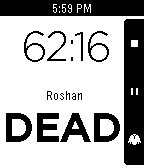
GamesA timer app for DOTA2. Features: Roshan status - Press a button when Rosh is killed, and you'll get a display of its status (dead or alive) or the chances of it having respawned. Optional vibration on "53 Optional vibration on 03:00 When paused, allows to correct the timer. The application is still under development but functional. Please file bugs and request features on my github page!
 21
21Base Camp - Daily Puzzles
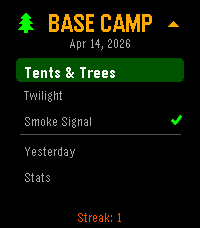
Games3 Daily Puzzles! 2 difficulty levels each. Date Seeded so everyone gets the same puzzle every day. Designed for the Pebble. Tents & Trees: Find a campsite for every tree where its touching a tree, but not near another campsite! Smoke Signal: Follow the guides on the side to light the correct fires! Twilight(binario): Fill the grid with suns and moons, can never have 3 in a row, all rows/cols must have equal # of each, every row unique! Stats and play yesterdays in case you missed it. Use the 4 Pebble buttons as directions (UP/DOWN/LEFT/RIGHT) and tap to select/toggle the cell. (New! tried to fix tap logic... as a fallback, if it doesn't work, you can LongPress Select to toggle.)
 21
21Flight Companion
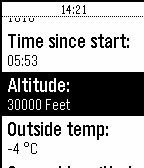
NotificationsFlight Companion shows you flight data directly on your Pebble! Information like remaining flight time, groundspeed or altitude are directly and instantly readable on your wrist. This App works on all Lufthansa Board Connect Flights (also Eurowings continental Flights with Wings Entertain) and uses an certified and safe open API. Just connect to the in-flight-WiFi and it will work like magic. If not connected to Lufthansa Board Connect or Eurowings Wings Connect Flight Companion will only show some Demo Data. If you press the select-button you will be able to set an alarm for any desired time before your arrival. Simply shake your wrist to update data!