 16
16Walkr
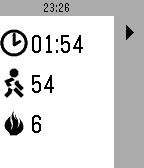
Health & FitnessWalkr tracks your steps taken and calories burned during a training lap. Walkr uses the built-in health kit in your Pebble. When launched Walkr will show the last recorded values. To start a new lap, press the play button. You can pause anytime by pressing the pause button. To end a lap, press the stop button twice within a 5 seconds time frame. Exiting the app will stop the lap as well. Warning: do not rely on this app to give you a complete and precise readout. The app uses the Health Service and inherits the deficiencies of the Health Services.
 16
16hassgraph
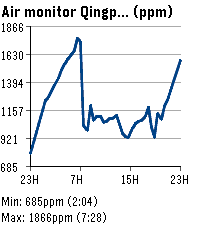
Tools & UtilitiesHome Assistant entity line graphs on your wrist. Supports multiple entities.
 16
16Spring!
DailyEfficient navigation from your wrist Spring! is a dedicated companion for commuters navigating public transport networks in Sweden. Utilizing the device's location, the application identifies the nearest stops for buses, trams and subways nationwide. Data is provided by Trafiklab
 16
16Vuoro
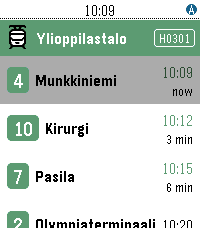
DailyVuoro finds the nearest public transport stops in Finland using your phone's GPS and shows the next departing lines with real-time predictions. Pin your favourite stops, see your city and zone at a glance — across Helsinki, Tampere and many more Digitransit cities. Works on all Pebble models. Supported cities; Helsinki, Tampere, Hämeenlinna, Joensuu, Jyväskylä, Kotka, Kouvola, Kuopio, Lahti, Lappeenranta, Mikkeli, Oulu, Pori, Raasepori, Rovaniemi, Turku, Vaasa
 16
16Phil collins
DailyDirty mustard tiger
 16
16MicroNote
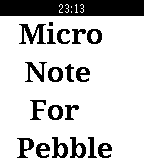
Tools & UtilitiesWrite down and view important information you need to remember: a phone number, a URL, directions, etc. Press UP to enter numbers, press DOWN to enter letters, SELECT to move cursor forward. HOLD SELECT to move cursor backward. HOLD UP and DOWN simultaneously to clear. Leave your phone at home!
 16
16Sykerö Smart Alarm
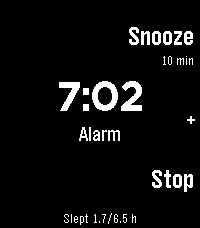
Tools & UtilitiesSykerö Smart Alarm wakes you a few minutes early, at a moment you are already stirring — and never a minute later than the time you set. Instead of firing at the first twitch of movement, it learns how still you have been tonight and waits for a sustained rise above your own baseline: a real lighter-sleep signal, inside a window you choose ahead of your alarm. There is always a hard time behind it, so a quiet night still wakes you on time. A "last night" summary on the watch shows how still you were, what it took to trigger, and when it would have fired at each other sensitivity — so you tune it from your own data instead of guessing. A gradual wake instead of one abrupt buzz: vibration starts gentle with long gaps, then tightens and strengthens, with sound joining later on watches with a speaker. Choose Gentle, Normal or Insistent, or set your own timing. A deliberate stop gesture (long press, or a two- or three-tap) means a sleepy hand can't dismiss it by accident. Up to 8 alarms, each with its own repeat days, snooze and skip-next. Everything is configured from your phone; the watch shows status and quick actions. Worth ten minutes before your first night — what the watch measures, how it decides, every setting, and what the app deliberately does not do: https://github.com/Sykero-Software/PebbleSykeroAlarm/blob/master/docs/how-it-works.md
 16
16Quick Timer
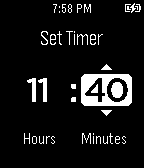
Tools & UtilitiesA simple and powerful watch app to quickly create timers. Features: - Vibration and flashing on timer completion - Auto-hiding toolbar to prevent accidental button taps - Quickly restart a timer with a button tap - Pause a timer and then resume it - Tap and hold to quickly scroll through numbers - Tap and hold middle button to go back when setting a timer
 16
16Pikkleball
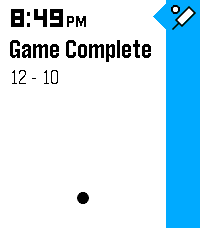
Health & FitnessTrack your Pickleball match scores! - 🎯 Supports 3 modes, Standard (11 pt. match) and Rally scoring (15 or 21 pt. matches) - 💾 Saves/Restores during exits - 😎 Automatically tracks serves on Standard matches while scoring - ✌️ Automatically adjusts scoring goal to assert wins by 2 points (in both modes) - 👆 Supports touch (tap) to bump scores Controls - [Back] - Exits - [Select] Change modes (Start screen) | Mark self as starting server (on game start) | Hold for 3s to reset score (mid game) | Back to menu (on game end) - [Up/Down] Select starting side | Mark which side scored
 16
16TransSee Transit Time
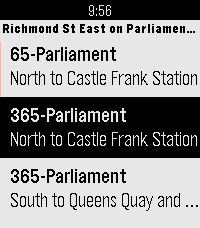
DailyReal-time transit arrival predictions for more than 200 transit agencies across Canada, US and around the world. See www.transsee.ca for the complete list. Currently requires TransSee Premium which costs from CAN$2 for one week to CAN$40 for one year. You must enter your Tidbyt/TronByt Premium Id from your premium email in the settings to activate it. Launching the app will show the stops within 500m. Select a stop for predictions for the next three vehicles. TransSee generates a prediction range based on past travel time for most agencies. Press down to see different branches and alert messages. From the TransSee website settings you can check off “Show link to ‘Send to Watch’”, then you can select a stop from the website and it will appear first on the stop list on your watch no matter how far away it is. Based on Toronto Transit Time by Chester.
 16
16NFL Update
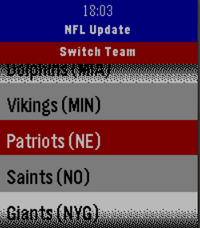
NotificationsNever miss a game. NFL Update brings your favorite team's full season schedule right to your wrist — live scores, final results, and upcoming games, all without touching your phone. No companion app needed, everything is ready to go once you select your team! Made for Time and Time 2, Round and Round 2 coming soon! Features: 📅 Full 2026 NFL season schedule for your chosen team 🔴 Live in-game scores with quarter and clock updates ✅ Final scores with W/L results, color-coded green for wins and red for losses 📊 Win/loss record always visible in the header 🏠 Home and away indicator for every game 📌 Next 3 upcoming games automatically pinned to your Pebble timeline ⏰ 1-hour pre-game reminder notification ⚙️ Pick your team once from the built-in team wheel — all 32 NFL teams supported 🔄 Press Select anytime to refresh with the latest data from ESPN
 16
16SQL Episode 2
GamesThis is an app that is full of dork codes, vpns, and other information that new hackers find useful! We at SAVAGEO hope you enjoy this app! It is episode 2 in it's series of hacking apps / articles. DISCLAIMER: WE HERE AT SAVAGEO DO NOT PROMOTE THE USE OF HACKING FOR ILLEGAL OR IRRESPONSIBLE PURPOSES! SAVAGEO, RUSSIAN OTTER, AND PEBBLE ARE NOT RESPONSIBLE FOR ANY ACTIONS YOU MAY OR MAY NOT TAKE FROM GETTING INFORMATION FROM THIS APP! THIS APP IS FOR EDUCATIONAL PURPOSES ONLY!!! These disclaimers make it so if someone goes to court for hacking they can't blame us for their "possible sources". ANYWAYS check out some of my other apps and watchfaces and if you found this useful please like! tags: color time pebble hack hacking anonymous anon vpn code coding
 16
16Bloop
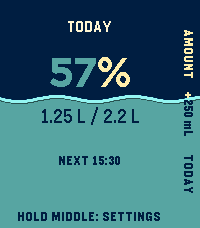
Health & FitnessBloop turns Pebble Time 2 and Pebble Round 2 into calm, glanceable water trackers. Middle logs your usual drink; Top opens Add Water for a custom amount. Every new drink can be undone immediately, and Today offers a guarded delete-last action. Rhythm shows when you drank and your longest gap. This Week compares each day with the target that actually applied. To get to Settings: hold Middle on Home, or press Bottom to Today, Bottom to Rhythm, then Middle. The watch edits Goal, Drink, Gap, and Adaptive mode. Open Bloop's gear in the Pebble phone app for snooze, quiet hours, profile, activity, weather, and location options. On either touch watch, swipe up for the Bottom action, swipe down for Top, or tap a visible action. Every flow also works through the physical Top, Middle, and Bottom buttons. Adaptive mode is optional and starts off. Keep a custom ordinary-day target or choose a 2.2 L or 3.0 L starting reference. Bloop can learn an activity reference from completed Pebble Health days and add a modest heat adjustment. The phone makes at most one normal weather attempt per day when Bloop connects; there is no polling loop. Automatic coordinates are rounded to a coarse grid before Open-Meteo use, while manual coordinates stay exact. The watch runtime is native C with bounded history and one UI timer. Activity and heat change only the target, never reminder frequency. Automatic increases are limited to 30% and the target to 5 L. This is an ordinary-use estimate, not medical advice. This is a beta of a small project, things can go wrong, or, just not be as good as you want them to be. Feel free to write me about any problem, or any idea.
 16
16Tarot Reader
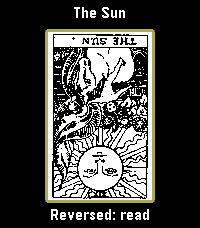
DailyI've been stuck on tarot art lately, so now there's an entire deck on your wrist. All 78 cards. This seemed reasonable at the time. Draw one card, lay out a Celtic Cross, or try a three-card reading or a scattered table of five to seven cards. Turn them over one at a time. The last reading stays where you left it. Select reveals a card, then opens its meaning. Hold Select to enlarge the artwork; Up and Down move through it. Back takes you out one step. You can turn reversals off in the menu. Pamela Colman Smith's original black-and-white illustrations, with A. E. Waite's upright and reversed meanings from 1910. The language is very much from 1910. Everything lives on the watch and works offline. Adapted by Luke Steuber for Ambient Time.
 16
16REcounter
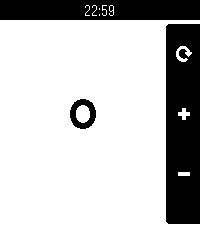
Tools & UtilitiesWhy? Because, in an era where a simple counter app would likely be left up to the AI overlords, I'd rather just fork something some guy made in 2014 and add touch support. This fork of the original adds support for all current and past Pebbles and enables touch support for incrementing the counter. This ended up being a pretty cool micro-project, as I learned about how the Pebble SDK has changed over the years. Immediately upon porting to the new SDK, there were various things that didn't quite look like they used to. This includes the lack of a status bar, the lack of margin&rounded corners on the action bar, the inability to render the previously valid menu icon, and the weird way bitmaps used to work regarding color and translucency. I addressed all of these to preserve the legacy Pebble SDK look with this app! In addition to Emery+touch support, this version of the app also supports all other Pebbles. Original app by Matthew Bauer.