 12
12PebbleForce for Salesforce
Tools & UtilitiesDisplay information from Salesforce, post to Chatter, or create a Case using your own menu structure without any code. Used in conjunction with the Salesforce AppExchange component to easily create your own user experience with NO CODE. Created for iPhone5.
 12
12Rock Paper Scissors the game
GamesRock Paper Scissors. The watch will do it for you
 12
12ACbus
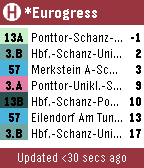
DailyGives bus schedule info for the ASEAG bus network (Aachen, Germany region). Functionality: - Shows up to 21 next buses (7 per page) - Use up/down buttons to flip pages - Select between automatic or manual bus stop selection ('*' next to bus stop name on main screen indicates manual selection) 1. Press middle button to go to selection screen 2. Select desired bus stop using up/down buttons 3. Confirm selection using middle button - Shake watch to trigger update (automatic trigger every 30 seconds) - Color highlights for every bus stop line for faster scanning of list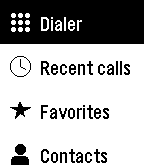 12
12Phone Dialer
Tools & UtilitiesPhone Dialer lets you place calls from your Pebble without reaching for your phone. Call a favourite, browse your contacts, call back someone from your recent calls, or type any number on the keypad. Favorites shows your starred contacts, and Contacts is grouped from A to Z so you can find anyone in a few presses. Recent calls lists your latest 100 calls, with missed, incoming, and outgoing calls clearly marked. The keypad covers digits, *, #, and + for international numbers. Every call asks you to confirm first, so a stray press never dials anyone. On Pebble Time 2 and Pebble Round 2, tap keys, swipe through lists, and tap the green Call button, or use the buttons on any Pebble. Choose a dark or light theme, and arrange the main menu in the order you use most, either in the phone app or on the watch. Android only. Phone Dialer requires its free Android companion app, which places the calls through your phone. Allow Phone access to make calls, Contacts for Favorites and Contacts, and Call history for Recent calls; each feature works on its own. Your contacts and call history stay on your phone and watch and are never sent to a server. On dual-SIM phones, set a default calling SIM. For emergencies, use your phone directly. Created by Ark-am. Discover our work and custom software development services at https://ark-am.com/
 12
12igitimer
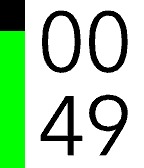
Tools & UtilitiesA simple and functional timer for Pebble smartwatches, featuring a high-contrast interface and quick controls. Button Functions UP Button Single Press: Adds 1 minute to the timer. Long Press: Adds 5 minutes to the timer. Note: Incrementing resets seconds to zero. SELECT Button (Center) Single Press: PAUSES or RESUMES the countdown. Long Press: RESTARTS the timer using the last set total duration. DOWN Button Single Press: Subtracts 1 minute from the timer. Long Press: Subtracts 5 minutes from the timer. Note: If the time reaches zero, the timer stops. User Interface Display: Minutes in the top half, Seconds in the bottom half. Progress Bar: A vertical bar on the left (green on black background) empties as time passes. Status: When paused, a pause icon appears in the center. When time expires, the watch vibrates.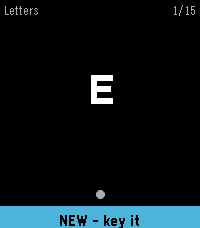 12
12Learn Morse
Tools & UtilitiesLearn to send Morse code on your wrist. Learn Morse shows you a character and you key it back. A short press of the DOWN button is a dot and a hold is a dash; on Pebble Time 2 you can key on the screen instead. The symbol you are sending is drawn as it grows, so a dot visibly becomes a dash and the timing turns into something you feel rather than count. Spaced repetition decides what you practise. A letter you miss comes back a few cards later, and a letter you know stretches out to hours and then days. You start on the 26 letters, introduced easiest first, and go on to the digits, 67 short words, and 20 sentences and stock phrases. A new word only appears once you have started on the letters that spell it. Also included: the full code chart, per-deck progress, an input test that reports what your watch actually delivers, and adjustable dash threshold, letter gap, hints and vibration. Everything is kept on the watch and no phone is needed.
 12
12Beepster
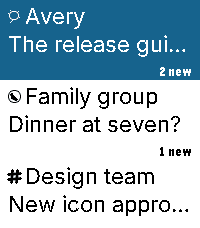
NotificationsAn independent, free, open-source Beeper client for Pebble Time 2. Read chats, dictate replies, use saved replies and bitmap emoji, and view full-width photos. Reactions appear beneath messages with sender indicators. Larger service icons and wider sender stripes distinguish conversations. Supported GIFs play short, reduced-detail loops; YouTube links can show thumbnail cards. Photos preserve their proportions, with scrolling and low-memory fallbacks. Choose Natural, High contrast or Original processing without changing source attachments. GIFs may fall back to a still; one attachment per message is supported. Videos do not play. Browse in 12-conversation batches with swipe selection and automatic boundary loading. The current list stays visible while the next batch arrives. Returning from a chat preserves your older page. Jump to newest returns to the top. Navigation briefly pauses during transfer. Customize themes, buttons, saved replies and link visibility. Archive conversations and delete messages for yourself where supported, with confirmation. iMessage message deletion remains disabled; archiving is available. Optional Hermes/OpenClaw Approve, Deny and supported Always controls work in explicitly linked agent chats. Decisions use physical buttons only, with Always confirmation. Check the agent result after sending a decision. Requires macOS 14+, Beeper Desktop, Organik Apps Pebble Connector 0.8.7+, and Tailscale on Mac and phone. Keep the Mac awake. iPhone is the tested setup. Update Connector first, choose Beepster → Set up service, then reopen phone settings. Connector guides permission setup for protected Apple Messages attachments. Final media changes passed automated and emulator checks; physical-watch media confirmation remains pending. Install: https://geezuschrotch.github.io/beepster/INSTALL Feedback: https://github.com/GeezusChrotch/beepster/issues
 12
12Diamond Crush
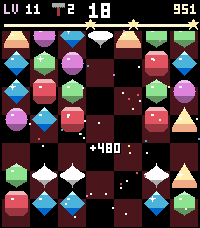
GamesDiamond Crush is a sparkling match-3 puzzle game made for the Pebble Time 2 touchscreen. Swipe a gem onto its neighbour (or tap two gems) to line up three or more of a kind. Level after level the goals get tougher: reach the target score within a few moves, or break all the ice on the board. FEATURES - Made for touch: swipe or tap to swap - buttons work too - Six bold gems, each with its own shape: ruby, crystal, citrine, emerald, sapphire, amethyst - Special gems: match 4 for a striped gem, L or T shapes for a bomb, 5 in a row for the rainbow diamond - Combine two special gems for huge chain reactions - Endless levels with score and ice goals, 1 to 3 stars per level - Leftover moves turn into a diamond rain bonus - Juicy effects: screen shake, lightning, shockwaves, chain praise and confetti - Hammer booster: smash any gem - earn it with 3 stars and your daily play streak - New worlds every 10 levels: Candyland, Cherry Garden, Chocolate Factory, Graphite Mine - Own soundtrack and sound effects (uses the Pebble Time 2 speaker) - Online world ranking at pebble.ni3d.de/diamondcrush 7 free play days, then unlock the full version once via KiezelPay (one-time purchase, no subscription). Made by Ni3D.
 12
12Delay Calculator
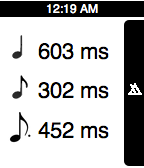
Tools & UtilitiesThis app is for musicians, sound engineers, or anyone else that works with music. This app allows you to quickly calculate delay times based on the beat that you click in with the middle button. You will get the ms. values for the quarter note, eighth note, and dotted eighth note. Thanks to my buddy Jon Dayton from the blog, Smart2Noise Ratio, for the idea! http://smart2noise.blogspot.com
 12
12BiteByte
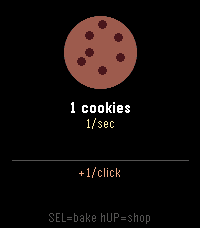
Games**BiteByte** is a Cookie Clicker–style idle game for the Pebble smartwatch. Tap the Select button to bake cookies, then spend them on Toddlers, Critics, Buffets, Monsters, Black Holes, and Cookievores to rack up cookies per second: even while the watch is in your pocket. Features upgrades for click power and building output, a rare Super Cookie bonus, offline earnings, and autosave. Built in C against Pebble SDK 3, targeting all seven Pebble platforms.
 12
12YesNo
Tools & UtilitiesSimple Watchapp to make "Yes/No" decision. Just shake your hand. P.S. Use UP/DOWN buttons to get guaranteed result;)
 12
12Idle Dungeon
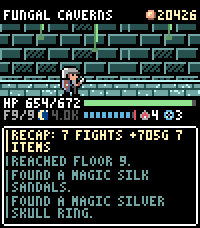
GamesIdle Dungeon turns the steps you take during the day into a dungeon crawl. Pick a dungeon in the morning and go about your day. Every step carries the hero deeper: monsters, traps, fountains and loot all happen while you walk, and the app shows you what you missed when you next open it. Nothing to tap, nothing to grind. - **Steps are the game.** Floors are hundreds of steps apart; the deepest dungeon is 12,000 steps down and the same distance back. Steps taken in town are saved for your next expedition, so a morning walk is never wasted. - **Sleep well and the day goes better.** Six hours of sleep makes the hero Rested, seven makes them Refreshed: more experience, more gold, better finds. - **1000 items to find.** 150 shapes across six materials, plus 64 uniques and 12 three-piece sets with their own art and effects. Rare gear drops unidentified: carry it home to the appraiser, or read an identify scroll where you stand and wear it on the spot - gear can be changed anywhere, dungeon included. - **Hunt what you are missing.** The tavern trades in rumours: pay for a lead and that item starts turning up where it drops. The codex tells you where to look. - **Real risk.** Run out of health and your gear stays where you fell. Walk back for it, or pay someone to fetch it before it is gone for good. - **Also:** a blacksmith who upgrades gear to +10, a 48-slot stash, portal scrolls for the walk home, an auto-return setting, and a morning reminder so you never forget to set out. Runs entirely on the watch. No account, no ads, no in-app purchases; your save never leaves your wrist. Requires a Pebble Time 2 and step data from Pebble Health.
 12
12Notion Notes
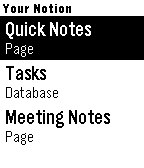
Tools & UtilitiesCapture notes by voice and run your Notion — right from your wrist. Notion Notes turns your Pebble into a voice-powered remote for Notion. Speak a thought, tick off a task, or open a page — all in a couple of button presses. 🎙 Voice capture Press, speak, confirm. Your words are saved straight to the Notion page or database you choose — a new note, a new task, done in seconds. 🗂 Your whole workspace, automatically Every page and database you share with the app just shows up. No URLs to copy, no IDs to paste — pick a target and go. ✅ Check things off Tick to-dos, checkbox columns, and status fields (Not started → Done) directly from your wrist. Your changes sync to Notion instantly. 🧭 Drill in Open databases to browse their rows, step into sub-pages, and dig into a row to see and edit the content inside it. 📝 Reads real pages Pages that mix notes, lists, and tasks stay readable — items are grouped into Tasks, Pages, and Notes so nothing turns into a wall of text. 🗑 Manage on the go Long-press any item for quick actions: open it, or delete it (safely — deleted items go to Notion's trash and can be restored). Set up in a minute Create a Notion integration, paste the API key into the app settings, and share the pages you want. That's the whole setup. Your watch. Your Notion. Hands-free.
 12
12Bullet Time
DailySmall Matrix client for the Pebble watches. Allows users to easily send and view messages from the pebble watch and connect it with any matrix account on any matrix server with no required companion apps. Isn't fully featured but allows for simple reading and sending. If you have any issues feel free to email me at finley@finbear.dev or make a git hub issue :) - Room View - Sorted By Recent Activity For Easy Access - Per Room Messages - Ability to send messages - Uses voice dictation - Full message view - Scrollable - Web Config
 12
12World Stripes
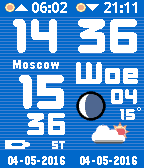
DailyThe ultimate World time clock for Pebble Time and Round. Configurable for 35+ cities/time zones, including half-hour offset zones. 3 color themes to choose from. Supports 3 favorite time zones. Cycle through the 3 favorites using up and down buttons. Push middle button for other functions. Compass included as extra function. Configuration menu on your watch. No need to use your phone for configuration. Other features: Supports 12/24 hour local clock Weather icon with temperature in C or F (local weather) Moon phase display Battery load indicator Local sunrise and sunset time Days of week in English, Dutch, French, German, Italian, Spanish and Klingon. A-Grade energy friendly (extremely low battery usage). BT disconnect warning (temp goes red with optional vibration) Keeps track of DST (US rules) and timezone date DST on dual time can be set to Automatic, On or Off. This watchapp comes with a bonus watchface. Both watchface and app for just $4.95 ! Download the watchface separately from the Pebble Store.