 10
10Just a Dash
NotificationsDaily alerts for your favourite KPI
 10
10Subte Buenos Aires
DailyCurrent status for all subway lines in Buenos Aires Estado actual de las lineas de subte en Buenos Aires. English Use this app to view the current status for all subway lines in Buenos Aires. This is still in beta. Please email me with any doubts or suggestions you may have. Don't forget to hit the ❤ button if you do. Thanks! :) Español Con esta app puedes ver el estado actual de todas las lineas de subte en Buenos Aires. Esta app está todavía en beta. Cualquier duda o sugerencia es bienvenida al email que está abajo. Si te gusta, no te olvides de darle un ❤. Gracias! :) Twitter: @bensmithperez
 10
10TSUBUTEGOE
Tools & UtilitiesTSUBUTEGOEは、日本の伝統色を使った、日本人向けのシンプルな音声メモアプリです。Pebble Time 2用に作られています。 時計の内蔵マイクとDictation機能を使って、タイトルと短いメモを声で入力できます——読み返すのにスマホ用アプリは必要ありません。メモは時計本体に直接保存され、日付順に並び、手首の上でそのまま確認・削除できます。画面には藍色・桃色・山吹色・桜色といった日本の伝統色をあしらい、落ち着いた和の雰囲気を演出しています。 なお、音声認識自体は時計に搭載されているDictation機能(音声認識エンジン)を利用しているため、対応していれば日本語以外の言語でも音声入力は可能です。アプリのインターフェース(画面表示)自体が日本語という位置づけです。 主な機能: タイトルと本文の2段階で音声入力できるメモ機能 自動的に新しい順で並び替え 確認ステップ付きでメモを選択・削除 日本の伝統色を使ったインターフェース ちょっとしたリマインダーや買い物リスト、忘れたくない思いつきのアイデアに——タイピングは一切不要です。 TSUBUTEGOE is a simple, Japan-inspired voice memo app for Pebble Time 2 — made with Japanese speakers in mind. Speak a title and a short note using your watch's built-in microphone and Dictation feature — no phone app required to read them back. Memos are saved directly on the watch, sorted by date, and can be reviewed or deleted right from your wrist. The interface uses a palette of traditional Japanese colors — indigo, pink, golden yellow, and cherry blossom — for a calm, distinctly Japanese feel. Since dictation is powered by your watch's built-in speech engine, you can actually speak in any language it supports — only the app's interface itself is in Japanese. Features: - Voice-to-text memos in two parts: title and body - Automatically sorted, newest first - Select and delete memos with a confirmation step - Interface styled with traditional Japanese colors Perfect for quick reminders, shopping lists, or fleeting ideas you don't want to lose — no typing required.
 10
10VastTid
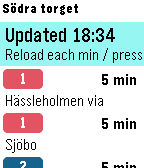
DailyPublic Transport app for West Sweden transport system (Västtrafik), showing the next departures (bus, tram, train and boats) in real time from the selected stop. The app uses the phones gps location to list the ten closest stops to you. It is also possible to set up to ten favorites (in phone settings). For the favorites you can optionally set up to three directions for each stop, then the app will filter the departures to only show those passing the stop you entered as direction.
 10
10PID departures
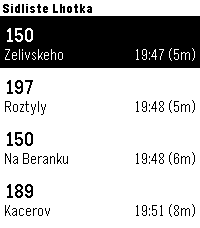
Tools & UtilitiesQuickly check upcoming departures from Prague public transport directly on your Garmin watch. The app allows you to save up to 5 favorite stops and easily switch between them using a long press of the Up button. If you prefer automatic detection, you can enable GPS mode, and the app will automatically display the 5 closest stops near your current location, so you don’t need to configure anything manually.The app uses the Golemio API, the official open data platform for Prague Integrated Transport. To use the app, you need to create your own API key: 1)Sign up to the Golemio api dashboard. 2)Generate your personal API key. 3)Enter the key in the app settings. Create your key here: https://api.golemio.cz/api-keys/auth/sign-in If you find the app useful and would like to support further development, you can buy me a coffee: https://buymeacoffee.com/alex_pavlov
 10
10Farkle-Solo/Pass&Play
GamesChoose 1-6 Player, pick an icon and randomize turn order. Keeps Score, auto selects, and registers High score with minimum turns. Hold Down anytime for reminder of scoring rules, or hold up to see players/order/score.
 10
10Chainsaw Time!
GamesSorry that this is kinda poor quality! This is a test run, so I'm mostly just seeing how this all works.
 10
10Sensor Suite
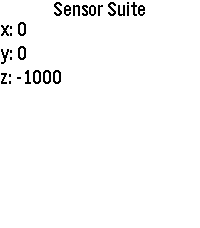
Tools & UtilitiesA simple app to show some of the sensor data on Pebbles. Currently only shows accelerometer and compass data but hopefully more can be added. Very much a WIP.
 10
10OnOffHue
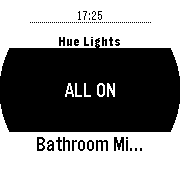
RemotesControl your hue lights from your wrist.
 10
10Quotes
DailyGet a quote or one liner every time you press the button.
 10
10Explore
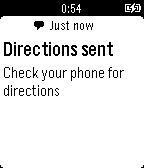
DailyExplore for Pebble lets you browse nearby venues on your watch. Explore provides you with detailed information about venues like rating,distance from your current location and address of the venue. You can also forward venue directions to your Android Phone from your Pebble Watch. (Requires the Android Companion App to be installed)
 10
10CommandWear Communicator for Pebble
NotificationsCommandWear is a simple-to-use, mobile, scalable and affordable platform that integrates smartphones, wearables, tablets and networks to improve situational awareness for emergency responders who must keep their eyes, ears and hands on the job at all times. The Pebble Communicator App gives first responders tactile feedback of incoming messages improving communications in noisy conditions or when responders are unable to reach their phones. In conjunction with the Smartphone Communicator App, the Pebble Communicator App provides • An intuitive and simple interface for receiving and sending messages; • Simple one-touch acknowledgement of messages to assure communications; CommandWear is designed to work with a public safety agency’s existing technology (e.g. desktops, laptops, tablets and smart phones). There are three components to the platform. • The HUB is a highly scalable, secure server for tracking and logging all movement and communication. • The Commander App runs on tablets or desktops and provides situational awareness in the field or operations center. • The Communicator App runs on the smartphone of the First Responder.
 10
10BigCounter
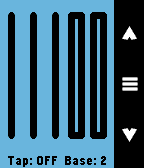
Tools & UtilitiesCount anything using the whole Pebble screen with BIG NUMBERS. No more small counts, no more small numbers. Features: * Self adjustable BIG NUMBERS. * Select your base, from base 2 up to base 16. * Count with accelerometer taps. * Automatically increase base on count overflow.
 10
10Open Bike Sharing
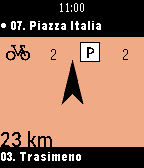
Tools & UtilitiesUse your local bike sharing system with Open Bike Sharing to find the closest station according to your position. Open Bike Sharing use an easy to use design to look after stations in a glance. More than 400 cities are compatible with Open Bike Sharing, indeed it use the data from http://citybik.es/ to be accessible to everybody. Open bike sharing is an open source project.
 10
10Hug Counter
Tools & UtilitiesCount down from a set number of hugs! Make sure your loved ones get all the hugs they ask for.