 8
8WatMoney
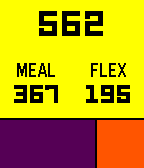
DailyView your University of Waterloo WatCard balance from your wrist. Total at the top, broken down into meal and flex balances below. Not affiliated with the University of Waterloo.
 8
8Flex Timer Plus
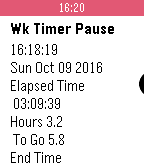
Tools & UtilitiesThis is a Timer App specifically created for people who work Flex Time. Very handy for people that don't have an exact schedule for work. Work Timer logs events and can be viewed in settings page, no companion app required. Also includes Other display options for GMT, Health Steps and Weather. Change color of everything! All colors can be changed in the settings page. Normal use case would be to start the Work Timer when you arrive at work, pause it when you go to break. Keeps track of current break and total break time. Then, when you get to enough hours for the day, go home. To enable the Weather options you will need an API key from Open Weather Map You can get a free API key here: https://home.openweathermap.org/users/sign_up
 8
8Smart Stuff
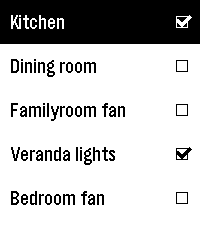
Remotes[The latest version now has support for OAuth 2.0 and creating your own Token, etc., is no longer needed. Go to Settings and if you don't see the SmartThings login page, toggle "Reset", hit "Save" and re-enter Settings again.] Control SmartThings devices and device groups from your watch. Support for Scenes will be coming later. Simple intuitive interface. "Smart Stuff" has a simple list of devices and device groups, automatically sorting the most frequently used to the top. You can also configure a SmartThings group of devices which you do NOT want to control from your watch, in order to simplify things even more.
 8
8Bitcoin Tracker
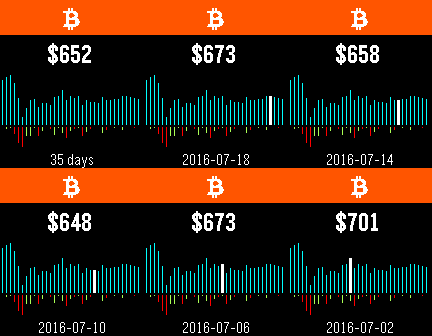
DailyKeep an eye on the current and past Bitcoin values (support multiple currencies)
 8
8Track Meter 2
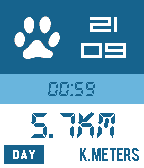
Health & FitnessSimple trackmeter for my dog travelling...;) UP ... Day/Trip SELECT ... Stopwatch/Battery LONG SELECT ... Reset DOWN ... Meters/Steps/K.Meters (only for Basalt platform!)
 8
87-Minute Workout
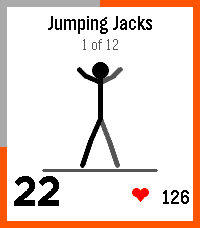
Health & Fitness7-Minute Workout I wanted a Pebble version of my daily exercise. This is the well-known 12-exercise high-intensity circuit for the Pebble, courtesy of Claude Opus 5.5. Includes animations to show the exercises, voice instructions (in 6 languages) and progress tracking. Features: - Two programs: Classic (12 body-weight moves with a chair and a wall) and Advanced (8 dumbbell moves designed by Mark Verstegen of EXOS). - Animated stick figures demonstrating the exercises - Countdown ring - Vibration and spoken cues on watches with a speaker (option of beeps or none) - Live heart rate on watches with a sensor, plus average and peak at the finish. - History: streaks and a calendar on the watch, a 16-week heatmap in the phone settings. - Optional daily reminder silenced if training occurs. Customisation: - 30, 45 or 60 seconds per exercise; no rest or 5 to 20 seconds between. - Reorder, remove or double up exercises, e.g. to protect an injury. Mix classic and advanced moves. - English, French, German, Spanish, Italian and Portuguese localisation. The on-watch voice defaults to English. Save on the settings page to push a non-default voice to the watch (give it a bit, it might take 20-30 seconds). The voices are local to the pebble app install, not hosted remotely. Loading the voices pushes the limits of the pebble storage a little, especially with the limit on KV size. Compatibility: Tested on the Time 2. For other pebbles, tested in emulator, should work fine. Voice needs a watch with a speaker (Time 2, Duo), heart rate needs sensor (Time 2, HR). This is a well-known exercise routine that most people should be able to do (the classic version that is), but of course use common sense. If something hurts, stop (maybe look up how to do pushups safely). Also some exercise routines do the last plank as 30 seconds on each side. Just add another rep in settings and ignore the half-time switch if you want that. CREDITS - Built by Claude Opus 5.5 with requirements, testing and feedback from me. - Classic workout: Klika & Jordan, "High-Intensity Circuit Training Using Body Weight", ACSM's Health & Fitness Journal (2013). - Advanced workout: Mark Verstegen / EXOS (2014). (Both popularised by The New York Times.) - Voices: Piper text-to-speech (Open Home Foundation) with en_US-ljspeech-high fr_FR-siwis-medium de_DE-thorsten-high es_ES-davefx-medium it_IT-paola-medium pt_BR-faber-medium - Audio compressed with QOA, the "Quite OK Audio" format by Dominic Szablewski.
 8
8The Marine Corp
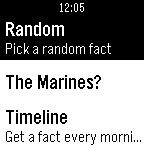
DailyAn app that tells you everything about the Marine Corp. Also, you can get a fact evey morning on your timeline.
 8
8STIB/MIVB
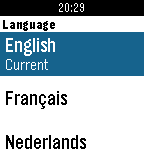
DailyGet real-time data from the STIB/MIVB right on your wrist. Current features include all those from the official app: - Nearby stops: display waiting times for stops near you - Favourite stops (long press the select button on a stop to add it to your favourites) - All lines: check arrival times at any stop Waiting times at a given stop can be refreshed by flicking your wrist. The language can be set to either English, Dutch or French in the settings. Tweet feature suggestions to @PLPeeters.
 8
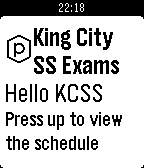
8KCSS Exam Schedule
Tools & UtilitiesKing City Secondary School Exam Schedule for 2016
 8
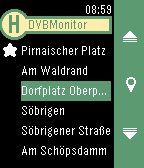
8DVBMonitor
DailySupports English and German. Lists the next departures on the closest DVB station (Dresden area). Mark stations as favorites to select them or other nearby stations later. Deutsch Zeigt die nächsten Abfahrten der nächstgelegenen DVB-Haltestelle (Dresden) an. Markiere Haltestellen als Favoriten, um sie oder andere nahegelegenen Stationen später anzuzeigen.
 8
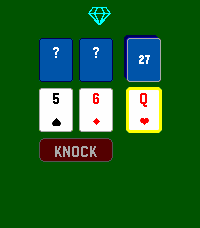
8Golf-Card Game
GamesPass & Play 2-6 Player Golf Card Game Get the lowest score! Pass the watch around to take turns. Hold up to see everyones standing, hold down to see the last turns made. Look at my other Pass & Play games.
 8
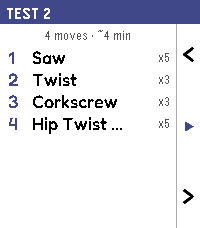
8Pilatable
Health & FitnessGuided Pilates mat workouts on your wrist, paced by your breath. Pilatable turns your Pebble Time 2 into a calm, glanceable Pilates coach. Instead of staring at a screen, you follow your breath: the watch leads every inhale and exhale with gentle vibrations, so you can close your eyes and stay in the flow. One buzz means breathe in, two buzzes mean breathe out, and each exercise follows its own breathing rhythm. HOW IT WORKS Build a session on your phone, then run it hands-free on the watch. The watch keeps your last session, so you can practice even when your phone is in the other room. ON THE WATCH Open the app and review your session first: the moves, how many, and roughly how long. Press the middle button when you are ready to begin. During each rep a breathing ring expands as you inhale and contracts as you exhale, with a clear count in the center and your cycle progress below. A short, natural pause sits between reps, with a little extra time when you need to catch your breath. Between exercises a countdown shows your rest and the move coming up, then the workout carries on by itself. The three side buttons handle everything: previous move, pause and resume, and skip. No tapping required. ON YOUR PHONE Open the app settings to plan your practice. Browse all 46 classic mat exercises, grouped into six chapters and filtered by level, from Fundamental to Advanced. Set the reps, pace, and rest for each move, choose your vibration cues and their intensity, and turn on a 3, 2, 1 lead-in before each set. Keep several sessions on hand and pick which one to send to the watch. GETTING STARTED A ready-made Daily Flow session is built in, so you have a balanced, chill but challenging workout from the very first launch. Works offline once a session is on the watch; your phone is only needed to change the workout. CREDIT App icon: Pilates icon by Freepik on Flaticon (https://www.flaticon.com/free-icon/pilates_2320695), used under the Flaticon Free License.
 8
8TipCal
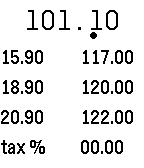
Tools & UtilitiesSimple Tip Calculator for standard 15%,18%,and 20%. Click UP and DOWN buttons to increase or decrease digit amount. Click Select to select another digit. Toggle round total by long clicking Select button. Toggle tax area by long clicking down button. tax value has persistent storage
 8
8iPostcode
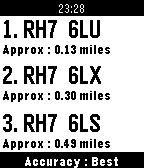
Tools & UtilitiesiPostcode shows you the three nearest UK postcodes to your current location and ranks them by distance. The full postcode is displayed along with the approximate distance (in miles) you are from the postcode.
 8
8Pokedex Tracker Gen 1 (Red, Blue & Yello
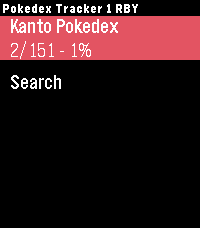
Tools & UtilitiesKeep track of your captured Pokémon from the original Generation 1 games right from your wrist. Featuring the complete set of all 151 Pokémon from the Red, Blue, and Yellow versions.