 7
7BSO Baseball Indicator
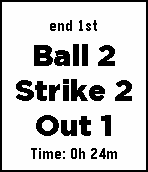
Health & FitnessThis Pebble app tracks balls, strikes, outs. [Back] to undo. [Up] to increase balls. [Select] to increase strikes. [Down] to increase outs. When you press the [Back] button to return to the previous indicator . If you press the [Select] button after three strikes , it increases the out count . When you press the [Down] button after three out , all the indicators are initialized .
 7
7Life Tracker
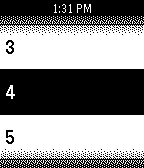
Tools & UtilitiesTrack life totals of each player in a game of Magic the Gathering: 1-1 or multiplayer regular games (up to 10 players), two-headed giant, or commander (up to 10 players). In this version commander damage is not supported. It will be in a update.
 7
7BusPebbIL
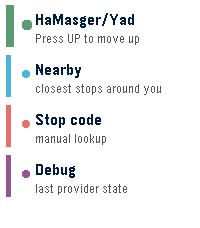
Tools & UtilitiesInitial Rebble Appstore release for Pebble. Includes live Israeli bus arrivals, favorite stops, nearby stop lookup, manual stop-code lookup, cached fallback data, configurable settings, hidden diagnostics, and first-run button guidance. Use Up/Down to move, Select to open or refresh, Long Select to save/remove favorites, and Back to return home. The app is entirely vibe-coded - use at your own risk
 7
7POTA Pebble
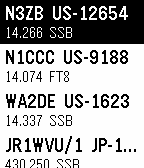
Tools & UtilitiesShows you the latest POTA spots. You can filter by band and mode.
 7
7MiniMax Balance
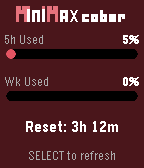
Tools & UtilitiesA Pebble watch app that displays MiniMax Code Plan usage balance. - 5h limit usage percentage with progress bar - Weekly limit usage percentage with progress bar - 5h window reset countdown - Press SELECT to refresh manually - Settings page: API Key, Region (China/Overseas), Theme
 7
7Ventilate
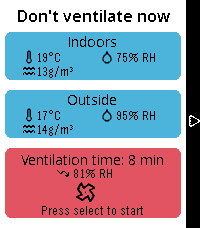
Tools & UtilitiesCalculate an optimal time for shock ventilation using sensors from Home Assistant. It calculates absolute humidity, tracks the time on your wrist and gives a summary of the results.
 7
7CanIMakeIt
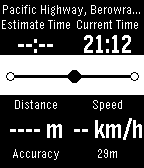
Tools & UtilitiesWondering when you will get to the station everything when you rush out your home? This is a tool for you. CanIMakeIt shows you the distance to your destination and base on your current to calculate when you will be there. But remember this use a very simple algorithm to calculate, don't relay on this, judge by yourself. How to use: You need to be the location you want to go to, for example, the train station you normally commute to. Mark your current position as you destination. At the moment, this is the only way to set your destination. Next time, when you want to travel to this station(destination), you can just select the location you that you mark in this watch app. What you will see is the distance to your destination, and the estimate arrival time base on your current speed. Note: the speed and estimate arrival time is calculated with a very simple algorithm. It's for your reference only. How this works (algorithm) Based on three points. Start point, the position you lunch this app. Current, the position getting from GPS. Destination, the marked position. Your speed = distance of start to current / time Estimated Arrival Time = distance to destination / Your speed Note: Just this simple, it assume you are directly heading to your destination, so it's not accurate at all. Features: * Get the address of current position. * Calculate the time to destination. * Option to turn off enableHighAccuracy, can be used to save battery. * Vibrate when ETA changed Shows GPS accuracy
 7
7codey
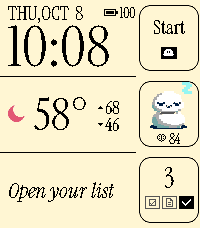
Dailycodey is a personal assistant, powered by codex. Check your calendar, the weather, check off TODOs, or query/instruct your codex agent, all from your wrist. Run the codey-server on your Linux or macOS machine alongside the codex app-server, then use codey as your watchface -- or bind to a "hold" shortcut from your watchface. Dictate to control codex or to take actions on your Pebble such as: - Add a todo ("TODO: blah" or "Set a TODO: blah") - Make a note ("Note: blah" or "Create a note: blah") - Make a calendar event ("Calendar: blah") 7
720 Seconds Timer
Tools & UtilitiesThis app can support to your habits by the "20 Second Rule" psychology. The timer starts from 20 seconds automatically when you launch the app. When the count reaches zero, the app will end with vibrate. This app is useful if you add the shortcut. For example, you could end bad habits by waiting 20 seconds before doing it.
 7
7Formula 1 Standings
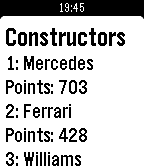
DailySimple Formula 1 app that list the current standings for Drivers and Constructors Championship.
 7
7Softball/Baseball Umpire Clicker
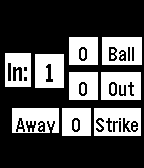
Tools & UtilitiesA simple ump clicker for softball UP increments balls SELECT increments outs DOWN increments strikes If BACK is (single) pressed it will take you back to the last state (i.e. if 4 balls so a walk, will take back to 3) or if 3 outs (which changes innings) will take back to 2 outs. After 7 innings it's possible to press SELECT when TIE? is displayed and then the game can continue.
 7
7ParkingDoor
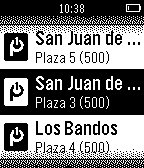
RemotesOpen your Parking with your Pebble, secure, you will forget your remote and will be able to easy share your parking access. It's easy: Your mobile or smartwatch is the only thing you need to open your Parking door It's secure: ParkingDoor ensures that only you and your invited guests have access to your Parking You share: Invite a friend or whoever to open your door, always under control, with limited access based on the time slot you define You save money: Forget your old remote, its battery and so expensive copies. With ParkingDoor app you can invite any family member, tenant or friend using his email and defining the time slot you want to grant access for him. Always under control. You can revoke that permission at any time, immediately, real-time. Your guest will only need his phone to enter your parking. You will have a detailed log of all your parking opening events made by your guests. ParkingDoor will improve your life: -FOR GRANTING TEMPORAL ACCESS TO YOUR CLEANING PROVIDER With ParkingDoor you can grant temporal access to your cleaning company or any other provider. After their allowed slot they will not be able to open the door. And always under your control. -FRIENDS COMING TO THE CITY? Using ParkingDoor you will be able to grant access for them to your empty lot. You can be wherever. -GOT A TENANT? With ParkingDoor you can grant temporal access or long term access without having to let him a remote or a key, ask him for a deposit, etc. And when he leave the rental lot, he will not have access to your parking.
 6
6Who's Next
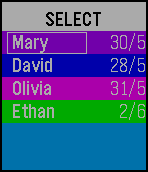
Tools & UtilitiesA simple app to keep track of whose turn it is next. Tracks up to six names. Hold down the select button to change modes, press to perform the selected action. SELECT: Moves the selected name to the bottom of the list and adds the current date (D/M). VOICE EDIT: Opens Dictation for adding names. EDIT: Opens the keyboard for the selected name. Multi click to cycle through the keyboard. Long press the upper button to switch between upper and lower case. COLOR: Opens the color selector for the selected name. Hold down the select button to switch between basic and full color palettes. Click to select a color. ADD: Click select to add a new name to the bottom of the list. DELETE: Delete the selected name. RESET: Reset the order to default. DATE FORMAT: Swap between D/M and M/D format for the date. (Added in v1.1)
 6
6Wat hier?
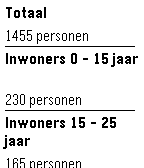
DailyOnly operates correctly in The Netherlands. Vraag gegevens op over je huidige locatie, o.a.: - statistische gegevens over de buurt - luchtkwaliteit - adres
 6
6BitcoinToday
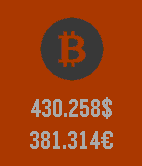
Tools & UtilitiesBitcoinToday displays and monitors the current BTC exchange rates. You can set custom refresh interval and display USD and EURO rates.