 6
6SG Bus
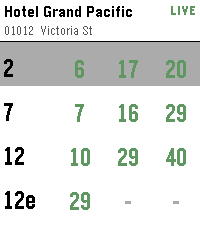
DailySingapore bus arrival times on your wrist. Find bus stops near you using your phone's location, or open a favourite stop to see live arrival times. Tap a bus service for the next few buses, including crowding and vehicle type. Long-press any stop to add or remove it from your favourites.
 6
6roll dice 2
Tools & Utilitiesroll a d20. it rolls a d20. like a d6 but 14 more sides. or like a d4 with 16 more sides. or like a d2 wi
 6
6NashNav
DailySee Nashville like never before! Rediscover what makes this city so amazing with this easy to use travel guide.
 6
6Helpdesk Dashboard
Tools & UtilitiesDashboard for JitBit helpdesk (account required) Displays number of 'N'ew, 'P'ending and 'U'nclosed tickets: total / mine. Select button for refresh. V1.2 Disclaimer: Not affiliated with JitBit in any way. Changelog: 1.2 fixing Javascript code to work on IOS 1.1 improved bt transfer error handling
 6
6Cigarette Tracker
DailyAn app to track cigarette smoking. (Vibe-coded and WIP, expect breaks/issues)
 6
6Signals
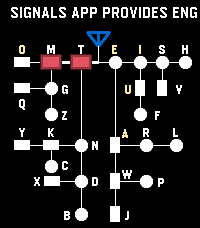
Tools & UtilitiesSignals - Touch, Hear, Learn Practice English and Korean Morse code on your Pebble Time 2. Enter code by touch, hear each mark, replay saved sentences, and clear advancing letters in Game Mode. Korean practice requires a Korean language pack. --- [Touch input] By default, the bottom half of the screen enters dots and dashes; the top half completes characters and adds spaces. A short touch makes a dot, and a longer touch makes a dash. - English: Tap the completion area to finish a letter. Tap again with no pending letter to insert a space. - Korean: Tap to finish a consonant or vowel, then tap again when the syllable is ready to commit it. Tap with no pending input to insert a space. Turn Explicit Boundary Input (EBI) off to use the whole screen for marks and let pauses finish characters and words automatically. The phone Settings page lets you change the touch areas and assign the Cancel Character and Clear All Input buttons. --- [Practice buttons] - DOWN: Switch between enabled English and Korean codes. - Double DOWN: Toggle sound temporarily. - Hold DOWN: Enter Game Mode. - BACK: Exit Signals. - Double BACK: Open MENU. - UP: Cancel the current character. - Hold UP: Clear all input. - SELECT: Replay the remembered sentence. - Double SELECT: Remember the current sentence. - Hold SELECT: Clear replay memory. Press SELECT during REPLAY to stop playback. --- [MENU and timing] Use UP and DOWN to navigate, SELECT to change an option or open a submenu, and BACK to return. MENU includes WPM, Seconds to keep Light On, Speaker Volume Level, Farnsworth Timing, Explicit Boundary Input, Morse Codes, and Game. WPM cycles through 5, 10, 15, and 20; the default is 10 WPM. Speaker volume cycles through OFF, 20%, 40%, 60%, 80%, and 100%. This saved volume setting is separate from the temporary double-DOWN sound toggle. Farnsworth Timing keeps dots and dashes at the selected WPM while making character and word gaps four times longer. REPLAY uses Farnsworth spacing whenever it is enabled, regardless of EBI. In practice and Game Mode, it affects timed character completion and spacing when those options are in use. --- [Game Mode] 1. In practice, double-click SELECT to remember a sentence. It is also sent to the phone's saved sentence list. 2. Open MENU → Game → Fetch Sentences to load saved sentences onto the watch. Set the sentence count and game speed options in the same submenu. 3. Hold DOWN to enter Game Mode, then touch the screen to start. Enter Morse code to remove the rightmost matching visible letter before it reaches your input position. 4. Clear every letter to win. View your game history and typing speed in the phone Settings page. During a game, DOWN switches enabled codes, double DOWN toggles sound, BACK or hold DOWN returns to practice, and double BACK opens MENU and pauses the game. You can also type a sentence in the phone Settings page and send it directly to the watch for REPLAY. To add that sentence to the phone's saved Game list, display it in practice and double-click SELECT
 6
6Pooble
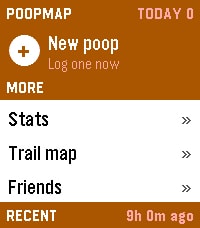
Health & FitnessPooble, an unofficial client for PoopMap Log a poop from your wrist. Rate it, dictate a note, and it lands on your map with the time and the place. LOGGING Pick "+ New poop". UP/DOWN sets a rating from 0.5 to 5.0, SELECT submits. Hold UP to dictate a voice note, or hold DOWN to set an exact time for logging after the fact. The home list shows date, time, rating and note, plus today's count and how long it's been since the last one. SELECT opens an entry, SELECT again edits it, and holding SELECT twice deletes it. Optional: auto place tags. A new log takes its place name — Home, Work, wherever — from your nearest saved place within 500 m. The coordinates stay live; only the label is borrowed. TRAIL MAP Every stop you've logged, plotted. UP/DOWN walks them in order and SELECT zooms. Hold UP for region mode, which jumps between areas instead of stepping through every stop. Hold SELECT to hide the connecting line. Optional: the map layer draws real streets, rivers, coastline and state lines behind your stops. It sends a box around the areas you've logged to a third-party OpenStreetMap server (overpass.openstreetmap.fr, in the EU) — approximate coordinates only, no account details and no note text. Data is cached on your phone for 30 days and cleared when you log out. Switch it off in settings for a plain grid, and nothing leaves the phone. FRIENDS AND STATS Your friends' recent activity, with ratings and notes. SELECT leaves a dictated voice comment; hold SELECT shows that friend's stats. Your own stats run to four pages, SELECT to flip between them: - Numbers — today, this week, month, year and lifetime totals, average rating, daily average, current streak and personal best. - Cadence — your distribution by hour and by weekday, the time of day you typically go, and how tightly that clusters. - Rhythm — when the next one is due, your typical gap, how regular you are, and your quickest turnaround and longest wait. - Windows — the six windows of the day, how many land in each, and the grade each one tends to earn. The launcher shows today's count and time since your last log, updating without opening the app. SETUP Requires a free PoopMap account. Log in once from the app's settings page in the Pebble phone app. Trail, Friends and Stats are on out of the box; each can be switched off there, and you can move them above or below your recent logs. This is a first release and it's experimental. Screens, settings and defaults may move between versions. If something breaks or looks wrong, report it through the developer contact screen on this listing. Pebble Time 2. Phone required for syncing.
 6
6Brew Finder
Tools & UtilitiesFind bars nearby!
 6
6Relevant
NotificationsRelevant (companion app required) selectively pushes Android notifications you don't want to miss to your Pebble. No more constant buzzing on the wrist every time a new notification shows up on your phone. The companion app lets you customize Relevant's filters to include People and Rules that you care about.
 6
6Deadliner
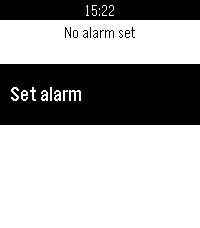
Tools & UtilitiesZeno's paradox for alarms
 6
6Big Time Bangla
DailyBangla version of the popular watch face Big Time
 6
6QuantLove
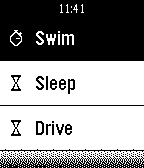
Health & FitnessTrack your activity using timers, stopwatches, and counters. View graphs and analysis on your phone including location mapping.
 6
6TwistWrist
Tools & UtilitiesTwistWrist brings the classic board game back to life and into the digital age! Download now and experience the power of having a Twister Spinner on your wrist!
 6
6Kicker App
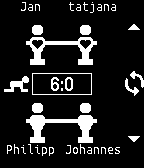
DailyAll your foosball matches on your wrist. Create your own league at http://kicker.cool
 6
6CycleSerein
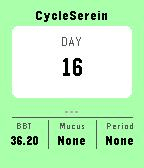
Health & FitnessCyclesSerein is a companion app to track basal body temperature (BBT) for natural family planning. Features - Daily log your BBT temperature, mucus and periods. - View you current cycle BBT graph. Setup & Requirements It requires the installation of the main mobile app.