 155
155movement
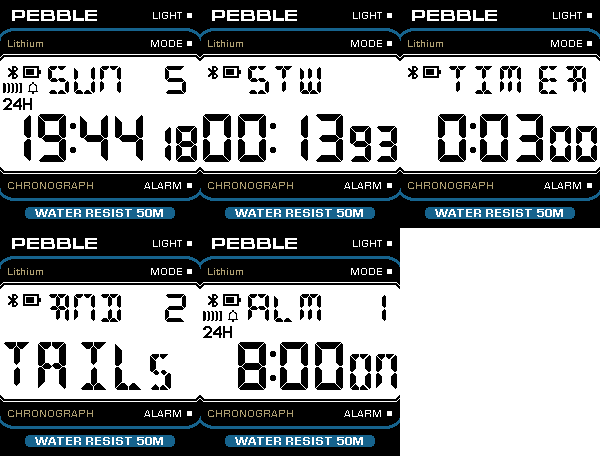
DailyThis is not just another Casio like watch face, this is the actual firmware of the open source F-91W "sensorwatch" board running as an app inside a Pebble watch. Includes several interactive complications that can be used without a phone. Cycle through the complications with the SELECT button: 1) Time and date (with quick countdown timer) 2) Alarm and hourly chime 3) Stopwatch with 1/100s accuracy and lap time 4) Countdown timer 5) Dice roll (2, 4, 6, 8, 10, 12, 20, 100 faces dice) The following can be configured: - Title at the top (PEBBLE by default) - LCD display background and color - Power saving (how long before the display enters slow refresh rate mode) More: - Pixel perfect LCD digits rendering. - Supports any Pebble platform, from the original to the Time Round 2. - Power efficient
 154
154Glympse
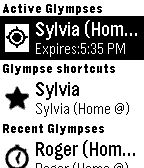
Tools & UtilitiesGlympse is the easiest way to safely share your location with someone in real time. Recipients receive a link allowing them to view your ETA and location in real-time for the length of time you choose. When the timer on your Glympse expires, your location is no longer visible. Best of all, recipients can view your Glympse on any device with a browser.
 153
153Flight Track
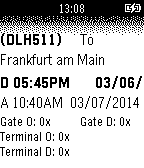
Daily- Used information from FlightAware - Track for 3 tracking code with persist data. - With configuration view. - Need Internet connection. - More feature coming if this has a future. - Need feedback for testing if the information is accurate .
 153
153ledongli
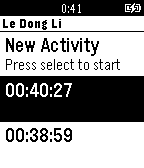
Health & FitnessFitness tracking app that tracks walking and running. No Pebble Companion app required.
 151
151Battery Monitor
Tools & UtilitiesA simple battery monitor Hint: You can toggle the text with the middle button
 151
151QuickFit - Fitness and Sleep Tracker
Health & FitnessAn optional companion app (android) is published now. Link: https://play.google.com/store/apps/details?id=de.doublequick.hans.QuickFit - Step recognition - Sleep and deep sleep recognition - 3 Modes for sleep window. Automatic, static (fixed times in the setup), Manual (Start and stop on the watch) - Recognition for Riding your bicycle (Calibration is required) Steps, Time of bike riding, Sleep and deep sleep are saved for 31 days on the watch. Currently 2 diagrams shows the weekly progress of the above data. And of course included is DITO. Depending on the daily Count of steps / Bike riding or your sleep Quality he will show his feelings like a tamagochi. So make him happy and cause him to jump, if you reached the desired Goal. All Settings can be done directly on the watch. There is also the possibility to do the configuration from the mobile.
 150
150Tasks.org
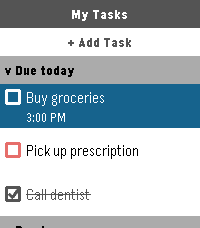
Tools & UtilitiesThe official companion app for Tasks.org. Manage your CalDAV, Google Tasks, and Microsoft To Do lists directly from your wrist.
 149
149Calendar
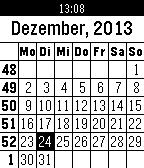
Tools & UtilitiesInternational Calendar. Monthly view including the week number. Localization configurable for over 300 countries/language presets.
 149
149SMS Voice II
NotificationsYou will reply to texts quickly and safely using your voice! Use your SmartWatch with your Bluetooth headset! Functions: - Listen to incoming texts - Display the contact list of the last ten texts received - Select contact and listen to the last text received - Dictate text using the Speech Recognition - Display and listen to the dictated text - Repeat the text if it is wrong - Send text
 149
149PokeHunt
Tools & UtilitiesHunt down nearby Pokemon! See directions to Pokemon around you, get notified when new ones pop up, and represent your team! Check out the settings page to customise your team and change your notification & filter settings. In the app, use the up and down buttons to scroll through pokemon, and the select button to pin and unpin. Hold select to dismiss a Pokemon, and hold up and down to change the priority. Shake your wrist to toggle between pokemon location, name, and current time. If no pokemon are nearby matching your filters, will show your team colours. Check out PokeWatch for the watchface version of this app, sans scrolling. PTR/OG Pebble support coming soon. See https://github.com/tetrapus/PoGoPebble/releases for pre-release builds for those platforms. Suggestions, patches and bug reports very welcome!
 148
148Course GPX
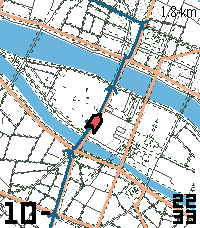
Tools & UtilitiesOffline GPX navigation and maps for hiking, biking, or just any time you want to stay on track. Features: - Fully offline GPX nav - paste any GPX file into the settings. - Multi-segment tracks are now supported. - Cached maps from OpenStreetMap - loading a GPX file will save map tiles along the route for offline use. Maps will also be loaded as-needed if an internet connection is available. (Map tiles are off by default and can be enabled in the settings.) - North-up and forwards-up modes. - Off course alert - vibrates your watch when you leave the loaded track. - Back-to-track pointer - shows the way to the course if it's off-screen. - Optional overlays for: distance remaining (current track segment), map scale, speed, compass, and clock. - Zoom out/in by pressing up/down. - Turbo mode - temporarily increases refresh rates when you press the Select (center) button. - No companion app needed. - Supports every Pebble, from OG to Round 2. Please Note: - Maps may be out of date, incomplete, or have technical problems - do not stake your safety on the accuracy of this app, and always have a backup way to navigate. - Changing the tile server setting will clear any saved map tiles. - Pebble does not have a GPS, so this app will not work without your phone. - Large GPX tracks may run into memory limitations - I recommend keeping tracks to ~100 km/60 mi/2500 track points. - Map tiles in dense city centers (e.g. Venice, Shanghai, HCMC) may be too large for the watch and not load, especially on OG Pebbles. (You will still see the GPX track.) - For best battery life, lengthen the GPS update interval in the settings. Acknowledgments: - OpenStreetMap - map data - Protomaps - PMTiles - On The Go Map - planetiler - Tjeerd Ytsma (KOERS) - inspiration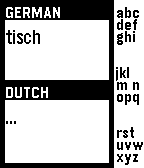 148
148Translator
Tools & UtilitiesAn amazing watch app you can use to type your words (right on your watch!) with the 3 buttons on the right thanks to the tertiary text system. Write multiple words too and then long press the middle button and the translation will be displayed. Long press the down button to cancel or long press the up button to view settings and change the destination and the source language!
 147
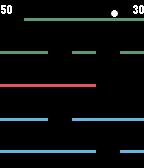
147Falldown
GamesFalldown is a game about steering a falling ball around walls of bricks. You steer with the UP and DOWN buttons or, optionally, by flicking your wrist. Your objective is not to let the ball hit the top of the screen. Like all classic video games, you will eventually lose as the increasing speed of falling takes its toll. Try to get the highest score you can before it's all over!
 146
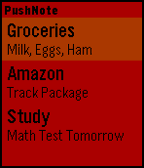
146Push Note
Tools & UtilitiesPushNote allows you to push notes to your watch from the settings page. The notes save to the watch and can be viewed later without even having the phone connected. To delete a note: Hold select To hide notes: Click select Coming Soon: -Rearrange notes
 145
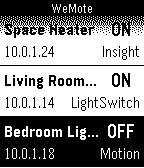
145WeMote
RemotesA remote app to flip your WeMo switches from your wrist. Works with all WeMo products. WeMote requires the Ouimeaux REST API running on a computer on the network to be able to work. Guide to install Ouimeaux: http://ouimeaux.readthedocs.org/en/latest/installation.html