 40
40BlueBubbles
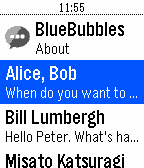
DailySend iMessages using your Pebble smartwatch! BlueBubbles works independently of the smartphone you have. This works with both iOS and Android! # Requirements 1. A Pebble smartwatch (w/ microphone, for now) 2. A Rebble voice subscription 3. A BlueBubbles server See the Source Link for more info!
 40
40Pokemon Challenge!
GamesExplore the Lake Forest area while searching for Pokemon! Find all 151 Pokemon scattered throughout the city. Requires GPS Only for Lake Forest, USA. Feel free to fork and modify the game for location from my Github: https://github.com/vgvbach95/UIUCPokedexChallenge Controls: Use "Select" to switch between the Pokedex the "Throw Pokeball" screen. Click "Down" to throw a Pokeball. Click "Down" after succeeding/failing to find a Pokemon to return to the Pokedex screen. Navigate the Pokedex using the up and down buttons. Credits: All assets are from shutdown27's original 'Pebble Pokedex'. No official relation to Nintentdo/Game Freak/Pokemon.
 40
40Splatime Monitor
DailyUPDATED 07 FEB 16 Splatime Monitor is a daily utility app that reports the current and upcoming maps in rotation for the Wii U game 'Splatoon'. Using pebble.js and the splatoon.ink API, the app reports the current maps and the maps for the next 2 rotations, mirroring the information available at splatoon.nintendo.net. DISCLAIMER: Since this app pulls data from an external API, it will not function properly if it is disconnected from your phone or if your phone cannot connect to the internet. With the v2.2 update, much of the app's backend has been restructured to handle the current structure of the Splatoon.ink API's response data, and the app's image handling has been updated to work under current firmware's new bitmap handling. Current features include: - Color distinction for Random and Ranked maps (Basalt only, Aplite support upcoming b/c WOO GRAY) - Shake to refresh maps (The app currently also refreshes its map data any time it's closed) - Autodetection of your local time zone and proper time adjustment - Error handling for Splatfests or splatoon.ink request failures - 100% more WOOMY! For any problems or bugs with the app, please let me know! This is my first watchapp, so I appreciate the feedback. You can reach me through the email link below or you can message me directly on Reddit: /u/greater_nemo. If you'd like to support Splatime Monitor or future apps, feel free to donate at paypal.me/greaternemo . I do my coding in my free time, so any little bit is appreciated. :)
 40
40SnowSki
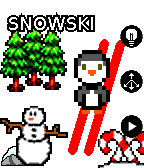
GamesPixel Penguin skis downhill avoiding trees, rocks, snowmen and other miscellaneous obstacles. Tilt the pebble to steer down the hill. You get 3 lives, and every 100 points things get faster. All graphics assets are from OpenGameArt.org under the CC0 or CC-BY-SA-3.0 licenses
 40
40Quick Pickup Lines
DailySee that beautiful guy/girl and can't think of an line to break the ice? Look no more! One quick look at your wrist will have him/her falling for your charm!
 40
40Home Assistant on your Wrist
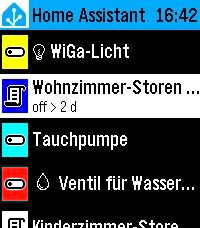
Tools & UtilitiesEasy access to your Home Assistant instance This is a fork of "Home Assistant WS" but enhanced with many new features: - Easy Favorites Pinning - Edit the favorites directly on the smart phone - Favorites Colors - Assign colors to your favorites for easier handling - Security - The Home Assistant Token is only stored on the watch (not sent to the remote configuration page for security hardening) - Backup and Restore - Settings import/export for easy backup and restore - UI enhancements
 40
40Meetup
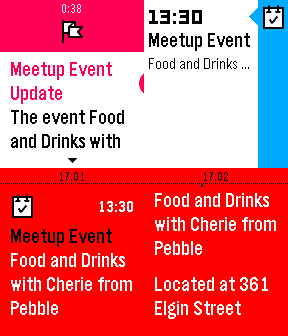
NotificationsKeep on top of the upcoming Pebble & Other meetup events/groups in your area! Actions include: - View Pebble meetup groups, world wide! - View upcoming Pebble meetup events within a configurable distance! - View Configurable meetup groups, world wide! -View upcoming nearby meetups for those custom groups! - View the other members in the meetup groups. - View events for a specific group. - Fetch specific event information, including location, address, time, etc... - Pin Events to timeline - Subscribe to groups to get notifications about all upcoming events - Subscribe to all events (in app settings) to receive notifications about all upcoming events - Receive timeline reminders 1 day and 1 hour before the event - Configurable location so you don't have to rely on your phones GPS, if you wish pebble not to know your GPS location (version 1.1) Planned Features (in order of priority): - View user's comments/meetup discussions - Integration with your meetup account so you can: -- RVSP to events directly from your pebble -- View RSVP status -- View your non-pebble groups -- View your non-pebble events Have a feature idea or find a bug? Feel free to send me a message using the support button! Enjoy! ~Matt Like the app? Has it saved you a few bucks by notifying you of a nearby meetup? Please consider donating: http://fletchto99.com/other/pebble/meetup/web/donate.php
 40
40Bus Time – SG
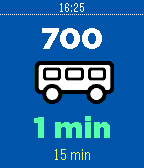
DailyGet bus arrival timings right on your wrist! No more having to fumble through your bag to find your phone while taking public transport, you can now wait for your bus in peace, and you'll know when your bus is going to arrive with a single glance. Currently only supports Singapore! UPCOMING FEATURES - Set alerts to notify you when your Bus is arriving - Timeline support - More countries!
 40
40Astronomy App
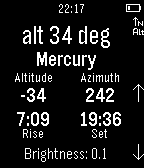
Tools & UtilitiesTrack the solar system bodies without any internet connection! Can be used to find compass heading and inclinometer, whilst display current azimuth and altitude of a heavenly body. For moon rise and set times, please see 'Astronomy Face'.
 40
40Where?
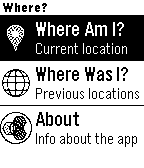
Tools & UtilitiesGet the nearest address based on your GPS location, and access a history of your 10 past positions. The app is real, but intended to demo how a backend deployed to IBM Bluemix can power interesting UIs. The server code is written with Node.js and uses Pitney Bowes and Cloudant services. The Pebble client app was written using Pebble.js in the CloudPebble IDE. Source for both is available on GitHub.
 40
40Aevitaz - Pregnancy Tracker
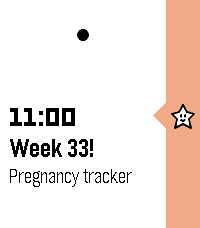
DailyThe Aevitaz Pregnancy Tracker provides weekly or daily pins in your timeline reminding you how far along in your pregnancy you are, plus a useful piece of trivia. Set up is easy, just specify either your estimated due date, the date of conception, or your last menstrual period, plus the frequency and time of the notifications and the pregnancy tracker will do the rest! It also supports toggling between who is pregnant (i.e. you or your partner). This initial version only provides pregnancy tracking, but the plan is to expand it to include post-birth feeding and sleep tracking, plus other useful things to do with babies and pregnancy. Pre-birth pregnancy planning is also on the list. If you have any ideas for features that would be useful, please reach out and let me know! I am making this for my wife who is currently pregnant, and I hope you find it as useful as we do! :-)
 40
40Pal Boost
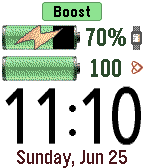
Tools & UtilitiesPal Boost enables the power boosting features for Pal Strap devices. The top button activates boost, and the bottom button disables boost. The middle button activates the custom settings menu, where boost and other custom choices can be set. Note that disabling the boost is not reflected in the Pebble until the Pal Boost app is closed, which is why the "charging" icon is sometimes displayed for the Pebble battery even though boost is disabled. This behavior is either a flaw or feature in the Pal Boost firmware (not sure which!). The Pal Strap is designed for Pebble Time, not Pebble 2. If you jury-rig the Pal Strap to use the Pebble 2, please let me know how!
 40
40Rellotge Català
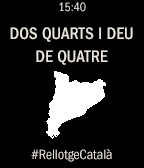
Tools & UtilitiesSi els catalans tenim la nostra manera de dir quina hora és també cal que hi hagi "El Rellotge Català". Aquest rellotge és molt didàctic i més d'un aprendrà a dir l'hora correctament. Utilitza els 3 botons de la dreta per canviar l'aspecte i veure els crèdits.
 39
39Yodish
GamesLearn how to talk like Yoda - just dictate to your watch and let the magic happens. Try it with jokes, song lyrics, short messages, whatever! Tips: - Please don't just try "Hello." Nothing will change. Yoda won't answer back, he'll just repeat. It's not the same thing as a conversation. - In the Star Wars movies, Yoda speaks short sentences. So keep that in mind when learning the Yodish language! This app is powered by yoda speak webservice. (http://www.yodaspeak.co.uk/ ) I'd like to thank Roger Leblanc for his collaboration, you can check his app "Last weather". If you experience any issues with the app drop me a line : ayoub.briki@gmail.com
 39
39Toggle
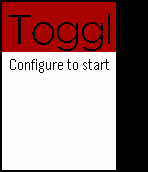
Tools & UtilitiesYou also love to use Toggl for your time keeping and would love to integrate that to your Pebble for easy billing and keeping track of everything? That's what this app was created for. Simple install the app and open the settings page. Connect to your Toggle account and fire up the app on your wrist to start timing!