 38
38Scorekeeper
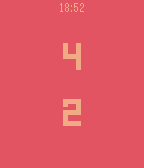
Tools & UtilitiesA simple scorekeeper for 2 teams. Pressing the top and bottom buttons changes the score for the upper and lower scores, respectively. Pressing the middle button toggles positive/negative scoring. Holding down the middle button resets the score.
 38
38Iron
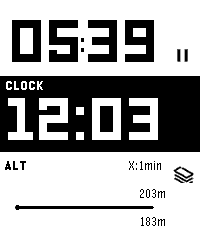
Health & FitnessIron - Workout Companion for Pebble Iron is a high-performance, open-source sports tracker for your Pebble smartwatch. Designed for runners and fitness enthusiasts, it tracks your real-time metrics and seamlessly bridges the gap between your Pebble and modern Android health ecosystems. ⚠️ Important Note: This watch app will not function at all unless used in combination with the Android companion app of "Iron". Also, while designed to support all Pebble platforms, it has not been fully tested on every single model. If you encounter any issues, your feedback is greatly appreciated! 📱 Companion App (Android) To unlock the full potential of Iron, install the companion Android app from Google Play. The companion app runs a stable background service during your workout and securely syncs your Pebble's health data directly to Google Health Connect. Download on Google Play: https://play.google.com/store/apps/details?id=hag1987haaa.pebble.iron&pcampaignid=web_share Zero ads, zero tracking analytics. Requires Location permissions (including background access) to accurately track your GPS routes while your phone is in your pocket. Only writes data to Health Connect with your explicit permission. ✨ Key Features By combining the Pebble app with the Android companion app, you can unlock: Music Control: Intuitively control your music playback directly from the workout screen. Supports swipe gestures on touchscreen models or long-press physical button mapping. Smart Notifications: Get vibration alerts on your wrist for distance laps (e.g., every 1km) or time intervals. Advanced Data Export: Supports both GPX and TCX formats. TCX includes heart rate, calories, and smoothed cadence data—perfect for uploading to Strava or Garmin Connect. Detailed Analytics Charts: View graphs for speed, elevation, heart rate, and steps on your phone. Powerful Automation: Broadcasts intents based on Pebble interactions or app state changes. Fully compatible with automation apps like Tasker. Health Connect Integration: Seamlessly syncs your recorded workout data directly to Android's Health Connect. Voice Assistant Integration: Long-press a button on your Pebble to trigger your phone's default digital assistant (the same one that launches when you hold your phone's power button). Note: Please speak your commands into your phone's or earbuds' microphone. ⚙️ Installation 1. Install this watch app. 2. Download the Iron Companion App for Android from Google Play. 3. Grant the necessary permissions (Location, Health Connect & Notifications) in the Android app. Note: Setting Location permission to "Allow all the time" is highly recommended for stable GPS tracking while your phone screen is off. 4. Start a workout on your Pebble! 🤝 Support & Credits Iron is completely free and open-source. There are no paywalls or locked features. This app was proudly developed with the assistance of Google's AI, Gemini! If you find this app useful for your daily runs, consider supporting the project: ☕ Support me on Ko-fi: https://ko-fi.com/1987haaa 🇯🇵日本語版 (Japanese) Iron - Pebble用ワークアウトコンパニオン Ironは、Pebbleスマートウォッチ用の高性能でオープンソースなスポーツトラッカーです。ランナーやフィットネス愛好家のために設計されており、リアルタイムの数値を追跡しながら、Pebbleと最新のAndroidヘルスケアエコシステムをシームレスに連携させます。 ⚠️ 重要な注意点: 本ウォッチアプリは、Android版『Iron』アプリとセットで使用しない限り機能しません。また、すべてのPebbleプラットフォームで動作するように開発したつもりですが、全モデルでの動作テストは完了していません。もし動かない場合はフィードバックをいただけると非常に嬉しいです! 📱 コンパニオンアプリ (Android) Ironの真の力を引き出すため、Android用のコンパニオンアプリをインストールしてください。安定したバックグラウンドサービスとして稼働し、PebbleのヘルスケアデータをGoogle Health Connectへ安全に同期します。 Google Playストアでダウンロード: https://play.google.com/store/apps/details?id=hag1987haaa.pebble.iron&pcampaignid=web_share 広告ゼロ、トラッキング解析ゼロ。 スマートフォンをポケットに入れた状態でも正確にGPSルートを追跡するため、位置情報(バックグラウンド含む)へのアクセス権限を使用します。 ユーザーの明示的な許可がある場合にのみHealth Connectへデータを書き込みます。 ✨ 主な機能 PebbleアプリとAndroidコンパニオンアプリを組み合わせることで、以下の機能を利用できます。 ミュージックコントロール: ワークアウト画面から直感的に音楽を操作可能。タッチスクリーンでのスワイプ操作や、物理ボタンの長押しに対応しています。 スマート通知機能: 距離ラップ(例:1kmごと)や時間インターバルを振動でお知らせ。 高度なデータ出力: GPX に加え TCX 出力に対応。心拍数、カロリー、平滑化されたケイデンス情報を含み、StravaやGarmin等へのアップロードに最適。 詳細な分析チャート: 速度、高度、心拍数、歩数をスマホでグラフ化。 強力な自動化連携: Pebbleの操作やアプリの状態変化をインテント送信。Tasker等の自動化アプリと連携可能。 Health Connect 完全対応: ウォッチで記録したデータをAndroidのヘルスコネクトへシームレスに同期。 ボイスアシスタント連携: Pebbleのボタン長押しで、スマホの「デフォルトのデジタルアシスタント」(電源ボタン長押しで起動する設定中のアシスタント)を呼び出せます。※アシスタントへの音声指示は、スマホ本体またはイヤホンのマイクで行ってください。 ⚙️ インストール方法 1. 本ウォッチアプリをインストールします。 2. Google PlayからAndroid用Ironコンパニオンアプリをダウンロードします。 3. Androidアプリ内で必要な権限(位置情報、Health Connect、通知)を許可します。 ※画面オフ時にも安定してGPSを追跡するため、位置情報権限は「常に許可」に設定することを強く推奨します。 4. Pebbleでワークアウトを開始してください! 🤝 開発者のサポートとクレジット Ironは完全に無料でオープンソースです。有料の壁はありません。なお、このアプリの開発にはGoogleのAI「Gemini」を活用しています! 毎日のランニングに役立ったと感じていただけた場合は、プロジェクトのサポートをご検討ください。皆様の支援が力になります。 ☕ Ko-fiでサポートする: https://ko-fi.com/1987haaa
 38
38Disney Wait Times
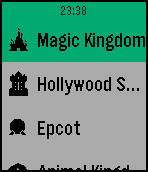
DailyQuick and easy access to the attraction wait times for all four parks at Walt Disney World in Orlando, FL. Also, select up to 20 different attractions to be notified of status changes and lower wait times. Now see park hours! Press and hold select button to trigger refresh manually. Code to access data is based on the https://github.com/cubehouse/wdwJS which accesses times from Disney themselves. Disclaimer: This app is not associated with Disney in any way.
 38
38ChinaStock
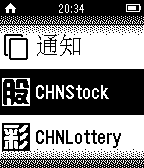
DailyChinaStock only supports Chinese language right now. 中国股票这个手表软件现在仅可以用在已经安装中文环境Pebble智能手表上,中国股票软件提供中国股票的查询,可以设置五支股票,该软件在近期还会升级,因为时间原因软件还非常不完善,期盼您的宝贵意见和建议。*因数据源的原因查询信息有时会出现滞后现象。
 38
38MadridBus Pro
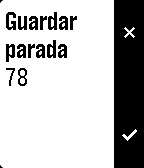
Tools & UtilitiesFind bus stops near to you in Madrid and check the time for the next bus to arrive. You can store frequently stops in favorites and change the location radious in order to find more stops around you. Long press the select button in the near stops list to store in favorites.
 38
38Eye Protect (20-20-20)
Health & FitnessStaring at screens all day? Give your eyes the break they desperately need with the 20-20-20 rule! This simple and essential app automatically reminds you about the recommended 20-20-20 rule. How it works? When you open the app it immediately toggles its mode between active and inactive (nice in combination with quick launch). When active, every 20 minutes, your Pebble watch will gently vibrate 3-times. This is your cue to look at something 20 feet away (about 6 meters). You can stop after your pebble vibrates 3 times again (20 seconds).
 38
38Ukulele Chords
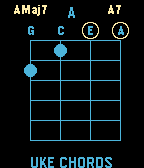
Tools & UtilitiesUkulele Chord Reference. Press Up/Down to change chord variations. Press select to toggle through Chords. Tap watch to change variation show.
 38
38DungeonTale
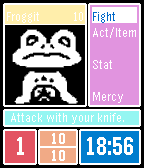
GamesNOTE: THIS GAME IS IN BETA. please email me any very important bugs or any suggestions, but keep in mind im not a coding expert. ONE MORE NOTE: THIS GAME WAS ORIGINALLY MINIDUNGEON, AND ALL CREDIT FOR THE ACTUAL GAME GOES TO THE GUY WHO MADE IT SO DONT YELL AT ME FOR STEALING HIS STUFF This is a game of traversing through a dungeon and befrending all the monsters or killing them all. You play as Frisk in your adventure to escape the underground dungeon. ANOTHER NOTE: TO PLAY THE PACIFIST RUN YOU SHOULD USE THE TALK FLIRT AND BE NICE OPTIONS IN THE ACT/ITEM MENU. ALSO TURN ON OLD GRAPHICS IF YOU ARE PLAYING THE PACIFIST RUN SO THAT SOME OF THE ENEMIES FIT THIS RUN.
 38
38Taiwan Bus Info
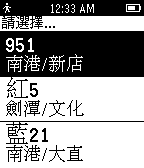
Tools & Utilities快速查詢關注的公車與到達指定站點的時間。 需搭配手機至 App Settings 加入關注的公車。
 38
38stamp
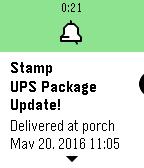
NotificationsKeep track of your Ordered packages. Auto checks tracking numbers and displays package status in the timeline. Support for USPS, UPS and Fedex. Purchases accepted with kiezelpay.
 38
38StepVerse Friends
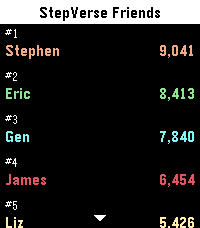
Health & FitnessGet fit and be active, improve your health and well being! Set your daily step target, add some bots, and race them around the clock. You can even challenge your friends and verse them in StepVerse, the great new step tracking app. StepVerse has a one-time cost of $1.99 with a three day (72 hours) trial period, via KiezelPay. If you love StepVerse, don't forget to give it a ❤! == Verse your Friends == - Lists all of your friends and their current step counts. - Notifications when you're winning, gain a place, or lose place, or hit your step target - so you know when you need to keep going and when you can relax. - Intelligent Timezone support, so you can challenge friends on the other side of the world. == Verse the Bots == - Add any of the bots just like friends - Step Target - Your Average and StepVerse Average - Fitness Trainer, and Extreme Fitness Trainer - And more... == Other features == - Automatically syncs unobtrusively in the background, so you can keep using your favourite watchface. - Companion website with full configuration, graphs and stats, including daily step totals for your friends for the last 2 weeks. - Timeline Quick View supported == Companion Watchface: "StepVerse" == - Free when you sign up for StepVerse Friends - Easily compare your steps to your friends with the progress lines around the outside. - Steps are synced frequently, so always know who is in the lead. See: "More from this developer" below StepVerse Sync API: https://api.stepverse.com
 37
37Bitcoin Watcher
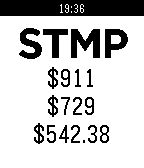
DailyKeep track of the current Bitcoin price across several large trades. Displays 3 rows of information. 1st row: 24h high 2nd row: last price 3rd row: 24h low Up/down button cycles through the different markets available: MtGox, Bitstamp and BTCChina. Middle button refreshes ticker info. Auto refresh every 3 min. New 24h high or low is indicated with light and vibration Donate: imgur.com/05Cr2ia
 37
37Game & Watch: Fire
GamesClone of Game and Watch: Fire game. Press Down to move Left, Centre to move Right. Press Up to restart at the end. Scores are submitted to a global high score list at b0ggyb33.co.uk with the (randomly generated) username shown at the end of the game.
 37
37Magic Pebble RUS/EN
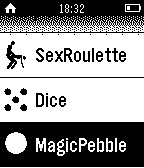
GamesTurn your clocks in the magic ball, answering questions Превратите ваши часы в шарик с ответами. Получите ответы на волнующие вас вопросы
 37
37Peggle
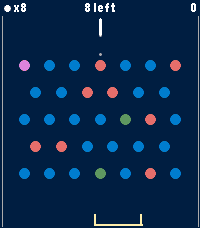
GamesA Peggle clone for Pebble Time 2. A physics puzzle game of aim, ricochet, and lucky bounces. Original game is inspired by pachinko, pinball, and pool. Launch a limited supply of balls from the top of the board and watch them carom through a field of pegs. Clear all the orange pegs to beat a level. Rack up points on the blue ones, and the more oranges you clear, the higher your score multiplier climbs. Features: • 6 hand-crafted levels — from your first gentle bounce to a wall of pegs • Endless mode — random boards that regenerate as you clear them; survive as long as your balls last and beat your high score • Free-ball bucket — catch a falling ball in the moving bucket to earn it back • Green power pegs — trigger multiball and send extra balls flying • Purple bonus peg — roams the board each turn for a big score • A trajectory guide to help line up the perfect shot • Per-level best scores and progress, saved on your watch Simple controls: Up/Down to aim, Select to fire. Built for Time 2 and Round 2