 28
28Dual Scorekeeper
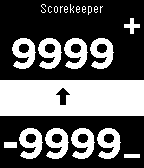
Tools & UtilitiesKeep track of 2 player's scores with this app on your watch. Scores are saved to the watch when switching apps Select button (middle click) to select which counter is being toggled. Hold down Select to clear both counters.
 28
28Toothbrush Buddy
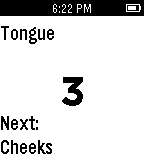
Tools & UtilitiesThis app should be used as a companion while brushing one's teeth. Once started, the app gives the user three seconds to prepare. It then allots 10 seconds per area of the mouth, starting from the bottom right are and ending with the top left area. It displays what area is up next and it also lights up and vibrates as the next area approaches. It runs for 3 minutes and includes all areas of the mouth, including the tongue and cheeks.
 28
28Random Pictures
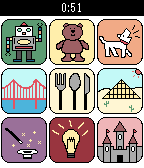
GamesRandom Pictures will show random pictures in your Pebble. You can use this app for story tell games and stimulate yourself with random idea.
 28
28Timer+ Touch
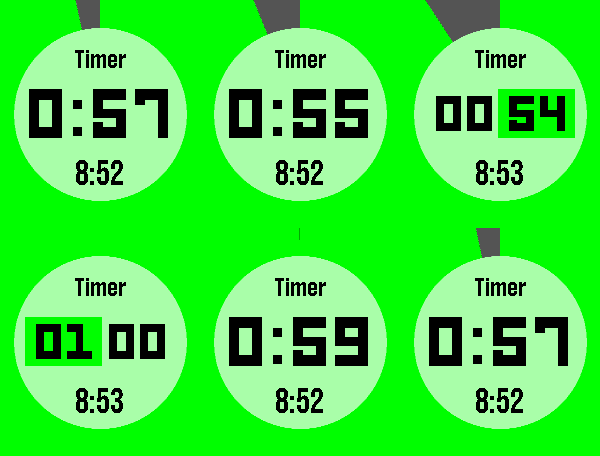
Tools & UtilitiesTimer+ is a beautifully animated, simple timer and stopwatch for your Pebble! It was created by Ycleptic Studios. It keeps track of your timer even after you close the app and will open the app when the timer has elapsed. This version add rotary dial control to the selection screen for touch enabled devices. Some Features: - Hold "Select" to reset. - Start a 0:00 timer for a stopwatch. - The end time is shown when paused. Touch Controls: - Rotate clockwise to raise the number. - Rotate counter-clockwise to lower the number. - More half turns will increase the speed of the raised number. - Center touch will be like pressing select. - Swiping to the left will be like pressing the back button.
 28
28Unofficial Support for Trello
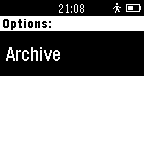
Daily"Unofficial Support for Trello" is a Pebble app which allows access to your Trello boards. View boards, lists, and individual cards from your Pebble. Change log: *Version 1.4 (2015-12-17) fixes iOS configuration screen issue. "Unofficial Support for Trello" is not affiliated, associated, authorized, endorsed by or in any way officially connected to Trello, Inc. (www.trello.com).
 28
28Abbreviations
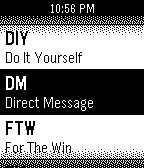
Tools & UtilitiesThis simple watchapp displays the 20 most popular abbreviations in an A-Z list format
 28
28Time Balance
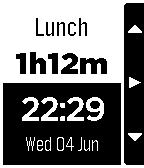
RemotesThis is a companion app for Time Balance, the personal timer for Android. It allows you to change, start, stop and adjust activities directly from the watch, and receive reminders and minimum/maximum time alerts. A plugin must be installed on your phone, and it can be downloaded from Google Play.
 28
28Scotiabank
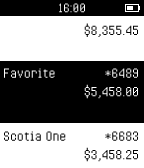
DailyBy downloading Scotiabank mobile banking app by The Bank of Nova Scotia, you consent to the installation of this app, its future updates and upgrades. Connect your Pebble smartwatch to Scotia Mobile Banking and get your Quick Balance updates without a password. You can withdraw your consent at any time by deleting the app. The Bank of Nova Scotia 44 King St West Toronto ON M5H 1H1
 28
28Time Flies!
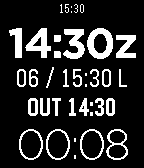
Tools & UtilitiesA timer app for pilots that displays Zulu time, a single button reset Elapsed timer, and memory function for "Out, Off, On, In" times. Full instructions are available here: http://goo.gl/jXeqe3 Zulu time is set manually by offset from the watch time. Hold the middle button for five seconds to change Zulu time, up and down buttons to change and middle button again to store.
 28
28TrainTime
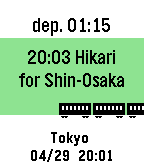
Tools & UtilitiesThis is train time table app. Please open setting page and input time table. After setting, network connection is unnecessary when using the app. You can change the Icon type to "Train, Bus, Ship, Plane". Sample is below. https://otoone-dev.github.io/docs/train_setting_sample.html Controlls [UP,DOWN] Change train. [SELECT] Change station (only 2 station) for Japanese... NextTrain 形式のテキストが使える場合があります。 多くの電車が出発する駅はサイズオーバーになる事がありますので、 その場合は曜日や時間を削る等の編集が必要です。 祝日には対応していません。 適用方法がわからない方はメールしてください。
 28
28Deep Space Mining Inc.
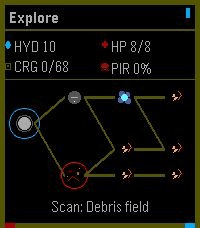
GamesThe outer systems are open, dangerous, and full of things humanity was probably meant to leave buried. You are an independent mining captain trying to survive the corporate frontier: scan unstable asteroid fields, crack valuable rocks, upgrade your ship, and push deeper into hostile space where pirates, alien signals, and something far worse wait in the dark. Deep Space Mining Inc. is a roguelite mining adventure where every expedition is a choice between greed and survival. Fill your cargo hold, survive the return trip, invest in better ships and equipment, then head back out for a deeper, riskier run. The further you go, the richer the rewards, but the frontier does not give anything back for free. Controls: Use **Up** and **Down** to navigate menus, adjust mining power, and steer during encounters. Press **Select** to confirm choices, toggle the mining laser, and fire ship guns. Press **Back** to return or pause. Hold **Back** to exit the app. Supported Devices: Deep Space Mining Inc. is best played on Pebble Time 2 and other higher-memory color Pebble watches. Black-and-white devices and lower-memory systems are supported where possible, but they run a visually reduced version with simpler rendering and fewer effects.
 28
28CountUpVibe Timer
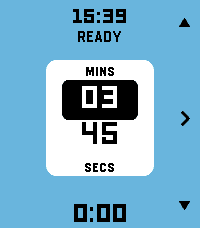
Tools & UtilitiesStay in the rhythm without watching the clock. Fire the timer first and then set time on-the-fly. Fastest way to launch a timer on Pebble. CountUpVibe Timer counts upward and taps your wrist at the interval you set — great for workouts, focus sprints, hydration nudges, posture checks, or any habit that needs a steady beat. It will give a gentle buzz on your wrist when a present time interval passes. Optimized for quick launch and fast adjustment with minimum key presses. Features: - ⏱ Quick-launch count-up timer. Once app is launched, timer immediately starts. Ideal to use with a Quick Launch button. - 🔔 Set vibration intervals while timer is running. Custom vibration interval (15s up to 99:59 — default 5 min) - 🌊 Draining water-fill shows the time to your next buzz at a glance. Change the water-color to your preference - ✏️ Launch the timer with one key press. Adjust later while timer is running - ⏯ Intuitive and minimal key presses to set the timer - 📿 Keeps reminding you in the background after you leave the app. Optimized operation for minimal battery usage - ⌚ Made for Pebble Time 2 and also runs on every Pebble (I only tested it on Pebble 2. Please give me a feedback if you try it on your Pebble) - Settings section in Pebble Smartphone part of CountUpVibe Timer let's you change the default settings/preferences and color palette. - Works with Quiet-Time (Silent Mode) in Pebble. If Quiet-Time is on, timer will run but watch won't vibrate. Set it once and let your wrist keep the beat. Operation Instructions: - Timer automatically starts counting the time upwards when you launch the app. It will buzz every 5 mins by default. App starts in Adjust mode. - Adjusting Vibration (Buzz) interval: In Adjust mode, Press Up and Down key to adjust minutes. Press Central key to highlight seconds adjustment (with UP and Down key). Press Central key again (or wait for 15 secs) to set the buzz time interval. Now you enter Run mode. - Run mode: Top key pauses/resumes timer. Bottom key resets/starts timer. Central key enters Adjust mode. - Timer will keep running in the background and it will keep buzzing/vibrating at the set interval. To stop it, press bottom (reset) key in Run mode. - The app is made to be used intuitively to rapidly launch a timer without too many key presses. - Settings menu in Pebble App changes the default settings/preferences and color palette. You can set the default vibration interval, minimum step of interval change and color of water-animation of you choice
 28
28Hive for Pebble
RemotesConnects and controls the Hive Heating system by British Gas Any problems don't hesitate to email and ask. The information you provide e.g username/password is stored on your phone and can only be accessed by Hivepebble.
 28
28eSolat
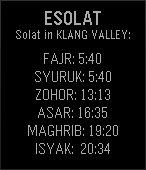
DailyThis app can tell prayer times for Klang Valley area in Malaysia. Sourced directly from the JAKIM website. Made by a Malaysian for Malaysians.
 28
28Expense Manager
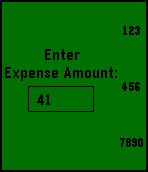
DailyEver wanted to monitor your monthly expenses to know where did all your savings went? I believe many had tried that through mobile apps but felt lazy or simply to troublesome to key in tons of information just to record a transaction of a dollar. Well, i am a lazy person but my app helps me to record all more transaction fast. It takes away the unnecessary information and store only how much you have spent and how much you have received. It provides a simple UI to allow you to monitor your monthly finances at a glance. At the end of the month, simply reset and you are ready for the challenge in the upcoming month. Come and try it now, since its free anyway. Instructions: Press and hold Up: Backspace; Press and hold Down: Clear Input; Press and hold Select: Enter