 23
23Counter
Tools & UtilitiesA simple app to count anything you need to! NEW FEATURES - Counter stays the same even if you exit the app and come back! - New UI Instructions: Up Button: Add by 1 Select Button: Reset Down Button: Decrease by 1 Coming Soon: -Pebble and Pebble Steel Support -Animated number entry -Much, much, more!
 23
23Currency Exchange
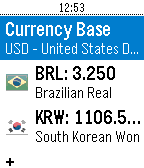
Tools & UtilitiesWorld Currency Exchange Converter. Up to 32 currencies.
 23
23Game of Thrones Countdown for Pebble
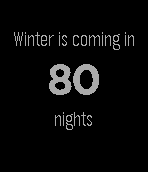
DailyCountdown to the series 6 premiere of Game of Thrones on HBO. Includes the Night's Watch Oath.
 23
23Remote for LIFX
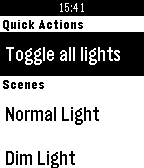
RemotesToggle your LIFX lights and activate your scenes using Remote for LIFX. Suggestions? Bugs? Feel free to get in touch! Disclaimer: Remote for LIFX is an unofficial app and is not affiliated with LIFX. LIFX® is a registered trademark of LiFi Labs, Inc.
 23
23raceQs Marine GPS app
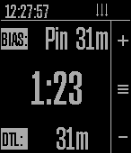
Health & FitnessFree beta App marine GPS and sailboat race computer. www.raceQs.com/smartwatch
 23
23Star Watch
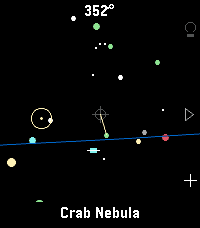
Tools & UtilitiesA tool for finding and identifying objects in the night sky. Just hold your wrist up to the sky and discover what's up there! Features include: - Manual targeting (point the crosshair at sky objects for names) - Object targeting (pick from several lists of objects to be pointed to where they are currently in the sky) - Backlight on/off (all) as well as a red backlight mode (currently Emery only) for easy nighttime viewing. - Zodiac view mode - All stick figures (constellations) mode - Heading, horizon, ecliptic options - Touch screen mode available Tilting up and down is smooth thanks to a dedicated tilt sensor in the watch; unfortunately, the watch's compass azimuth updates (left & right movements) can be poor at times. I've added software filters to help smooth it out for now. Once gyro access is added to the Time 2 and Round 2 firmware, I'll update this app for a smoother, more responsive sky-scanning experience. Built for Pebble Time 2. Your mileage may vary on Pebble Round 2 and Pebble 2 Duo. If you find a bug or have a suggestion, let me know!
 23
23pendler2
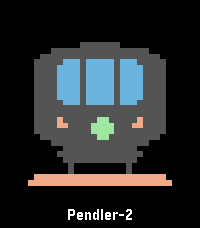
DailyÜber diese Anwendung kannst du deine nächste Zugverbindung per Knopfdruck abrufen. Die App greift dabei auf offizielle und freie APIs der Deutschen Bahn zu. Die Anwendung „pendler“ (2017) ist angelehnt an „myBahn“ von Frank Küpper (2016). „pendler2“ ist eine Neuentwicklung von „pendler“. Bei der Entwicklung habe ich diesmal auf die Unterstützung von „Claude Code“ und "gemini" zurückgegriffen. # Bahnhöfe Wähle zuerst den Startbahnhof aus. Klicke auf „Bahnhöfe“ > „hinzufügen“. Du kannst nun wählen, ob du den Bahnhof über den Service der Deutschen Bahn (Standard) oder über den Service des „VBB“ suchst. Für die meisten Bahnhöfe ist die Standard-Suche passend. Sprich jetzt in das Mikrofon deiner Pebble den gesuchten Bahnhof. (Beispiel: Mainz, Frankfurt, Münster). Wenn die Suche zu nur einem Ergebnis führt, wird der Bahnhof direkt übernommen und gespeichert. Wenn es mehrere Suchergebnisse gibt, musst du den passenden Bahnhof noch auswählen. Du kannst die so gewählten Bahnhöfe sowohl als Start- als auch als Zielbahnhof nutzen. # Verbindungen Klicke auf deiner Pebble auf den Menüpunkt „Verbindung“. Wähle zuerst einen Startbahnhof aus, den du im vorherigen Schritt bereits hinzugefügt hast. Nach der Auswahl des Startbahnhofs musst du den Zielbahnhof bestimmen. Hier kannst du entweder direkt einen Namen diktieren oder einen anderen Bahnhof auswählen, den du ebenfalls bereits hinzugefügt hast. Manchmal ist die Diktierfunktion hier unerlässlich, weil du bei der Verwaltung der Bahnhöfe immer einen konkreten Bahnhof auswählst. Der Frankfurter Hauptbahnhof z. B. hat aber mehrere EVA-Nummern (also mehrere „Unter-Bahnhöfe“). Wenn du hier einfach „Frankfurt“ diktierst, findet die Anwendung alle Verbindungen nach Frankfurt, unabhängig vom jeweiligen Unter-Bahnhof. Diese Option ist daher flexibler. # Weiterfahren nach... Wenn du eine konkrete Verbindung ausgewählt hast, kannst du durch einen Knopfdruck einen weiteren Bahnhof auswählen (Option „Weiterfahren nach...“). Dann wird der vorherige Zielbahnhof zum neuen Startbahnhof und du kannst einen neuen Zielbahnhof festlegen.
 23
23Flynformer
Tools & UtilitiesType the flight number on the watch. No hunting through the phone app: two letters, up to four digits, done. It stays until you change it. Meet Flyn — your flight companion. Three pages, in the order you travel. Before the flight — the gate in large type, terminal, departure time, countdown, delay. In flight — time remaining, a segmented progress bar, arrival time, flight time. At the destination — temperature, weather, local time, baggage belt, arrival gate. The app opens on the page that matches the current phase of your flight. It tells you when something changes. Your flight goes into the Pebble timeline as a pin, carrying two reminders: two hours and thirty minutes before departure. Those buzz on their own, without the app running. If the gate, terminal, status, baggage belt or a time changes by more than five minutes, the pin goes out again and the watch lets you know — even with the app closed. Countdowns and progress deliberately don't count as changes: they move on every fetch and would be noise, not news. You bring your own API key. Flight data costs money. Flynformer uses aviationstack, whose free tier allows 100 requests per month.
 23
23Unpack
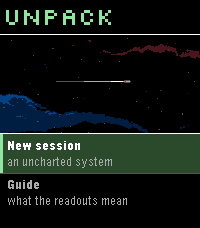
GamesA von Neumann probe game for Pebble. You arrive in an uncharted system with a seed payload and no infrastructure. Unpack yourself into power and extraction, work the bodies you find, and build what the colonists will arrive to -- factories, colony frames, and finally the orbital ring you leave through. The system keeps interrupting with decisions that have no clean answer, and the clock never stops for them. A run takes 2-4 minutes, start to departure or failure.
 23
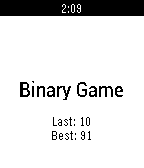
23Binary Game
Games011011100101...
 23
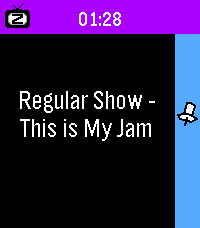
231 More Episode
Daily"#^%$! I fell asleep and woke up watching a different season! What was the last episode I saw?!" - You, probably Well now your Pebble smartwatch can tell you! This app uses your Pebble Health data to match the time you fell asleep with your Jellyfin/Plex watch history. You can even track what you fell asleep to each night on your past timeline! Simply provide your Jellyfin/Plex (Tautulli) API key+URL in settings and let your Pebble keep track! The app changes themes automatically to match your streaming platform of choice. Due to limitations of Pebble sleep data retention, it can only show data for your most recent sleep session, and it has to be within the last day, so be sure to launch the app the day you wake up from your binge! WARNING: Jellyfin is strongly encouraged! Plex support requires installing Tautulli since the official API doesn't seem to want to return watch history (unless you have Plex Pass?).
 23
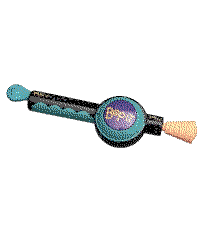
23Twist It!
Gamesbop it twist it pull it pull it bop it clone that uses the speaker controls: up: twist (volume up if the game isn't active) select: bop down: pull (volume down if the game isn't active) touch controls: tap: bop swipe down: pull you can flick your wrist to twist it!
 23
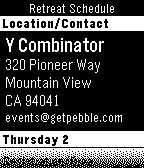
23Pebble Retreat Schedule
DailyThe perfect watch app to attend the Pebble Developer Retreat 2014.
 23
23Golden Hour Tracker
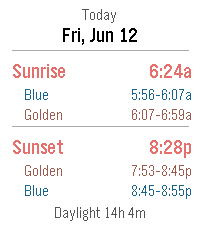
Tools & UtilitiesThis app tracks sunrise, sunset golden hour, blue hour, and lets you look at past and future days for the same information
 23
23Rotate
Tools & UtilitiesHello and welcome to rotate. This app is for any magicians who want to perform the self winding nut and bolt. Quick instructions: Load the app which looks like a standard watch face. When you are ready to perform simply press the top button once and you will feel a short vibration to let you know its ready. 4 seconds late the magic will happen. This will last for 10 seconds then stop. This should be more than enough time to unwind any small nut and bolt Enjoy