Count-Up-Vibe Timer
dev@salmontech
Watchapp
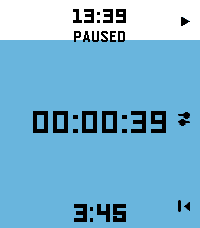
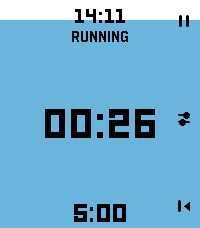
Description
**Stay in rhythm without watching the clock.**
Fire the timer first, then set time on-the-fly. Fastest way to launch a timer on Pebble.
Count-Up-Vibe Timer counts upward and taps your wrist at the interval you set — great for workouts, focus sprints, hydration nudges, posture checks, or any habit that needs a steady beat. It will give a gentle buzz on your wrist when a present time interval passes. Optimized for quick launch and fast adjustment with minimum key presses.

Features:
- ⏱ Quick-launch count-up timer. Once app is launched, timer immediately starts. Ideal to use with a Quick Launch button.
- 🔔 Set vibration intervals while timer is running. Custom vibration interval (15s up to 99:59 — default 5 min)
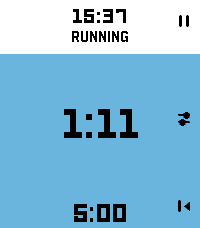
- 🌊 Draining water-fill shows the time to your next buzz at a glance
- ✏️ Launch the timer with one key press. Adjust later while timer is running
- ⏯ Intuitive and minimal key presses to set the timer
- 📿 Keeps reminding you in the background after you leave the app. Optimized operation for minimal battery usage
- ⌚ Made for Pebble Time 2 and also runs on every Pebble (I only tested it on Pebble 2. Please give me a feedback if you try it on your Pebble)

Set it once and let your wrist keep the beat.

Operation Instructions:
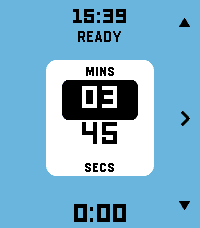
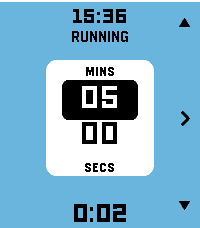
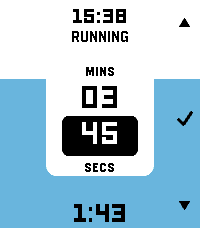
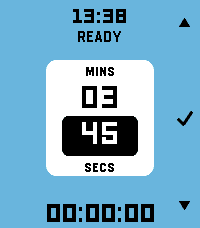
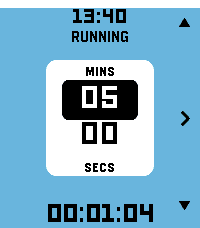
- Timer automatically starts counting the time upwards when you launch the app. It will buzz every 5 mins by default. App starts in Adjust mode.
- Adjusting Vibration (Buzz) interval: In Adjust mode, Press Up and Down key to adjust minutes. Press Central key to highlight seconds adjustment (with UP and Down key). Press Central key again (or wait for 15 secs) to set the buzz time interval. Now you enter Run mode.
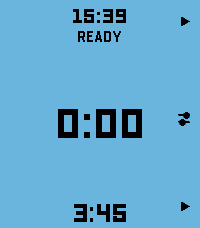
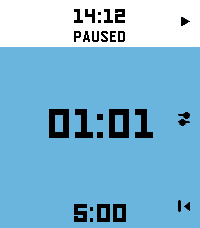
- Run mode: Top key pauses/resumes timer. Bottom key resets/starts timer. Central key enters Adjust mode.
- Timer will keep running in the background and it will keep buzzing/vibrating at the set interval. To stop it, press bottom (reset) key in Run mode.
- The app is made to be used intuitively to rapidly launch a timer without too many key presses.
- Developerdev@salmontech
- CategoryTools & Utilities
- PlatformsOG Pebble, Steel, Time/Time Steel, Time Round, 2, 2 Duo, Time 2, Round 2 (scaled)
- Updated2026-06-29
- Version1.0.0