World Clock
Joel Crane
Watchapp
Description
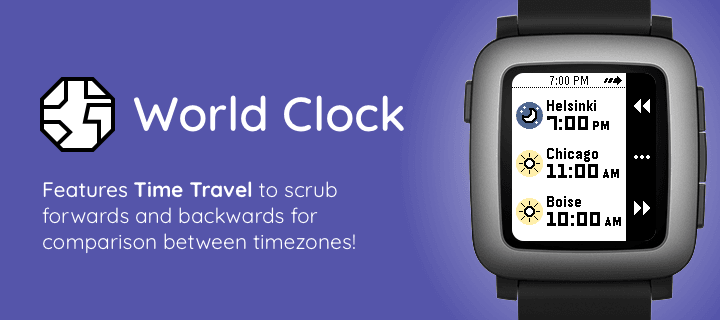
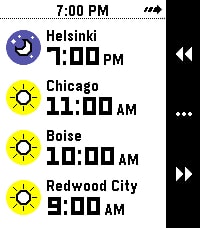
What's the current time in Helsinki, Boise, and Redwood City? When it's 4 PM in Amsterdam, what time will it be Sydney? Instantly answer questions like these right on your wrist with World Clock!

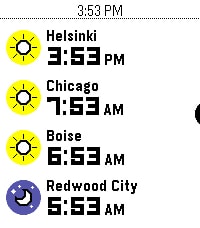
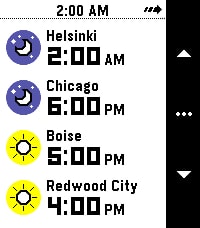
With World Clock, you can choose up to 8 timezones to display at your wrist. You can also use Time Travel to scrub forward and backwards in 30-minute increments, so you can compare different timezones.

To use it, open the Settings app on your phone and select cities to add to the list. World Clock will automatically populate the name field with the name of the city, but you can change it to whatever you like. You can also quickly enable and disable timezones, too.

Time offsets are calculated by the phone, and synchronized to the watch. The watch caches all of the cities and time offsets, so if your phone isn't nearby, you can still use World Clock. Your phone will check on all of the timezones whenever World Clock starts, just in case something like Daylight Savings Time has happened recently (and you'll see a small "X" if the watch wasn't able to sync with the phone).

If you like to switch Pebbles, no problem! The timezone list is saved on the phone, and automatically synchronized to whatever Pebble you are wearing.

Pebble Round 2 support coming as soon as it arrives!
- DeveloperJoel Crane
- CategoryTools & Utilities
- PlatformsOG Pebble, Steel, Time/Time Steel, Time Round, 2, 2 Duo, Time 2, Round 2 (scaled)
- Updated2026-06-21
- Version1.1